The Renault 5: An Electric Car With Personality
But this is my first experience with a Renault 5. This is a higher car. And uh what I’m going to do now is just take you through the controls. This is going to be purely intuitive. I’ve not read the manuals or anything. It’s one of the things I tell you to do, but because I’ve driven so many cars, I might have a slight advantage over some people. I’m just going to run you through some of the features, some of the things you can change, some of the things you might want to change, other things which are pretty useless. So, let’s have a look at that. Uh, so welcome to Dave Takes It On. I’m Dave. Okay, so we’re just testing out the speech recognition and the keyword is hi Renault. Well, talk to me. Unfortunately, I can’t help you with that. Okay, you won’t talk to me. Let’s give it a command this time. Hi, Renault. I’m cold. Got it. Increasing the temperature by one degree. Okay. So, voice recognition very intuitive. While you’re driving along, instead of fiddling about with buttons, levers, or on the screen, all you do is you tell it that you’re not at the right temperature, and it will do that for you. Okay, let’s have another go. Uh, hi Rano. Navigate to Blackpool Tower. Here is what I found. Okay, so it doesn’t actually navigate there, but it gives me Blackpool T. So, it’s found what I wanted and I just have to press a start button. It’s great if you’re stationary, but if you’re driving and you want to navigate there, um you’ve got to now take your eyes off the road and press the start button, which is it’s not ideal. Uh pretty good system. It knows exactly what we’re doing, but uh maybe it could go further. Okay, let’s test it a bit more. Hi, Renault. Change driving mode to sport. Oh, setting drive mode to sport. Okay, so there’s multiple features with this. So, once again, instead of driving along and having to take your eyes and hands off the wheel and press something on the screen, um it is very intuitive and it seems to be capable of a number of features which are really, really useful. I agree with people saying you shouldn’t take your eyes off the road. you shouldn’t have to be fiddling about on screens. But most cars today, and even my old 10year-old, uh Tesla Model S, uh it’s got full voice recognition. You can do all this sort of thing, navigation, uh heater control, turn on things, turn off things, uh while you’re driving just on voice control. And in most cases, that voice control, certainly on the Tesla, is on the steering wheel. Here, this is listening all the time. It’s a bit more like Siri uh where it listens in the background all the time and at any time during a conversation if you say hi Renault it will have listened to what you were talking about and it didn’t that time. Hi Renault, turn the engine off. [Music] We’ll try that one again. Hi Renault, turn the car off. [Music] doesn’t like that one. So when we look at something like the what driving mode you’re in, there’s a car here. So it’s logical to assume that your driving modes are here and indeed they are. Shows the car shows lots of other things as well, but it shows the car and there are three modes. There’s a comfort mode and the nice thing is comfort mode is yellow. That’s yellow. But so now is the um light highlighting on the dashboard and you get a yellow feel to it. If you go to eco mode, logically it goes green. That’s gone green. Other bits have gone green. Uh so this is all logical. And when you go into sport mode, yeah, we go red. This is warning. You’re going to go uh super fast. Uh there’s also a configure one purple multi-ense personal. This is personalizing it. So we can set anything in between uh in theory. Uh let’s see what uh features are available to uh modify. So the first one will be driving. There we go. Engines. So we can set the engine into normal sport or eco. So that would be one feature that we don’t have to use the presets for. Steering effort. I personally like mine low. I like a nice light steering wheel. uh unless I’m driving fast, but normally I’m pottering around. So, we’ll set that one there. And then vehicle dynamics. Um I’m quite happy to leave it in normal. So, that now has personalized it for me. So, that’s driving life on board. Uh ambient lighting. What options have we got? You can change the color automatically, adapt the time of day, or personalize it. I’m not interested in that really. So, let’s get out of that. Uh, light intensity. Is that the screen? Uh, that doesn’t seem to do an awful lot. And what’s the last one? Climate, normal, or eco. Yeah, it’s not an awful lot of customization. Um, but it does give you some off options if you want to uh do that. Right. Uh, so what else have we got on here? Uh, the top left we got electric and this will show you battery and where it is at the moment. Not not in interactive. Um, we can do a program and there we go. You can set a vehicle to be ready at 5:00 in the morning or wherever. And you have a series of programs. You can look at the battery. This is where you can adjust it. So, this is your maximum charging speed. And we’d normally run this about 75 80%. Uh, for normal driving. If we’re going to do a range test, we would run that right the way up to 100 100%. And it gives you a clue underneath, doesn’t it? Journey, what do they recommend? So for normal pottering around they recommend 80% and for journeys they recommend uh and I did read somewhere came up on here that when you’re going on a journey they recommend you set it at 100%. That’s them. So the settings themselves pedestrian warning sound I mean oh Jean Michelle Jar uh or expressive what’s expressive do it doesn’t give you a preview. Um, so we’ll stick with Jean Michelle Jar. Uh, it allows Oh, plug and charge. Right, here we go. Charging stats. Uh, plug and charge, no certificate. Now, that means that without a certificate, it can’t do plug and charge for us. So, um, plug and charge is a feature. The Renault 5 does have plug-and charge, but there is a procedure to go through before that’s activated, and I haven’t done that procedure as yet. Um, and there’s an automatic one. Charging starts automatically when connected to compatible public charging station. So, whatever you set for your home, um, time delays or anything if you’re plugging into a public charger, it’ll just start charging straight away. And we’ve seen that here already. Uh, so that’s the settings there. Uh, air quality. Uh, purifier. What’s that? Uh purifier cycle ongoing for an optional cycle climate in auto mode and windows closed. Uh yeah. Okay. Uh my driving. Now this is going to give me a score. This is interesting but not essential. But we started out today 8:40 in the morning. We’ve driven uh 57.3 miles. Average speed 25.4. Useful stats. Um not for everyone, but for me. Safety 95% and that covers things like how close you are to the car in front. Uh how fast you accelerate, uh how fast you go around corners. This side is the eco. I’ve got 83% and this again covers acceleration. Uh I don’t know if it gives any further. Oh, there you go. Acceleration or speed, I’ve got three and a half leaves. Whereas anticipation, four and a half leaves. So I’m good anticipating. Uh, I’m a little bit heavy-footed on the acceleration. You have an eco driving style. More effort on acceleration. That’s the advice. That’s rather interesting. And let’s see what it says for safety. Speed. Oh, look at that. I’m obeying speed limit all the time. Following distance, four out of five. Trajectory. Uh, I’m keeping it straight. I’m not wandering. Uh, so given our criteria, the score is excellent. Oh, there you go. Excellent. And no advice for me. So, that’s since the start of this journey. Um, and this is since I’ve had the car, I would imagine, but also the driver before me because this is a higher car. Um, so that’s 79. You got a pretty safe driving style. Let’s improve your speed management. Ah, there you go. So, not me because my score is better than that, but the person who had this car before me seems to have driven much faster than me. Anyway, interesting feature, not essential. So, what else have we got? Uh, driving assistance. This will show you what you have. We got safety, comfort, and parking. So, on the safety, it’s going to show you distances. Uh, my safety all on. Um, my advice to everyone, if you’ve got safety features, always have them on. Even annoying ones, they could one day save your life. Uh, configure my personal personal. We’ve done that already. Uh traction control. Uh it’s either on or off. Always leave it on. Uh and active braking on or off. Always leave it on. Uh none of these will harm you in any way, but they’re all designed to save your life in the event of an incident or an accident. Uh warning anticipation. Uh you can set that really early early if you’re a nervous driver, standard or late if you’re a bit of a a speed freak. Uh but really quite interesting. There’s quite a bit which is uh which is customizable. Uh following distance. Not sure how we adjust that one. Uh but we’re getting a red warning there. No, it’s still there. And display risky areas. Yeah, not entirely with that one. Uh so let’s go for parking. Uh we get a parking sound. This is law these days. It has to make some sort of sound. Sound type. Oh, let’s go expressive. Oh, we get a little bleep and a preview on that one. Uh, and volume. You can set the volume. Uh, so some some customizable features. Vehicle itself. Uh, access autolock door while driving. That’s always useful if you stop at traffic lights. There have been occasions where people have opened doors and stolen wallets, cameras, phones, or handbags. Hands-free lock, unlock. Yeah, that’s uh important. Silent mode. Uh gets rid of all the sounds. Uh we do need the pedestrian ones. Uh so in the cockpit, we’ve got screen. Uh that’s brightness. Cockpit brightness. Uh turn indicator sound. Quite happy with that. Favorite button on the steering wheel. There’s a button here called multisense. And that one you can set it for specific uh features like air purifier cycle vehicle world menu. Oh yeah, nothing there that I edit widgets. Yeah, not enough not for me. Um so uh let’s get back into that one. Uh the last one, settings. What have we got here? Uh, we’ve got sound, network, internet, Bluetooth, location, privacy, apps, notifications, date and time, profile, account, security, system, update, and Google. Uh, so fairly standard um, suite of things on the settings that you can actually change. So, many people still stuck in the past. They still like loads of buttons, dials, knobs, switches, and you know what. Uh, so let’s run through what they’ve got here. We got a hazard warning and a lock button. So, they’re pretty standard. Uh heating controls, down for uh cold, up for hot. Very self self-suffic self-explanatory. We’ve got fan so we can adjust the fan speed. Uh we’ve got a max button. Just maxes everything out. So, first thing in the morning, if you haven’t preconditioned the cabin, that’s the button for you. Turn that off. Heated rear window auto. Sense that there might be a risk of windscreen fog. Should I activate the demyisting? No. Noted. If you ever want to deform your windscreen, just say, “Hey, Reno, activate demyisting.” Uh, so we’ve got research there. We got air conditioning going to maximum. Uh, this is a defrost windcreens and then everything off. So, they’re all there if you want it. However, if you want to do anything to do with temperature, uh just talk to that silly character that comes up and he’ll do it for you. So, you don’t need to use these buttons. We live in the past. They will that’s what we used to use. We’re not in the past anymore. We’re in the present and heading to the future. Right. So, the other controls, this is your headlights. Uh there’s an auto setting there. And the auto setting, I have driven it a little bit at night. It works really well. Uh there’s also uh auto auto lighting deactivated. auto lighting activated there. Uh, and that’s a headlight flash as well, uh, in the normal way. Uh, the button on the end doesn’t seem to do anything while we’re stationary. And I will warn you, some of these, uh, buttons won’t do anything while we’re stationary, which we are at the moment. This over here is your gear selector. And I love this because it’s very similar to the Tesla, which is down here, but it’s up there. So, it’s up for reverse, down for neutral, and down to drive. Uh, and there’s two drives. There’s pure drive, and if you press it again, you go into a different drive with extra sensors activated. Uh, so going back up, let’s go back down. There we’re in neutral. Uh, over here is windscreen wipers. Again, there’s an auto setting. Auto windscreen wipers work perfectly well while while I’ve had it. Uh this also covers the windscreen wiper at the back and the windscreen wash at the back. Um so that’s all self-explanatory. Leave it in auto. Nothing else to do. Pull that forward and that’s a screen wash. Uh does the wash and the wipe automatically. So all self-explanatory. One other one hidden away down there is your radio controls. Uh you’ve got your source, what uh program you’re listening to, or whether it’s Bluetooth or Spotify or whatever. Uh volume buttons here, up and down. And you’ve also got an off. If you press them both in, it turns it off. Simple as that. Turns it mutes it. Sorry. And then mode at the bottom. Not entirely sure what that one does at this stage. And then here, uh fairly standard. This is your cruise control, your auto speed and auto um um uh distancing. Uh so you’ve got controls here which I can’t do and now it won’t do anything. Uh there’s a mode button there which changes uh the mode here. So you can do certain things here. Speed limiter selected. Uh drive assist deactivated. Adaptive cruise. You can do various things from here. Over on this side you got your phone, got your microphone. Uh, and you got star button. Nope. Goes to favorite button on the steering wheel. That’s your favorite button there. Uh, so that’s okay. Can we get out of that? Press it again. No. How do we get out of that? Go to home. There we go. Um, and then that one there. Whoa. Oh, we get a a a picture of ourselves again. Uh, what else has changed? Range showing. Doesn’t seem to have changed anything else. Oh, it just gets rid of the picture of the car. Uh, then over here you’ve got another mode. This does the mode here, which shows you range, uh, which is reading 151, but 130 miles left. Um, this is distance. The car has done 326 miles and I’ve just zeroed that for the uh economy. Uh it shows eco monitor. Not worked out how that works. Uh which radio station we’re on and then nothing there at all. I tend to leave it in consumpt consumption because this tells me uh consumption is efficiency. Okay. So this is an initial impression brief summary. Uh there’s lots of goodies here which people like with EVs. They are different from ordinary cars. Um, for my point of view, coming from a Tesla, I’ve got a big screen in front of me and that is a big difference. That is a nice big screen. I do like that. Although that side of it, that’s a really small screen and I don’t like that. I like the huge Tesla ones. So, I’m torn here between loving that and and hating that or just having one big screen here. But having got used to one big screen, um it’s no hassle to me. This is very useful, very customizable, gives you all the information that you need. And this one, yeah, to me it looks cheap and nasty. Um you can go I don’t know how do we go full screen. Oh, there we go. Um it shows a map there, but this one shows a map when you’re navigating somewhere. Um it’s not the best quality. It’s it it seems to me as though they just tried to pack a load of goodies, flashy goodies in there to impress you. In actual fact, um apart from the settings, there’s not a lot that impresses me. The settings people have to realize, you set these once and for most people, you never change them. If you got your seat in a certain position and nobody else drives the car, the seat’s never going to change position. Same with here. Once you’ve set up your preferences and everything else, you’re never going to change it. So, with the voice activation, that annoying little character that comes up all the time, uh, you can do an awful lot of the controlled settings um by just voice command. So, overall, yeah, it’s it’s a nice cheap car. Uh, it’s in the 20 to 23,000 range. This one is the um 50 52 kWh battery. Um, and it’s the Techno. Um, and it’s um, supposed to have a range of about 248 um, miles. Uh, but obviously we’re in winter at the moment and we’re going to be testing that out in a separate video. So, we covered an awful lot here and well, if there’s anything I haven’t covered, anything you’d like to see me cover, uh, then just let me know in the comments below. Also, be aware that something like the range test, uh, that’s going to be a separate video. So, we’re going to compare that one WLTP against the car, what it says, and then against what we actually get out in real world. So, keep an eye out for that video as well. That should give you then a comprehensive view of the car. Uh, for the price range, I’m quite impressed. Very small in the back when I got me seat here, but other than that, uh, there’s quite a lot going for this car at this price. [Music]
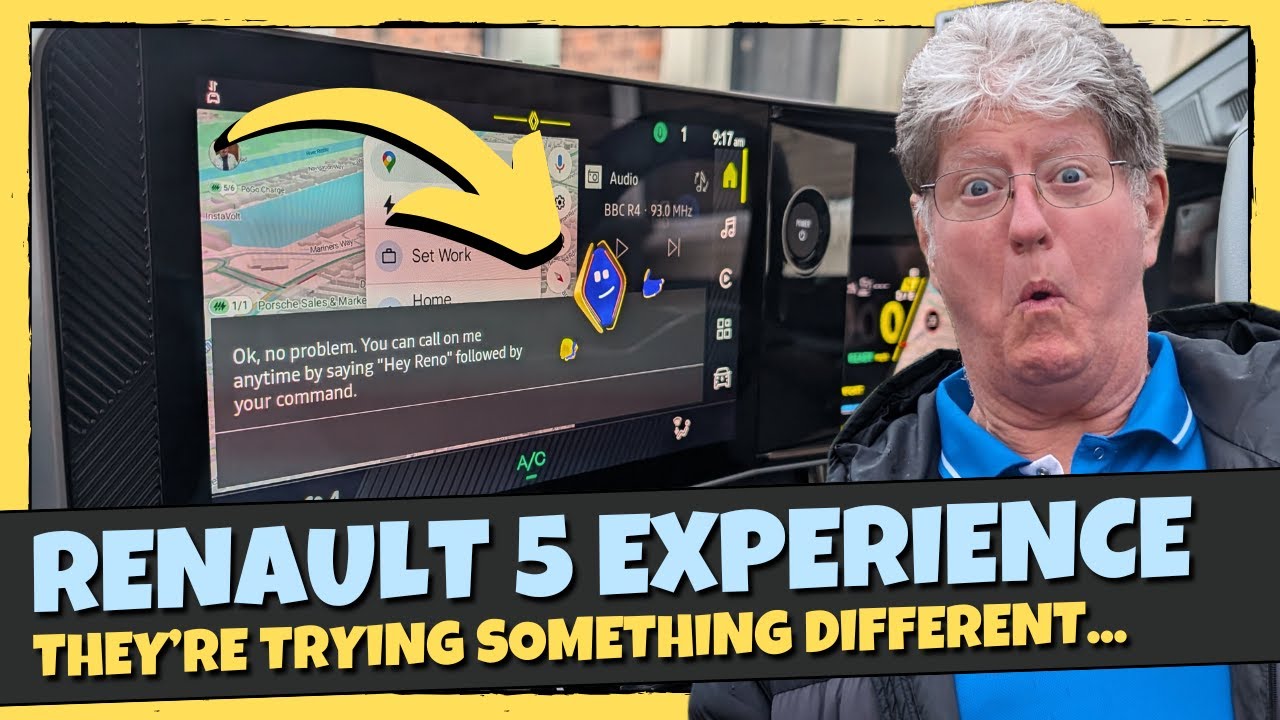
The Renault 5 has a bold user experience, with its own character called “Reno”. This character is very similar to the infamous Clippy and proves to be equally divisive here. But at least Renault is trying bold things with its user interface. The technology is quite impressive (when it works properly) but is the screen everything it should be? Dave takes on the Renault 5 and provides an honest walkthrough.
// Socials
Email: davetakesiton@gmail.com
Twitter: https://twitter.com/davetakesiton
// Support Us Further
Patreon: https://www.patreon.com/DaveTakesItOn
Join this channel to get access to perks:
https://www.youtube.com/channel/UCp-jajUP-0qmEMJohiNFKLA/join
// Referrals
Dave’s Octopus Energy Referral code: https://share.octopus.energy/wheat-robin-44
Jonas’s Octopus Energy Referral code: https://share.octopus.energy/rich-ibex-885
Tesla Referral code: https://ts.la/dave87278
// About The Channel
Dave Takes It On is presented by Dave and produced by his son Jonas. The channel is focused on the UK’s transition to EV charging, looking at what EV drivers can expect when out and about. Whether you’re unsure if you can use a 3-pin plug or need to find the latest EV charging prices, we have it all.