How to Perform a Remote Software Upgrade in Your BMW | BMW How-To
Remote software upgrade is a stress-free way to get the newest functions and features and ensures that your BMW’s onboard systems are running the latest and greatest software. Staying up to date has never been easier thanks to the My BMW app. As long as you’ve allowed push notifications on your phone, you’ll be notified when a remote software upgrade is available for your BMW. If an upgrade is available, once it’s ready to download, a pop-up notification will appear at the end of your drive, letting you know that it’s ready to be installed after you’re safely parked. For this demonstration, let’s get started. To manually check for an update within the app, tap check status and then tap remote software upgrade. [Music] To check through iDrive, select system settings and scroll to remote software upgrade. It generally takes about 20 minutes for an update to complete and the car will need to remain parked during the update. If it’s more convenient, you can schedule it to take place on a specific date and time or you can select let’s get started and then confirm and finally start installation. I’m sure you know a lot about your BMW, but there’s so much more. So, hit the subscribe button, comment, like, share, and tap the notification bell to discover the full potential of your BMW. What are you waiting for?
Remote Software Upgrade is a stress-free way to get the newest functions and features, and ensures that your BMW’s onboard systems are running the latest and greatest software.
Staying up to date has never been easier, thanks to the My BMW App.
As long as you’ve allowed push notifications on your phone, you will be notified when a Remote Software Upgrade is available for your BMW.
If an upgrade is available, once it’s ready to download, a pop-up notification will appear at the end of your drive letting you know that it’s ready to be installed after you are safely parked.
For this demonstration, let’s get started…
To manually check for an update within the app, tap “check status.” And then, tap “remote software upgrade.”
To check through iDrive, select System Settings and scroll to Remote Software Upgrade.
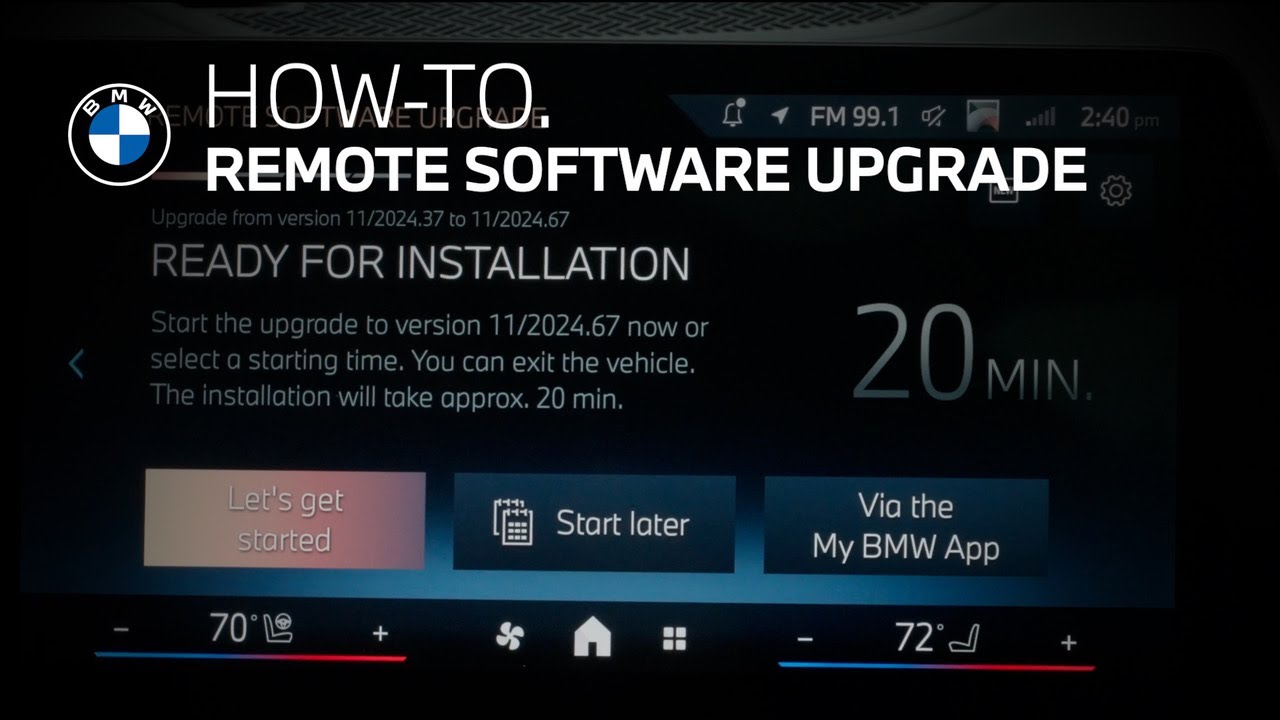
It generally takes about 20 minutes for an update to complete, and the car will need to remain parked during the update.
If it’s more convenient, you can schedule it to take place on a specific date and time.
Or, you can select “Let’s Get Started” and then “Confirm”
Then finally, “Start Installation.”
Continue watching our How-To series to explore all the innovative features of your BMW!
Looking for a quick answer? Check out our FAQ page : https://faq.bmwusa.com/
Refer to your owner’s manual or visit: https://www.bmwusa.com/owners-manuals.html
Need further help? Contact us here: https://www.bmwusa.com/contact-us.html
Follow BMW USA for the latest in luxury cars and performance vehicles:
Facebook: https://www.facebook.com/BMWUSA
Instagram: https://www.instagram.com/BMWusa
Twitter: https://twitter.com/BMWusa
TikTok: https://www.tiktok.com/@BMWusa