How to Pair a Bluetooth Device with Your BMW | BMW How-To
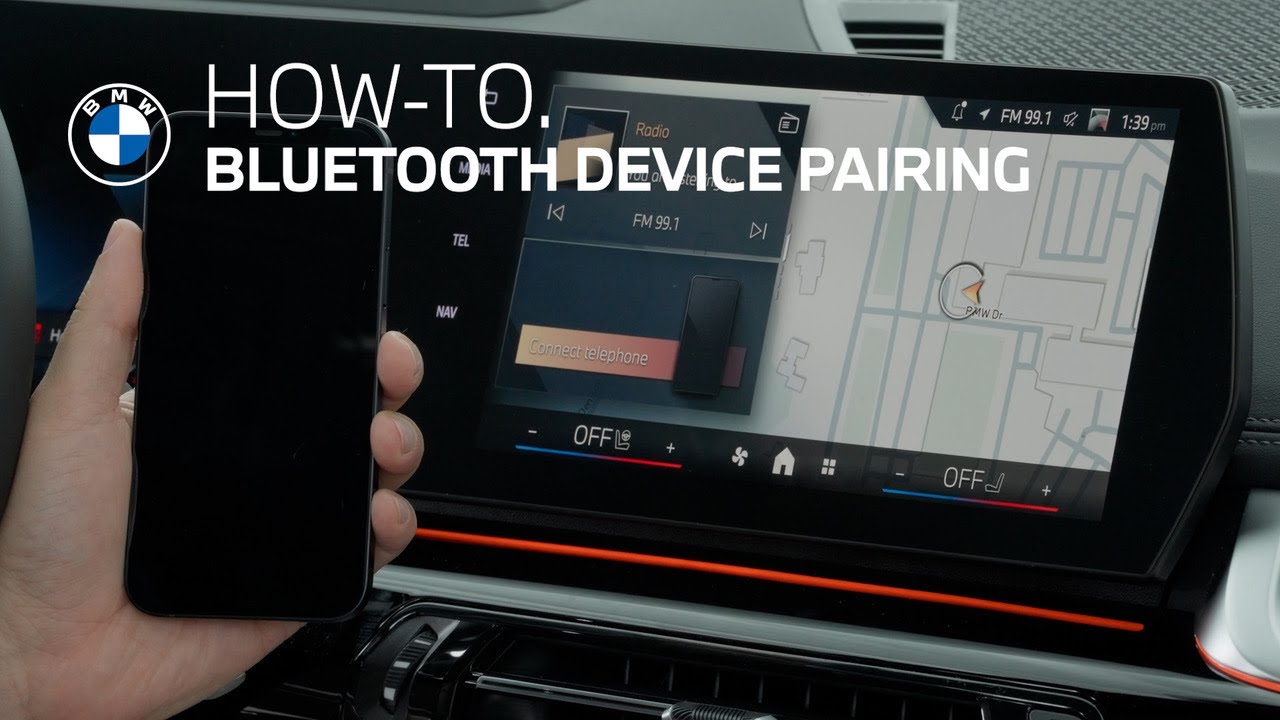
If you experience any type of connectivity issue with your phone and your BMW, first try to resolve it by powering your personal device off, then back on. If needed, take steps to reestablish a Bluetooth or Apple CarPlay or Android Auto connection. Sometimes after a phone update, it is important to remove and then repair your device. To remove a device from the existing list, just tap the device and then scroll until you see remove device. To completely reset the connection, remove the vehicle from your phone. [Music] Before repairing your phone, ensure that Bluetooth is enabled. Tap the menu icon, then mobile devices, then connect new device. You can connect by selecting your phone on the display or selecting your BMW on your phone. Follow the prompts ensuring that the six-digit pairing request code that’s displayed on your phone matches the one shown on the screen. Once connected, you can allow contacts and favorites to sync. Then choose to simply use Bluetooth or Apple CarPlay or Android Auto. Your phone is now paired with your BMW. I’m sure you know a lot about your BMW, but there’s so much more. So, hit the subscribe button, comment, like, share, and tap the notification bell to discover the full potential of your BMW. What are you waiting for?
If you experience any type of connectivity issue with your phone and your BMW, first try to resolve it by powering your personal device off, then back on.
If needed, take steps to re-establish a Bluetooth or Apple CarPlay, or Android Auto connection. Sometimes, after a phone update, it is important to remove, and then re-pair your device. To remove a device from the existing list, just tap the device and then scroll until you see “remove device.”
To completely reset the connection, remove the vehicle from your phone.
Before re-pairing your phone, ensure that Bluetooth is enabled.
Tap the menu icon, then mobile devices, then connect new device. You can connect by selecting your phone on the display or selecting your BMW on your phone. Follow the prompts ensuring that the six-digit pairing request code, that’s displayed on your phone, matches the one shown on the screen.
Once connected, you can allow contacts and favorites to sync. Then choose to simply use Bluetooth, or Apple CarPlay or Android Auto.
Your phone is now paired with your BMW.
Continue watching our How-To series to explore all the innovative features of your BMW!
Looking for a quick answer? Check out our FAQ page : https://faq.bmwusa.com/
Refer to your owner’s manual or visit: https://www.bmwusa.com/owners-manuals.html
Need further help? Contact us here: https://www.bmwusa.com/contact-us.html
Follow BMW USA for the latest in luxury cars and performance vehicles:
Facebook: https://www.facebook.com/BMWUSA
Instagram: https://www.instagram.com/BMWusa
Twitter: https://twitter.com/BMWusa
TikTok: https://www.tiktok.com/@BMWusa