Tips, Tricks and Special Features of the BMW X1 SUV
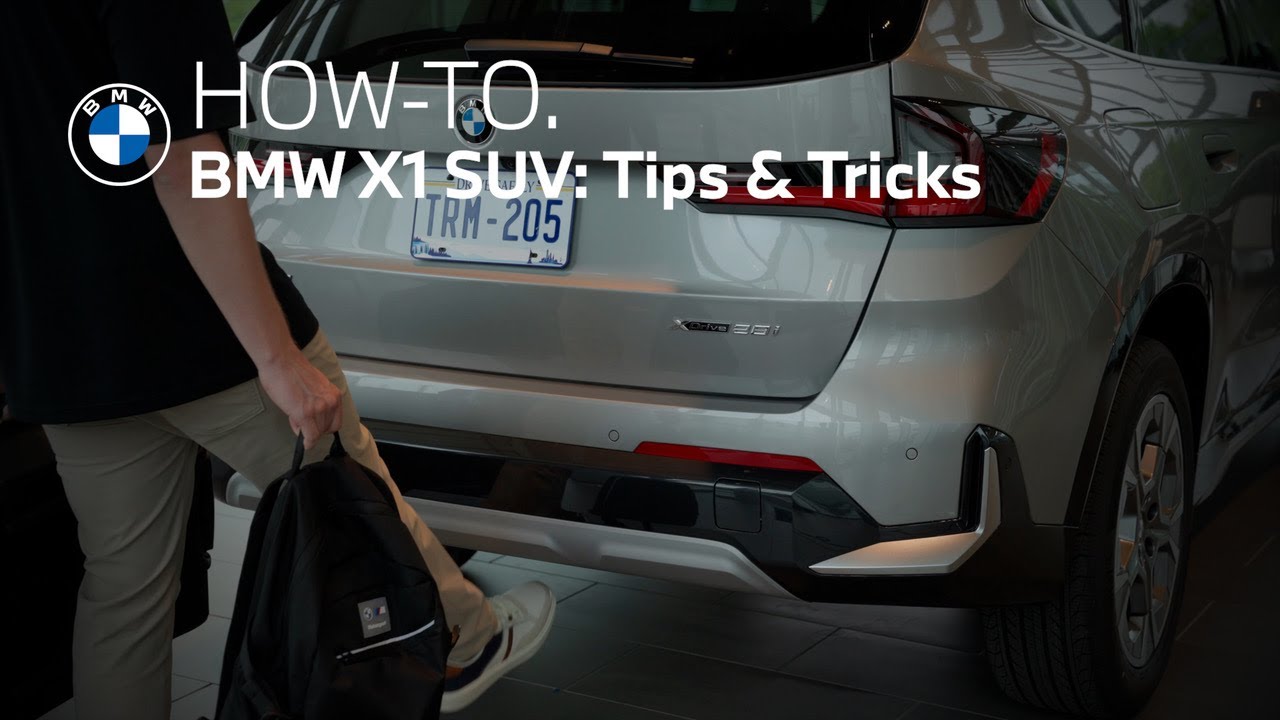
[Music] meet the BMW X1 an SUV packed with style innovation and power in this video we’ll highlight some features of this X1 that help define the ultimate driving machine a great example the smart opener a comfort access feature designed to make loading and unloading cargo a breeze especially when your hands are full by lining up your knee with the center of the rear bumper and moving your foot with one swift motion you can access the trunk without needing to fumble for keys or press any buttons when you need to close the trunk just use the same motion and the trunk will close effortlessly please note that vehicles that are equipped with the trailer hitch do not have the smart opener feature in our X vehicles settings for the tailgate can be customized through vehicle settings scroll to doors and windows then press tailgate from here you can set the opening height if you prefer to disable the smart open feature entirely you can toggle the open and close feature separately comfort is a key component to your driving experience and the X1 offers the ultimate accommodation let’s take a look at how to get the most out of the climate control system the climate control system is operated through the central display screen tap the fan icon on the bottom menu bar to access the full range of settings for manual adjustments you can choose from presets like front vents footwell or windshield use the max defrost or air circulation buttons for quick windshield defogging or cabin ventilation these features optimize air flow and temperature to clear fog and refresh the cabin quickly for effortless comfort rely on autoclimate control once you set your preferred temperature the system automatically adjusts air flow heating or cooling to maintain a consistent cabin environment just like your home thermostat fan speed can also be adjusted to achieve maximum comfort to set your desired cabin temperature use the plus and minus next to the indicated temperature your BMW features dual zone climate control so you and your passenger can each set your individual preferences heated seats and heated steering wheel when equipped are key to staying warm during colder months you can choose between three heating levels or set seat and steering wheel heating to auto activivate based on outside temperature your BMW provides a convenient way to wirelessly charge your mobile device it’s perfect for powering up your phone while keeping your focus on the road using features like Apple CarPlay or Android Auto may result in slower charging speeds the mobile phone reminder will notify you if you happen to leave your device in the charging tray go to system settings then wireless charging tray to toggle it on make sure to close the holding bracket to begin charging and to secure your device your BMW will detect the device and begin charging automatically a charging icon on your phone’s screen confirms it’s working on occasion the central information display may need a reset performing a reset is simple and can resolve a multitude of issues such as abnormal software performance unresponsive controls or connectivity issues with the vehicle turned on simply press and hold the volume wheel for about 30 seconds once the screen goes black you can release the wheel and wait for the system to fully restart the central information display is now reset and ready to perform optimally if you experience any type of connectivity issue with your phone and your BMW first try to resolve it by powering your personal device off then back on if needed take steps to reestablish a Bluetooth or Apple CarPlay or Android Auto connection sometimes after a phone update it is important to remove and then repair your device to remove a device from the existing list just tap the device and then scroll until you see remove device to completely reset the connection remove the vehicle from your phone [Music] before repairing your phone ensure that Bluetooth is enabled tap the menu icon then mobile devices then connect new device you can connect by selecting your phone on the display or selecting your BMW on your phone follow the prompts ensuring that the six-digit pairing request code that’s displayed on your phone matches the one shown on the screen once connected you can allow contacts and favorites to sync then choose to simply use Bluetooth or Apple CarPlay or Android Auto your phone is now paired with your BMW remote software upgrade is a stress-free way to get the newest functions and features and ensures that your BMW’s onboard systems are running the latest and greatest software staying up to date has never been easier thanks to the My BMW app as long as you’ve allowed push notifications on your phone you’ll be notified when a remote software upgrade is available for your BMW if an upgrade is available once it’s ready to download a pop-up notification will appear at the end of your drive letting you know that it’s ready to be installed after you’re safely parked for this demonstration let’s get started to manually check for an update within the app tap check status and then tap remote software upgrade to check through iDrive select system settings and scroll to remote software upgrade it generally takes about 20 minutes for an update to complete and the car will need to remain parked during the update if it’s more convenient you can schedule it to take place on a specific date and time or you can select let’s get started and then confirm and finally start installation let’s go for a drive when you take the wheel of the BMW X1 you’ll feel assured knowing you have the latest safety features and technology lane keeping assistant is an advanced safety system that is part of the active driving assistant suite and uses cameras to monitor the road’s lane markings if your vehicle begins to stray out of its intended lane the system will alert you helping you to avoid potential collisions or unsafe maneuvers this feature is activated by default to confirm it’s enabled tap driver settings select driver assistance then safety and warnings and confirm that lane departure warning is switched on you can choose how sensitive the engagement of the system is you can also turn the steering intervention on or off if you do not want the vehicle to correct the lane deviation remember that lane departure warning is a driving assistance tool it’s not a substitute for your attention on the road if you’d like you can temporarily disable or turn off the auto start stop function during a drive toggling the gear selector to S or L mode allows the engine to keep running during a quick left-hand turn across traffic or during parking maneuvers to disable auto start stop during a drive swipe down from the top of the central information display and select disable alternatively you can press the driving settings menu button in the central control stack and select the disable auto start stop tile lastly utilizing the my modes button auto start stop is disabled when the sport driving mode is selected automatic park assistant makes parking stress-free this feature helps you find a spot and assists in the parking maneuver automatic park assistant is designed to locate parallel perpendicular or diagonal parking spaces whether parking forward or reversing into a spot let’s take a look at how it works to get started simply press the parking assistant button located on the center console once activated your BMW will begin scanning for a suitable parking space as you drive the system will only recognize the space once you’ve fully driven past it when a suitable space is found a chime will sound and available options will appear on the screen come to a complete stop and then confirm the type of parking maneuver you prefer for the scenario the system expertly handles steering acceleration braking and gear shifts to park your vehicle with precision and ease as long as you are buckled up if you engage the steering wheel or accelerator pedal it will override the process if you prefer to go at a slower pace you can use the brake while the parking process continues once the parking maneuver is complete your BMW will automatically shift into park and display a notification when it’s time to leave the automatic park assistant can be used to position the vehicle so it can safely pull out of the parking spot in the desired direction the BMW X1 a compilation of innovation craftsmanship and technology that defines the ultimate driving machine
*Experience the 2025 BMW X1: Innovation Meets Convenience*
The BMW X1 combines style, performance, and intelligent technology—making it the ultimate compact luxury SUV. In this video, explore how the X1 brings everyday convenience and advanced features together for a seamless driving experience.
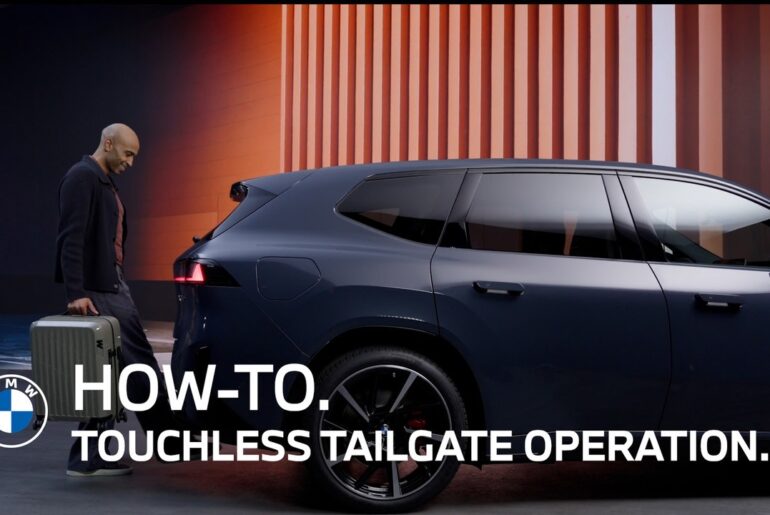
*Hands-Free Tailgate Access with Smart Opener*
Loading and unloading cargo has never been easier. The Comfort Access Smart Opener—which allows you to “kick to open”—has you open and close the tailgate with a simple foot motion, ideal when your hands are full. (Note: Vehicles equipped with a trailer hitch do not include this feature.)
*Customizable Tailgate Settings*
Adjust the opening height of the tailgate through iDrive settings under “Doors and Windows” for a personalized experience. You can also disable the smart open/close functionality at any time.
*Dual-Zone Climate Control for Personalized Comfort*
The BMW X1 offers Auto Climate Control, fan speed settings, and temperature adjustments for both driver and passenger. Heated seats and heated steering wheel (when equipped) can be set to activate automatically based on outdoor temperatures.
*Wireless Charging with Device Reminder*
Charge your mobile device wirelessly in the built-in tray—complete with automatic detection and a reminder system to alert you if you leave your phone behind.
*How to Reset Your BMW’s Central Information Display*
If the iDrive screen becomes unresponsive or slow, press and hold the volume knob for ~30 seconds to perform a reset. This simple action restores optimal performance.
*Reconnect Your Phone Easily*
From re-pairing Apple CarPlay or Android Auto to Bluetooth troubleshooting, this video walks you through every step to get your device connected to your BMW again.
*Remote Software Upgrades Made Easy*
Stay up to date with the latest features and enhancements through the My BMW App or directly via iDrive. Upgrades can be scheduled or installed manually in under 20 minutes.
*Advanced Safety with Lane Keeping Assistant*
The Lane Departure Warning system helps keep you safely in your lane using steering interventions. Customize system sensitivity or toggle it off entirely via the Driver Assistance menu.
*Disable Auto Start Stop with Driving Modes*
Learn how to temporarily disable Auto Start Stop by selecting Sport mode or swiping down on the Central Information Display for a smoother, uninterrupted driving experience.
*Automatic Park Assistant: Let the X1 Handle It*
Parallel, perpendicular, or diagonal—let your BMW X1 scan for and park in the perfect spot. Once engaged, it handles all the steering, braking, acceleration, and gear shifting for you.
*Why the BMW X1 Defines the Ultimate Driving Machine*
From intuitive technology to advanced driver-assistance features, the 2025 BMW X1 stands out in every category. Watch the video to discover how this vehicle transforms daily driving into a luxury experience.
Continue watching our How-To series to explore all the innovative features of your BMW!
Looking for a quick answer? Check out our FAQ page : https://faq.bmwusa.com/
Refer to your owner’s manual or visit: https://www.bmwusa.com/owners-manuals.html
Need further help? Contact us here: https://www.bmwusa.com/contact-us.html
Follow BMW USA for the latest in luxury cars and performance vehicles:
Facebook: https://www.facebook.com/BMWUSA
Instagram: https://www.instagram.com/BMWusa
Twitter: https://twitter.com/BMWusa
TikTok: https://www.tiktok.com/@BMWusa