How To Use BMW Back-Up Assistant | BMW How-To
Easily navigate out of your parking space with a BMW backup assistant.
This feature automatically records your forward driving path at speeds up to 22 mph. It’s designed to retrace your last driving path so you can exit complex areas with confidence.
Once the vehicle is placed in park, the system saves the recorded path, allowing it to assist you in maneuvering out of tight spaces with ease.
Whether in a narrow driveway, parking garage or a tight spot, this feature can guide you out effortlessly.
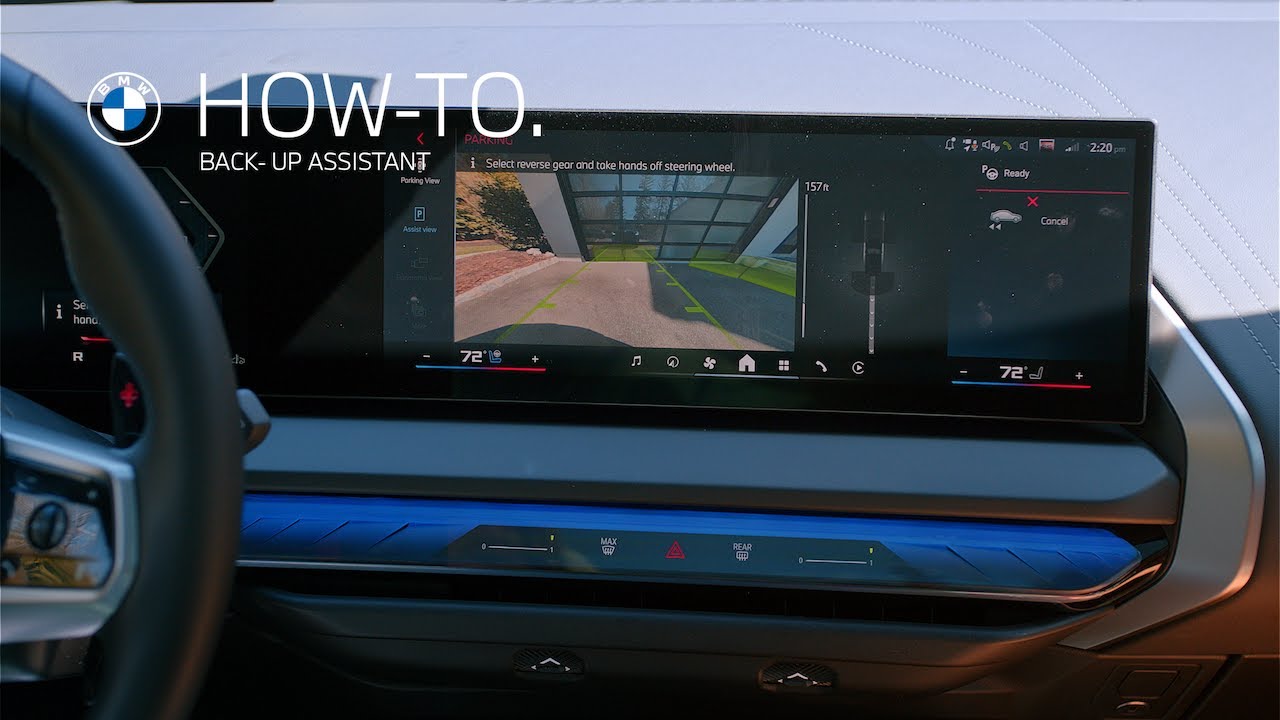
To use back up assistant, press the parking assistance button on the center console. Then select Backup Assistant in the center information display
To begin the maneuver. Simply follow the onscreen prompts, shift into reverse, and tap the accelerator. Your BMW will automatically steer along the recorded path while you control the brakes or accelerator if needed.
Need to take over? Just move the steering wheel and backup assistant will disengage.
Explore more of your BMW Intelligent features by watching our How-To series.
Looking for a quick answer? Check out our FAQ page : https://faq.bmwusa.com/
Refer to your owner’s manual or visit: https://www.bmwusa.com/owners-manuals.html
Need further help? Contact us here: https://www.bmwusa.com/contact-us.html