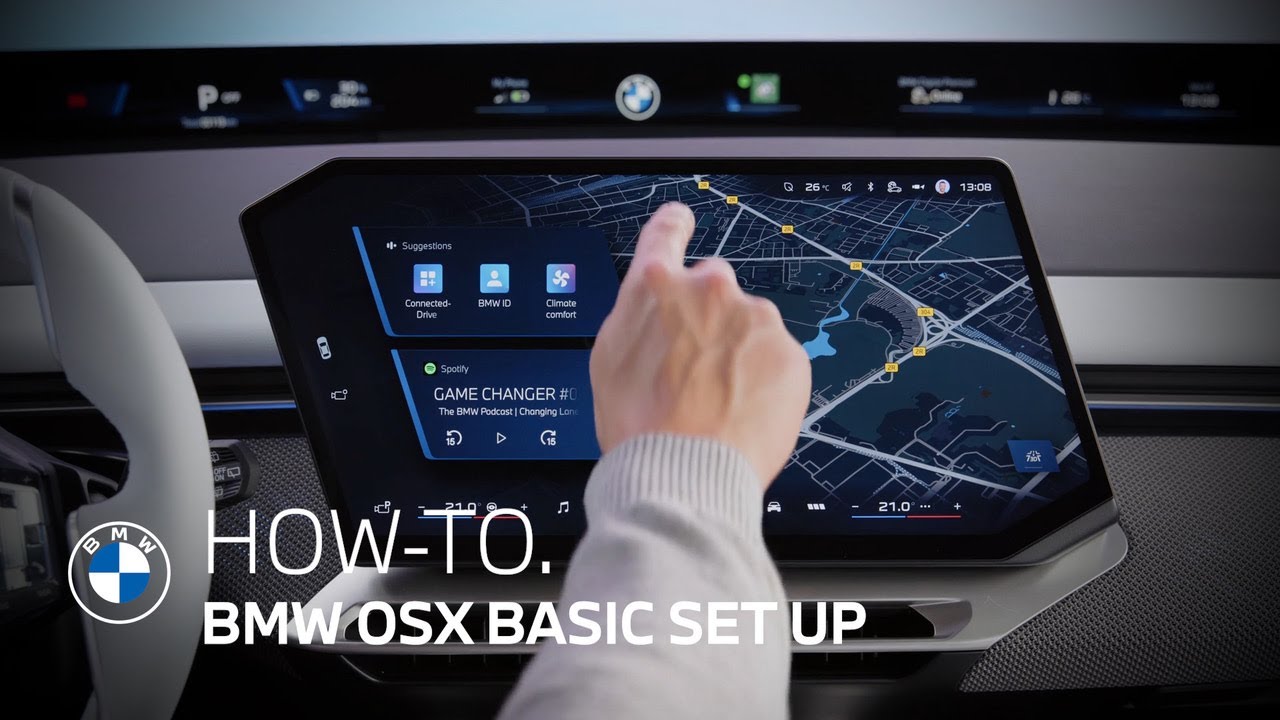
BMW Panoramic iDrive with Operating System X | Basic Setup | BMW How-To
This video walks you through how to set up your new BMW Panoramic iDrive with BMW Operating System X.
The good thing is when you first get in, the system guides you through the first steps anyway. There’s even the possibility to start the setup before you even get your new BMW – in the pre-delivery mode of the My BMW App.
So, when you’re in the car, either you’ve added your BMW ID to the vehicle as part of setting up your BMW Digital Key with the Setup Card. Or, you log in by simply scanning the QR code and following the steps on the smartphone.
To enjoy the full connected experience with your BMW, like most My BMW APP features, and to use all personalized functions like proactive suggestions from the navigation system, you have to activate all permissions on the data privacy page. Of course, you can always go back to the data privacy menu to renew your settings.
Next, you can set up your BMW Intelligent Personal Assistant to benefit from its enhanced functionalities for voice control and even more useful suggestions and routines. And it has an enhanced visualization.
Then, if you haven’t done it already, you can activate your BMW Digital Key Plus and link it to your BMW ID. This is especially important as the digital one is now your primary vehicle key.
The activation is also just another QR code scan away and your ID is linked automatically in the process. So in the future, when you open your car with the digital key, your personal settings are automatically recognized.
Now you’ve linked your BMW ID and your My BMW App to the vehicle, but not your smartphone itself to access your telephone functions. So, Bluetooth connection is next.
Just as you’re used to, activate the vehicle’s Bluetooth and on your device, of course, tap the name that’s shown on the central display, compare number codes, and allow connection.
Now, you have set up all basic functions of this vehicle, and you can explore more about its features with the upcoming tutorials.
Don’t forget to adjust your favorite personal settings to make your driving experience very much your own: like your seat and personal climate settings, your favorite settings for comfort access, the welcome orchestration, and your settings for My Mode Personal.
Also add your most used phone contacts, navigation destinations, or, for example, a certain function of the driver assistance systems as shortcuts to the tool belt.
And now you’re ready to go. Press the brake, shift to drive or reverse, and enjoy the ride.
Get the most out of your BMW by watching more of our how-to videos: https://www.youtube.com/playlist?list=PLzgoLd4TRmNrBVU2FSKDsn6LLsB4EUvh1
Looking for a quick answer? Check out our FAQ page : https://faq.bmwusa.com/
Refer to your owner’s manual or visit: https://www.bmwusa.com/owners-manuals.html
Need further help? Contact us here: https://www.bmwusa.com/contact-us.html
Follow BMW USA for the latest in luxury cars and performance vehicles:
Facebook: https://www.facebook.com/BMWUSA
Instagram: https://www.instagram.com/BMWusa
Twitter: https://twitter.com/BMWusa
TikTok: https://www.tiktok.com/@BMWusa