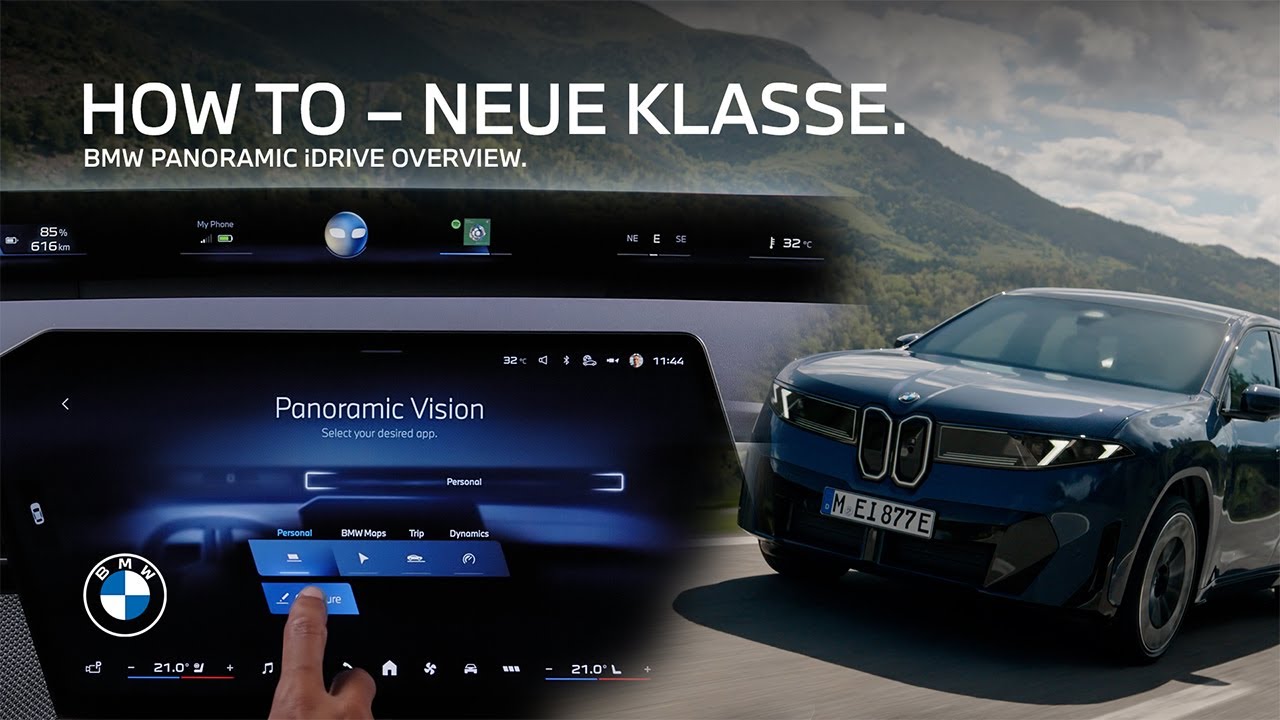
How-To: Getting Started with the BMW Panoramic iDrive with BMW Panoramic Operating System X.
The BMW Panoramic iDrive with BMW Operating System X puts you in control of a new driving experience. Use the Central Display for intuitive touch control of all vehicle and infotainment functions, and of the displays. Swipe through the widgets on the homescreen for a quick overview with information from your favorite functions and often used features, and get to the respective menu with a click. Tap and hold to configure the widgets. The menu bar always offers direct access at first sight to the most important climate functions for the left and right front seat zone. Media, navigation, telephone. “My Modes”. “My Vehicle”, the climate menu, all apps, or back to the home screen. Swipe down from the top to open the toolbelt with your own configurable shortcuts. Long-press any app or menu to add to shortcuts. The toolbar also contains shortcuts to important functions like configuring the “Panoramic Vision”. It displays all the driving information you need for the driver and additional infotainment content for driver and passenger. You can also go to “My Vehicle”, “Displays” to set up the Panoramic Vision display. Choose from the apps with different compilations of the most important displays for navigation, journey data or dynamics. Or choose your personal configuration to save to your personal profile. Just drag and drop the widgets to your desired position in the Panoramic Vision display. Also, keeping your eyes on the road with your hands on the Multifunctional Steering Wheel, you can simply press the menu button. Change through the Panoramic Vision settings with the arrow buttons and confirm with the middle one. With the other steering wheel buttons you can control media and communication functions on the right. And driver assistance system functions with the situation-relevant ShyTech buttons on the left. Enjoy full control. You bought the ultimate driving machine. Good for you. Now let’s make sure you’re using all of it. Tap one of these videos to unlock the full potential.
Get a first up-close look at the new user interface and user experience of the BMW Panoramic iDrive with BMW Operating System X. Learn how to control and adjust all the menus and displays on the Central Display in free-cut design and the BMW Panoramic Vision, as well as how to use the shy-tech multifunction steering wheel.
⚙️ Function availability:
Please note that each service, feature, and the corresponding version are subject to availability. Depending on the vehicle model and its technical requirements, the availability and version of a function may vary.
📽️ Key Moments:
00:00 – Intro
00:08 – The Central Display
01:13 – The Panoramic Vision
01:56 – The multifunction steering wheel
🔗 Learn more!
The BMW Driver’s Guide app specifically describes the equipment and functions available in the vehicle. The owner’s manual is available as an app in many markets. Further information can be found online at: https://www.bmw.com/bmw_drivers_guide
🔔 Subscribe for more BMW content!
👉 Visit our website: www.bmw.com
📱 Follow us on social media @bmw
BMW iX3 50 xDrive: WLTP energy consumption combined: 17,9 – 15,1 kWh/100 km; WLTP CO₂ emissions combined: 0 g/km; CO2-class: A; WLTP electric range: 679-805km
BMW Individual Steering Wheel in digital white available for order optionally starting from 01/26.
Screen contents are subject to change due to ongoing software updates.
#BMW #BMWHowTo #BMWNeueKlasse #BMWPanoramiciDrive #BMWiX3