
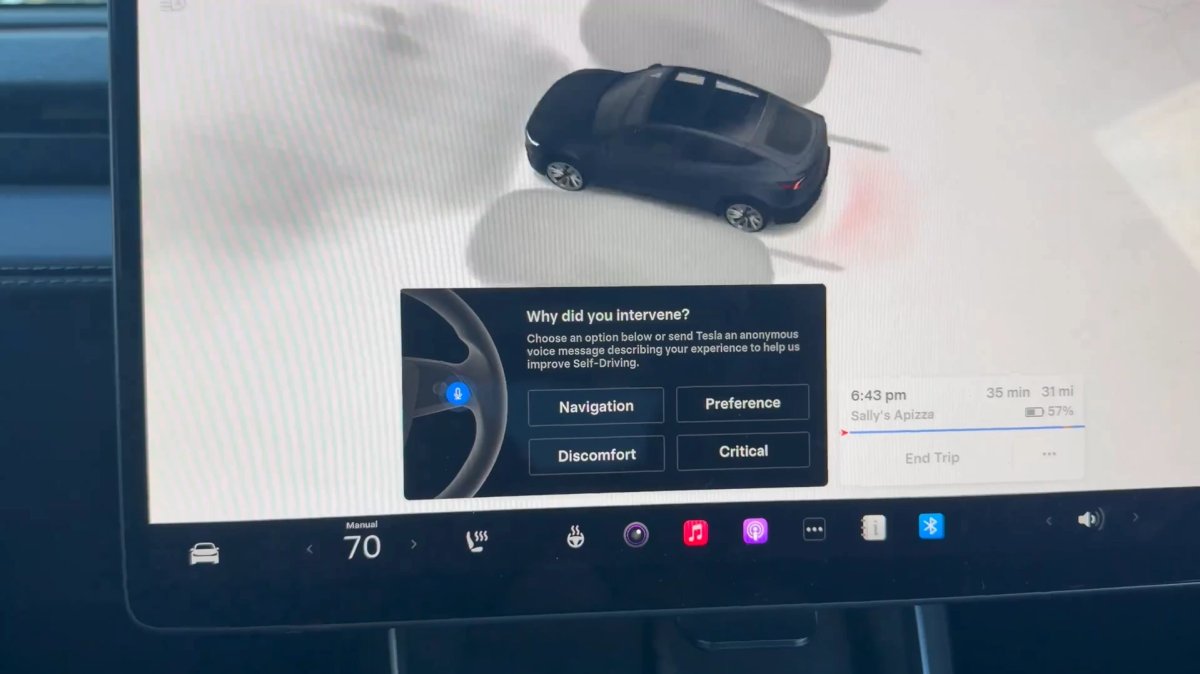
Tesla is wasting no time in addressing user feedback as it continues to refine the experience for its growing base of Full Self-Driving (FSD) testers. The company is now rolling out software version 2026.2.9.10, which introduces the third iteration of the FSD disengagement reason menu. This update arrives as Tesla is boasting an impressive $546 million in annual recurring revenue from nearly half a million active FSD subscribers. While the FSD build itself remains at v14.3.2, the focus here is entirely on making the post-intervention experience less of a headache for drivers.
A Smaller, Smarter Layout
The most immediate change in this update is the physical size and behavior of the feedback popup. In previous versions, the menu was often criticized for being too large and obstructing vital information on the center display. According to footage shared by Sawyer Merritt (@SawyerMerritt) on X, the new design is significantly more compact. “While you can’t exit out of it until you select an option, you can still use navigation, control air, music, go into drive/reverse/park, etc. The popup moves around a bit depending on what you have up so it doesn’t get in the way of most things anymore,” Merritt noted.
New FSD intervention popup design.
While you can’t exit out of it until you select an option, you can still use navigation, control air, music, go into drive/reverse/park, etc. The popup moves around a bit depending on what you have up so it doesn’t get in the way of most things… pic.twitter.com/EC6bI8Zvw4
— Sawyer Merritt (@SawyerMerritt) May 1, 2026
This dynamic positioning is a huge win for usability. If you have the navigation map open, the menu will shift so you can still see your route. Unlike when it debuted in software update 2026.2.9.8, which introduced major improvements to Actually Smart Summon, you can now fully interact with the rest of the screen while the menu is active. You are no longer locked out of your car’s controls just because you haven’t told Tesla why you took over the wheel.
The Evolution of Feedback Options
This is the third time Tesla has tweaked this specific menu in a very short window. The changes come just days after Tesla updated the menu with the new “Navigation” option that users had been requesting. In the first version, users had an “Other” category but lacked a specific way to flag navigation errors. The second iteration added “Navigation” but removed the “Other” option.
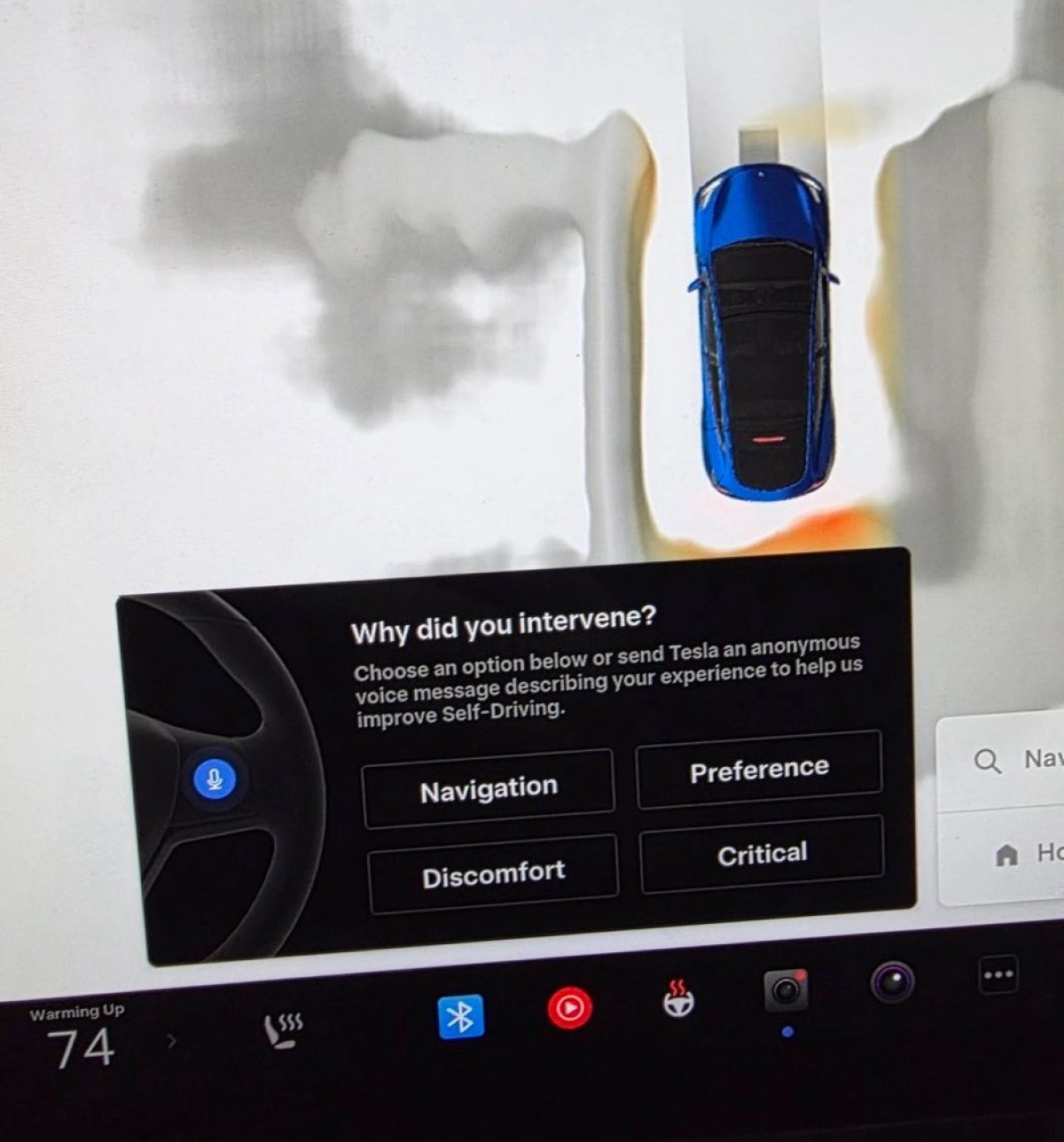
In this latest version, the choices remain “Navigation,” “Preference,” “Discomfort,” and “Critical”. Unfortunately, the “Other” category is still missing, and the menu still lacks a button to dismiss it without providing an option. It will stay on your screen indefinitely until you make a selection. Without a way to dismiss the feedback menu or defer selection, some drivers may be tempted to tap a random button just to clear their view, potentially skewing the data Tesla receives.
The Secret Shortcut for Quick Dismissal
If you find the popup annoying and want it gone without looking at the screen, there is a very handy workaround. You can press the microphone button on the steering wheel to record a voice note, which automatically clears the menu. For an even faster exit, simply double-press the mic button. This effectively records an empty voice note and closes the window instantly, allowing you to dismiss the menu without even glancing at your screen.
We expect Tesla to keep refining this menu as we head toward FSD version 15, which is expected to enable a major expansion of the Robotaxi service. Tesla Senior AI Engineer Yun-Ta Tsai previously also teased a way for drivers to leave feedback without actually disengaging the system, so this is likely just one step in a much larger overhaul of Tesla’s FSD feedback loop.