
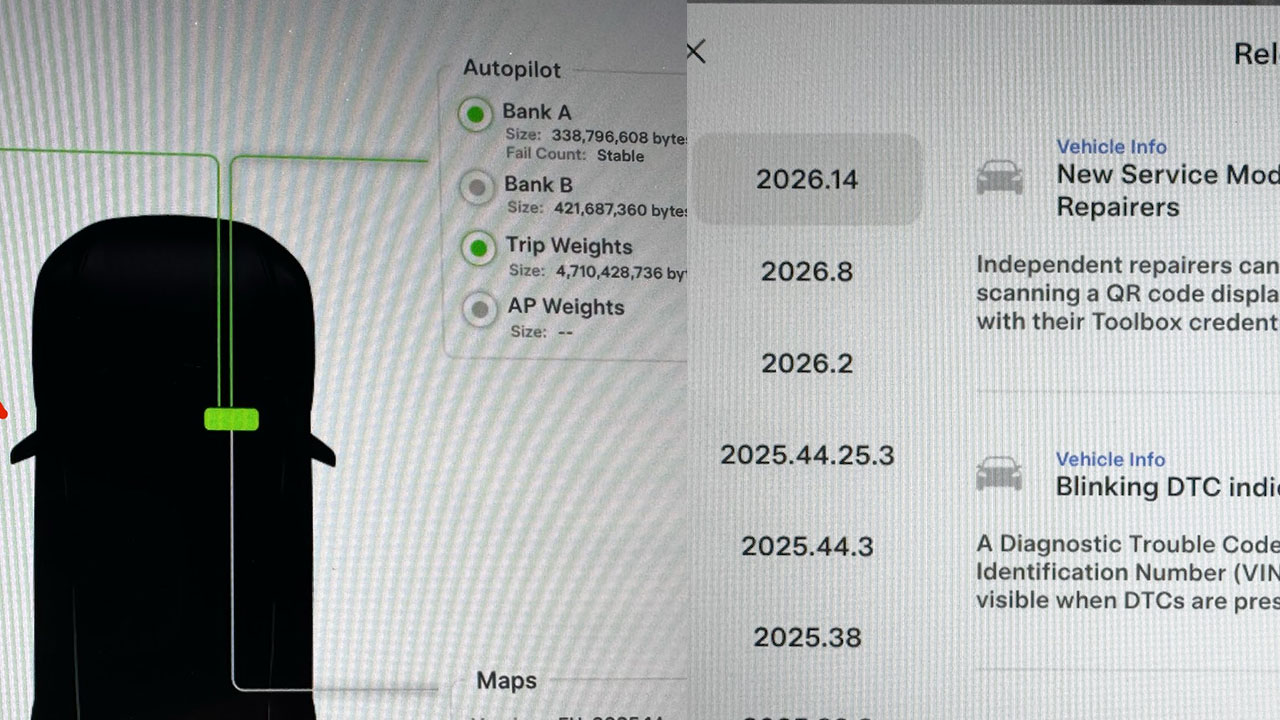
This year’s Tesla Spring Software Update doesn’t just add fun and useful features for daily use; it has also improved background tasks for Service Mode.
Tesla owners who have already received and installed the 2026 Spring Update version 2026.14 or its subversion point releases now have additional Service Mode features and improvements in existing ones.
Tesla Service Mode is a special interface used for diagnostics and troubleshooting issues in a Tesla vehicle. Service Mode used to be only available to Tesla Service Center staff at first, but for some time, the automaker has allowed access to these software tools for owners and technicians.
Service Mode in the 2026 Spring Update gets improvements to Service Mode Plus, DTC indicators, Noise Recording Panel, Vehicle Functions Panel, and the Bluetooth Panel.
– Advertisement –
Service Mode Plus
Service Mode Plus provides advanced tools for diagnostics, calibration, and troubleshooting for technicians, accessed via the special Tesla Toolbox software on a laptop.
Service Mode Plus can be accessed via a physical port in the LH (left-hand) footwell to connect to a computer. After installing the Spring Update (2026.14 or later), independent repairers (owners and technicians) can quickly authenticate themselves using a QR code to access Service Mode Plus (see release notes below for details).
Spring Update Service Mode Release Notes (2026.14, 2026.14.1, and 2026.14.2)
Vehicle Info
New Service Mode Plus Authentication QR Code for Independent Repairers
Independent repairers can now quickly authenticate for Service Mode Plus by scanning a QR code displayed on the vehicle with a mobile device and logging in with their Toolbox credentials.
All vehicles
Vehicle Info
Blinking DTC indicator added to the bottom banner
A Diagnostic Trouble Code (DTC) indicator has been added next to the Vehicle Identification Number (VIN) on the bottom Service Mode banner. The indicator is visible when DTCs are present on the vehicle.
All vehicles
– Advertisement –
Tools
Noise Recording Panel Updates (Service Mode Plus)
The Noise Recording panel now supports Active Noise Cancellation (ANC) microphone recording. When ANC mode is enabled, the panel displays ANC microphone locations and extends the recording duration to 3 minutes.
Model S (2021+), Model X (2021+), Cybertruck
Tools > Vehicle Functions
Vehicle Functions Panel Added to Service Mode
The Vehicle Functions panel is now available on Service Mode. It shows an overview of degraded vehicle functions and their associated set alerts. Full functionality including more detailed functions, historical view and advanced controls are still only available on Service Mode Plus.
Model 3, Model Y
Tools > Vehicle Functions
New Bluetooth Panel
A new Bluetooth panel is now available under infotainment to support Bluetooth diagnosis. The panel displays the status of both the main and rear Bluetooth modules (if rear Bluetooth is available on the vehicle), including connection states, signal strength with health indicators, and connected device information.
Model S (2021+), Model 3, Model X (2021+), Model Y, Cybertruck
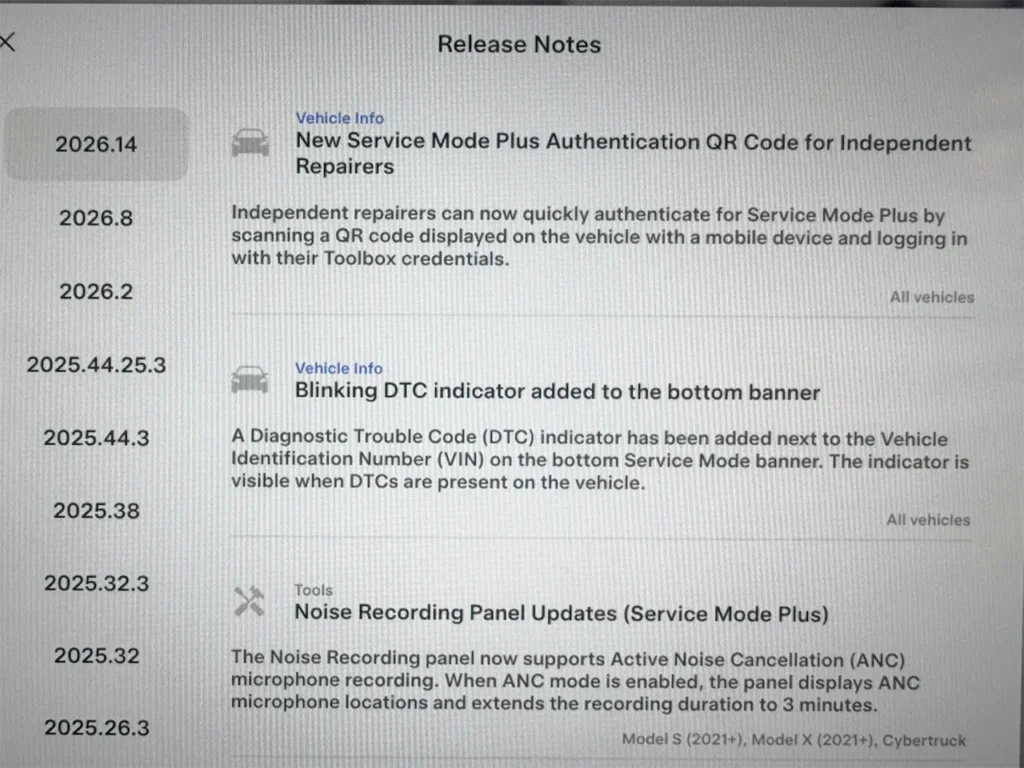 Screenshot: Spring Update 2026.14 improves various Service Mode Vehicle Info features and Tools. Credit: @MattJsyChemist / X.
– Advertisement –
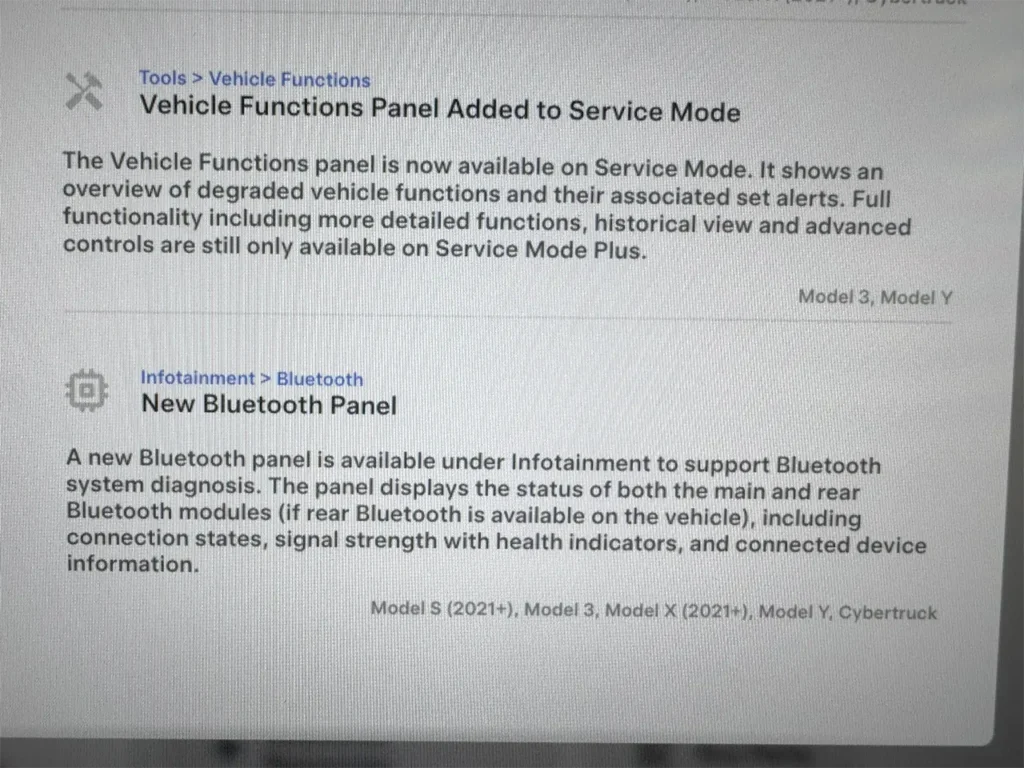 Screenshot: Tesla Spring Update 2026.14 improves various Service Mode Vehicle Info and Infotainment features. Credit: @MattJsyChemist / X.
Stay tuned for constant Tesla updates, follow us on:
Google News | Flipboard | X (Twitter) | WhatsApp Channel | RSS (Feedly).
Related Tesla Software Updates News
 Spring Update 2026.14: Tesla improves Service Mode for independent repairers (new features and official release notes)April 29, 2026
 Tesla rolls out FSD v14.3.2 (2026.2.9.8): first impressions, release notes, rollout statusApril 27, 2026
 Watch the sharp new Tesla Model 3 and Model Y visualizations, Spring Update goes wide release (2026.14.1 and 2026.14.2)April 24, 2026
 FSD v14.3.1 (2026.2.9.7): Tesla owners report some regressions, rollout status, and Release NotesApril 22, 2026
 The complete guide to Tesla’s 2026 Spring Update (Hey Grok, FSD App, Cyberhog Pet Mode, more)April 16, 2026
 Tesla FSD conquers Amsterdam streets and turbo roundabouts, FSD v14 Europe version info (2026.3.6 Release Notes)April 14, 2026