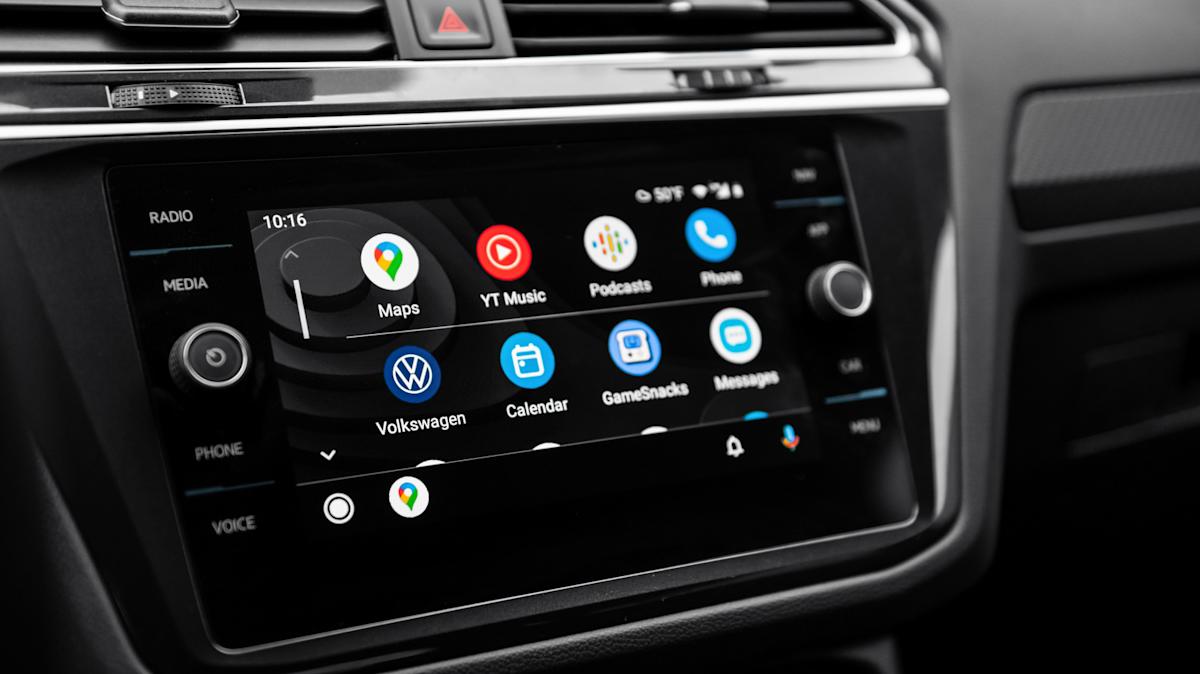
Certain electric vehicle owners are getting a big battery feature thanks to Android Auto and Google Maps. An EV can be great for reducing your energy costs, but knowing exactly when it’s time to stop for a charge can be tricky. There are ways to extend the range of your electric vehicle, of course, but a new update for Google Maps will soon help Android Auto users get a better idea of how their vehicle’s battery is doing without sifting through a bunch of menus and apps.
Available as part of Google Maps version 25.44, over 350 car models from 16 manufacturers are going to receive AI-powered recommendations in Android Auto concerning when and where to charge a vehicle’s battery. You’ll simply need to provide some information about your vehicle, then Google Maps will provide key battery details whenever you enter a destination. The app will also give some recommendations on where to stop, as well.
Google says that the feature will begin rolling out over the next week, and we can show you how to add your vehicle to Google Maps should you need to. There are also a couple of things you’ll want to know to get the most accurate information. If you don’t have automatic updates enabled for Google Maps, find it in the Google Play Store from your smartphone and tap the word “Update” if it appears on the app’s Details page. While you’re in the store, there are some essential Android Auto apps you should consider installing.
Read more: Every Major Android Phone Brand Ranked From Worst To Best According To Users
Google Maps adds EV battery estimations for Android Auto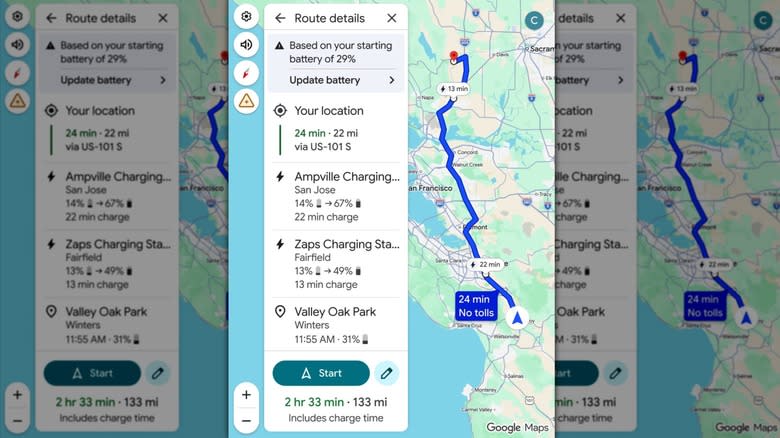
Google Maps providing details about a route that shows information about a user’s battery level and where they can stop to charge their battery – Google
Relying on AI that has “advanced energy models,” the new Google Maps 25.44 update for Android Auto takes information about your vehicle, such as battery size and weight, and uses it to give you details about where your battery level will be when you arrive at a destination. You’ll also get an ETA based on charging times, and even recommendations on where to stop for a charge.
The new feature will be available for the following manufacturers: Audi, BMW, Chevrolet, Fiat, Genesis, Hyundai, Jaguar, Kia, Lexus, Lucid, Mercedes-Benz, Nissan, Porsche, Subaru, Toyota, and Volkswagen.
If you need a refresher, just follow these steps to add your EV to Google Maps:
Open the Google Maps app on your smartphone.
Select your profile icon.
Select Electric from the Engine type category.
Choose Add vehicle under the Vehicle section.
Enter the Make, Model, Year, and Trim of your vehicle within each category.
Under the Your plugs section, confirm the information is correct or select Edit to make adjustments.
Once you add your vehicle to Google Maps, you can view the estimated battery usage of a trip directly from the trip overview page. From there, you can add your current charge level, and Google Maps will provide you with the rest. Note that this information doesn’t have a live connection to your car, so it won’t adjust anything based on real-time driving conditions. How accurate the information you entered was will also determine Google Maps’ accuracy. Like other essential Android apps for long drives, the new update should be handy for those going the distance.
Enjoyed this article? Sign up to BGR’s free newsletter and add us as a preferred search source for the latest in tech and entertainment, plus tips and advice you’ll actually use.
Read the original article on BGR.