February 21, 2026
By Nehal Malik
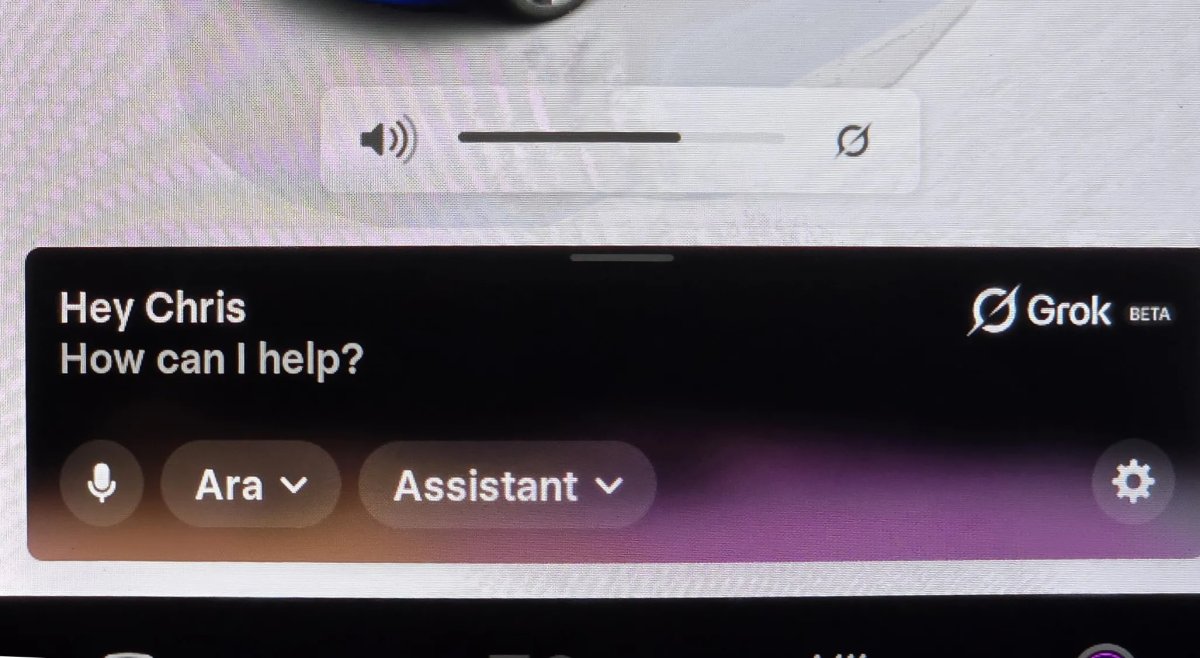
Tesla is continuing to bridge the gap between human conversation and machine commands. XAI’s Grok is becoming a more integral part of the driving experience, specifically for those looking to ditch rigid voice prompts in favor of natural language.
Grok first arrived in North America last summer with software version 2025.26. Since then, Tesla has introduced Navigation Commands, a feature that allows the AI to configure your trip details even though it can’t yet pull the physical stalks or adjust the climate for you. Now, with software update 2026.2.6, Grok with Navigation Commands is expanding to Europe, bringing these “superpowers” to a whole new group of drivers.
However, Tesla has also been improving Grok under the hood. Here are some of the best tips to make the most of Grok in your Tesla.
Better Ways to Navigate
The standout feature of Grok’s integration is its ability to understand context. Instead of memorizing a specific phrase, you can talk to your car like a person.
Conditional Routing: You can now give Grok complex instructions like, “Route to the airport via a Dunkin’ Donuts if it doesn’t add more than 15 minutes”. Because the AI understands natural language, it can extract your intent from a casual sentence instead of requiring a rigid command that is easy to mess up.
Route via Specific Roads: If you have a preferred path, you can simply say, “Route to the office via [Road Name],” and the vehicle will set that specific street as a waypoint.
Optimized Errands: You can chain your day together in one go and find the most efficient route. Just say something like “I need to go to Best Buy, CVS Pharmacy, Starbucks, and then back home. Navigate to these in the most efficient order.”
New “Turn Off” Commands
Tesla recently enabled the ability to end a Grok session entirely by voice. If you’re finished with a conversation or want to clear the overlay, you can use natural sign-offs. You can say anything along the lines of “see ya,” “turn off,” or “bye” to immediately close the Grok interface simply by using your voice.
More Than Just a Map
Beyond navigation, Grok acts as a digital owner’s manual and entertainment hub.
Vehicle Data
While Grok doesn’t yet have access to other vehicle commands, it’s clear this will be available in a future update. Expect to be able to say things like “turn on my seat heater” or “blast the AC” in the future.
However, Grok already has a couple of pieces of information about your vehicle. This includes knowing your vehicle’s exact location and your range, in miles and percentage. One day, we should be able to ask it or sorts of questions such as what’s the temperature in the car, what is the fan speed and more.
Tesla is also adding a wake word for Grok, which will make it even easier to use, and we also expect to get spatial awareness, which will let the vehicle know who activated Grok. This will enable more seamless commands, like when someone says, activate my seat heater, it’ll know exactly which one to turn on.
Requirements and Limitations
To use these features, your vehicle must be equipped with an AMD Ryzen processor. You also need an active Premium Connectivity subscription or a stable Wi-Fi connection. While owners of older vehicles with Intel Atom chips are still stuck hoping Tesla has them on its roadmap for the feature, the move to Europe suggests the company is committed to a wider rollout.
As Grok moves out of its early beta stages, we expect to see even deeper integration with vehicle hardware, potentially allowing the AI to eventually adjust your cabin temperature or media settings just as easily as it finds you a place to eat.
Ordering a New Tesla?
Use our referral code and get 3 months free of FSD or $1,000 off your new Tesla.
February 20, 2026
By Nehal Malik
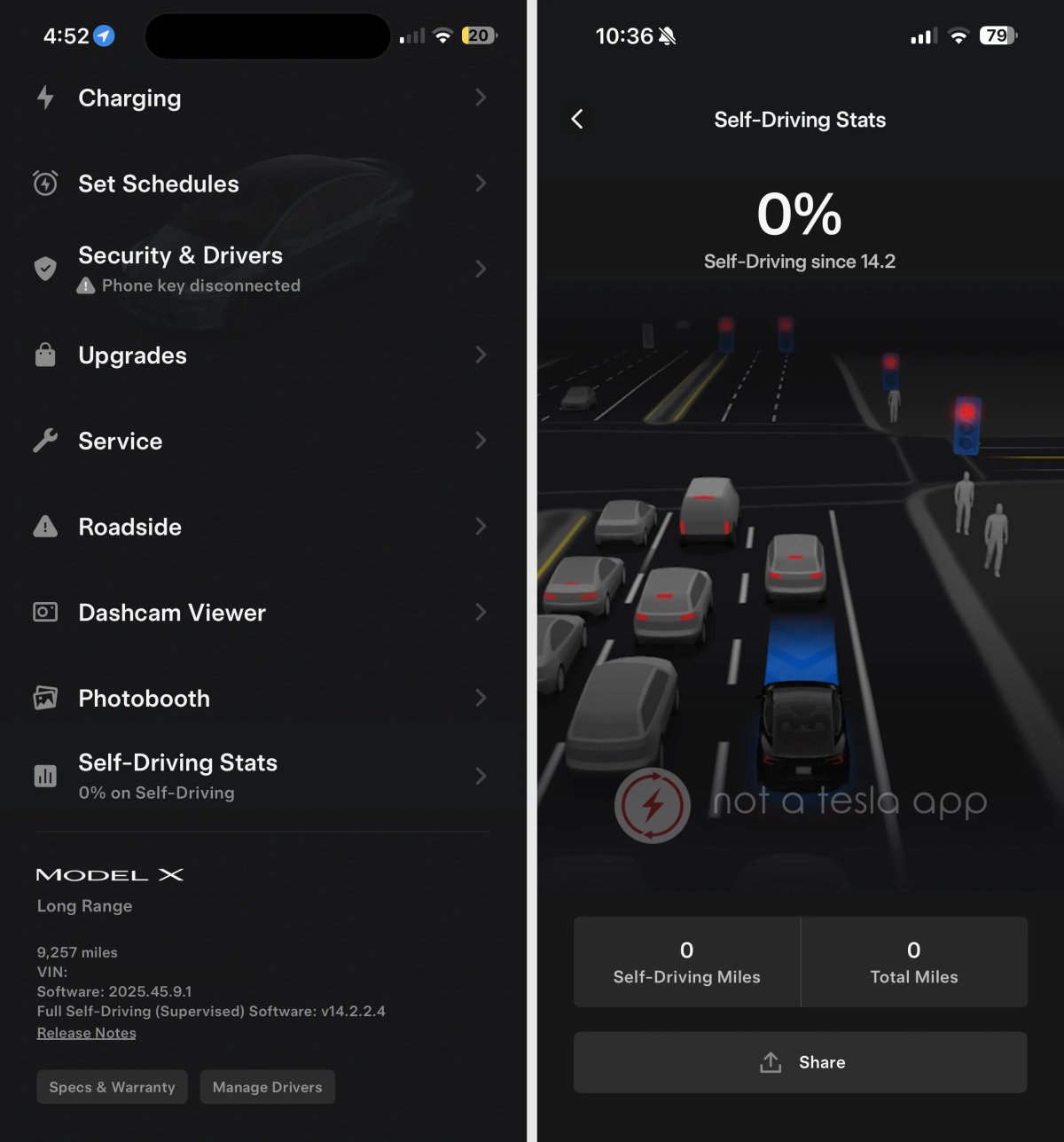
Ever since Tesla added “Self-Driving Stats” to the in-car display with the FSD 14.2 update back in November, owners have been checking their “autonomy ratio” like a high score in a video game. Now, it looks like that same data is finally making its way to your pocket.
We’ve decompiled the latest Tesla app, version 4.54.0, and it reveals that a new “Self-Driving Stats” feature is in the works. While the feature isn’t officially live yet, we’ve been able to render it and get a look at what FSD Stats will look like in the app.
Self-Driving Stats in the Tesla App
The new FSD stats section is designed to mirror the experience found inside the vehicle. Once it launches, it will appear as a new top-level category on the app’s home screen, sitting right alongside other specialized tools like the Dashcam Viewer and Photobooth.
When you tap into it, you’ll see a detailed breakdown of how many miles your Tesla has traveled with Full Self-Driving engaged compared to your total odometer for the tracked period. The app will even calculate the “FSD percentage” for you, showing exactly how much of your time on the road is being handled by the car’s neural networks. To keep things looking sharp, the screen will also feature a render of your specific Tesla model.
Share Your “FSD Score”
Tesla knows that its community loves to share data, and the company is leaning into that. The app update includes a new “Share” button specifically for your FSD stats. Similar to the “Gas Savings” image you can generate from the Charge Stats menu, this will create a sleek, shareable graphic of your self-driving mileage.
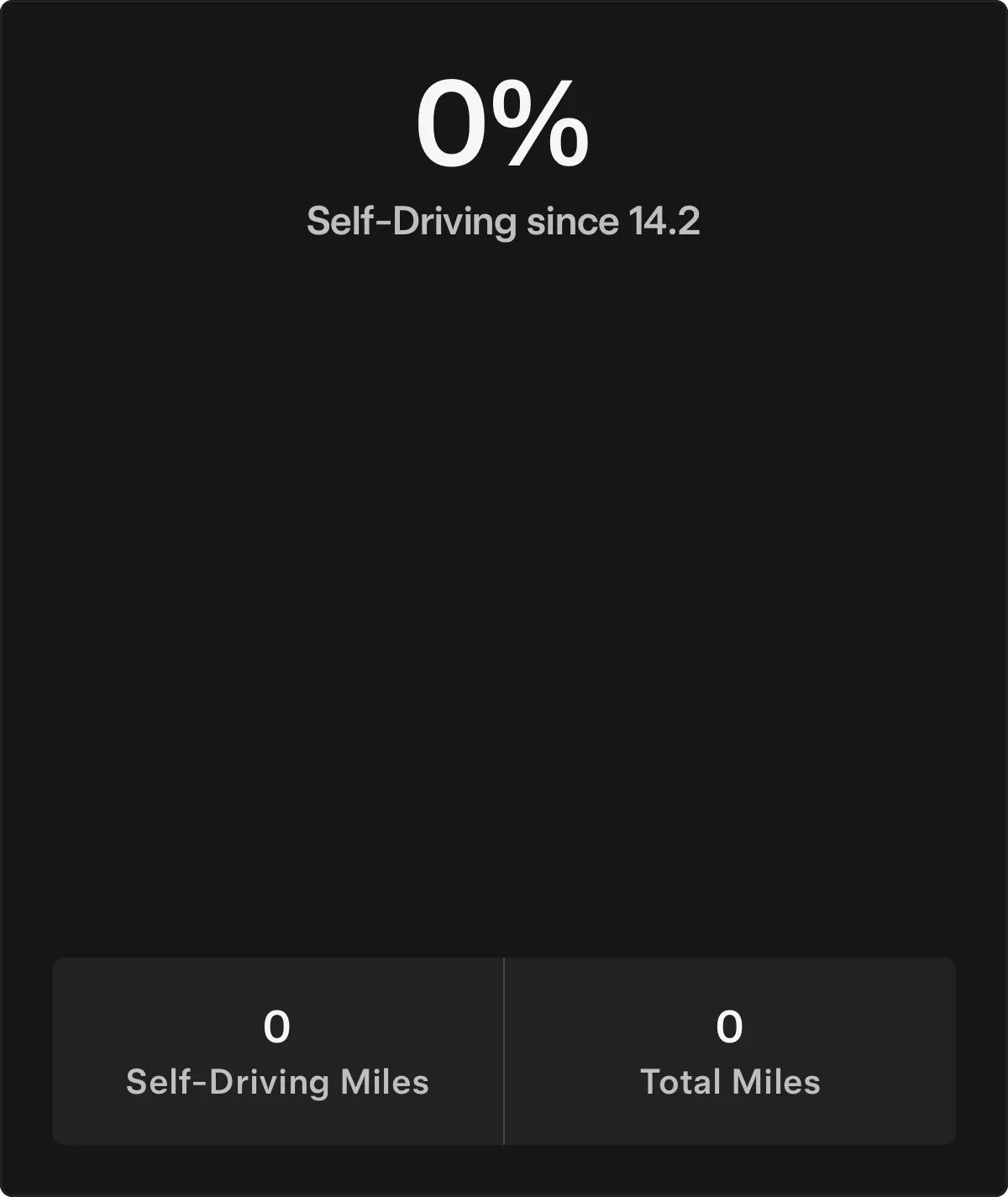
It’s a clever move by Tesla to encourage word-of-mouth marketing. By letting users post their high FSD mileage to social media, the company is basically letting the owners prove how capable the software has become. This is especially relevant now that Tesla has discontinued FSD as a one-time purchase, making the $99 monthly subscription the only way for new owners to access the feature.
How the Stats Work
One thing to keep in mind is that these stats are tied to the vehicle, not the individual driver. If you share your car with a spouse or friend, all of those FSD miles are lumped into one single car score.
Currently, there is no way for a user to reset these stats manually. However, Tesla has previously hinted that a reset function could be coming. It’s possible that Tesla might automatically reset the counter whenever a major new FSD version is released, allowing owners to see how their “intervention-free” miles improve with each software leap.
While we don’t have an official release date for this new feature yet, the fact that the assets are already baked into version 4.54.0 suggests that Tesla can remotely enable it at any time.
February 20, 2026
By Nehal Malik
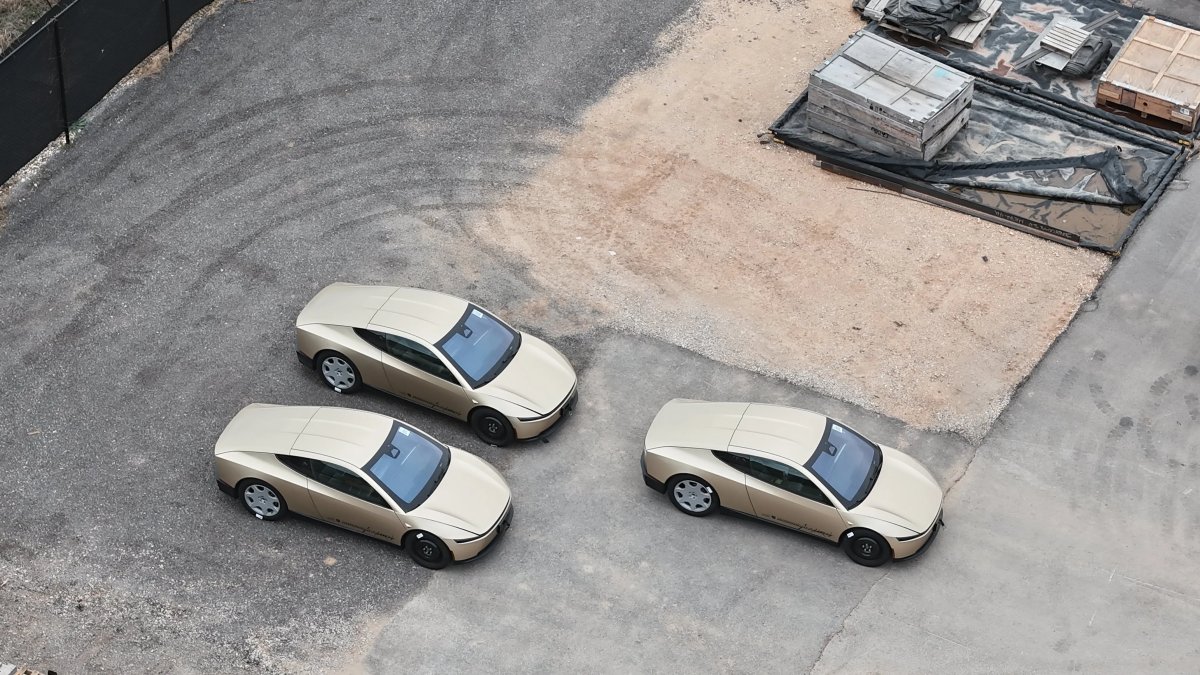
Tesla is entering the final stretch for its most ambitious project yet. New footage from Gigafactory Texas reveals that production-ready Cybercab units are currently undergoing validation testing, and they appear to be missing one very traditional feature: a steering wheel.
The sighting comes from longtime Giga Texas drone pilot and observer Joe Tegtmeyer, who spotted several Cybercab units at the factory’s crash testing facility this week. Tegtmeyer noted that these appear to be final production versions, complete with “stickers on tires” and an absence of steering wheels or pedals. “These Cybercabs may be production versions being prepared for crash testing,” he observed.
Cybercab: What We Know So Far
The timing of these sightings lines up perfectly with Tesla’s aggressive roadmap. The company recently celebrated its first production Cybercab rolling off the line at Giga Texas, with volume manufacturing scheduled to begin in earnest this April. Tesla CEO Elon Musk has also doubled down on the company’s plans to sell the Cybercab to consumers for $30,000 or less before the year is up.
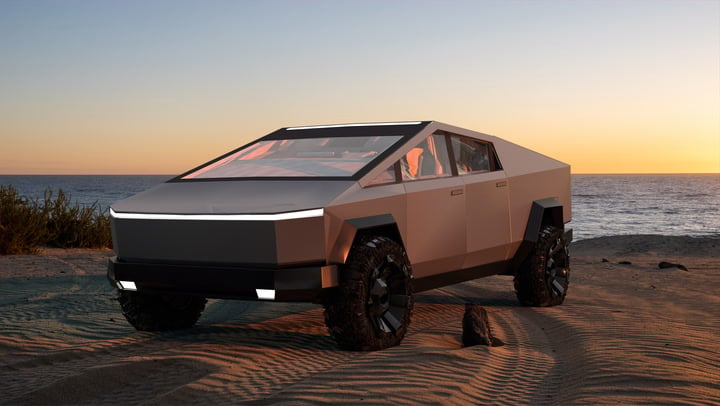
The two-seat, all-electric autonomous vehicle is designed to be the backbone of Tesla’s Robotaxi network. Unlike Tesla’s consumer cars, the Cybercab is built specifically for high-frequency autonomous use. This includes some unique hardware, like dedicated washers for every single camera on the vehicle — ranging from the B-pillars to the front bumper — to ensure the Full Self-Driving (FSD) system always has a clear view of the road.
We also know that the Cybercab will ditch the traditional plug. Tesla recently secured FCC approval for the Ultra-Wideband (UWB) technology required for wireless induction charging. While earlier validation units seen in the wild still had a hidden NACS port under the rear bumper for manual charging, the final goal is a car that can juice up entirely on its own.
To Wheel Or Not to Wheel
The biggest question surrounding the Cybercab has always been whether regulators would actually let Tesla ship a car without human controls. Musk has described the Cybercab as an “engineering optimization” for autonomy, meant to be experienced without a steering wheel or pedals.
Cybercab production versions (note stickers on tires, apparently no steering wheel & seat belts across both front seats at the Giga Texas crash testing facility today.
Note the image of the Cybercab team and my circled area on the top left … the wheels seen here appear to be… pic.twitter.com/nEDxv1CvYH
— Joe Tegtmeyer 


 (@JoeTegtmeyer) February 20, 2026
However, the company has kept its options open, hinting in the past that it could ship a version with a wheel if required by law to get the fleet on the road. This latest sighting at the Giga Texas crash lab suggests that Tesla is currently betting on the wheel-less design. If these units are being used for final crash validation, it means Tesla is confident that the “no-controls” interior is safe enough for the real world. After all, the company has already been offering fully unsupervised rides to the general public with its Robotaxi pilot in Austin for weeks now.
Tesla is also moving forward with its plan to ditch side-view mirrors. While early prototypes spotted in the wild still had them, they have been noticeably absent on the latest units.
With mass production just a couple of months away, Tesla is quickly moving from “prototype” to “reality.” Whether regulators agree with Tesla’s vision remains the last major hurdle.