January 7, 2026
By Not a Tesla App Staff
Tesla’s holiday update this year included major new additions such as Grok with Navigation Commands, vehicle telemetry in the Dashcam Viewer, custom vehicle wraps, and much more.
It should be no surprise that the biggest update of the year also included the most undocumented features. We counted 19 features in all, with the Dashcam Viewer in particular receiving worthy updates, including the ability to zoom and filter recorded clips.
Let’s take a look at all the improvements.
Car Wash Mode Notification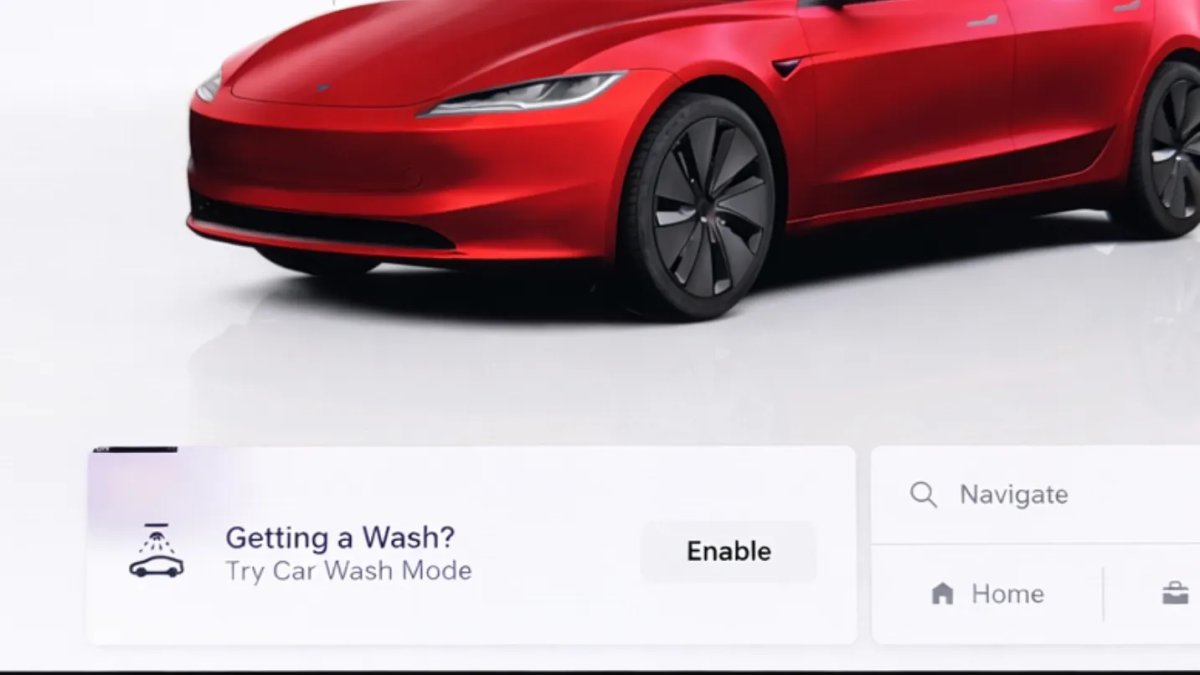
Tesla will now show you a notification reminding you to use Car Wash Mode. Whenever you’re near a car wash, Tesla pops up a reminder that lets you easily enable Car Wash Mode.
This is part of Tesla’s Car Wash Mode improvements in this update.
V4 Supercharger Visualization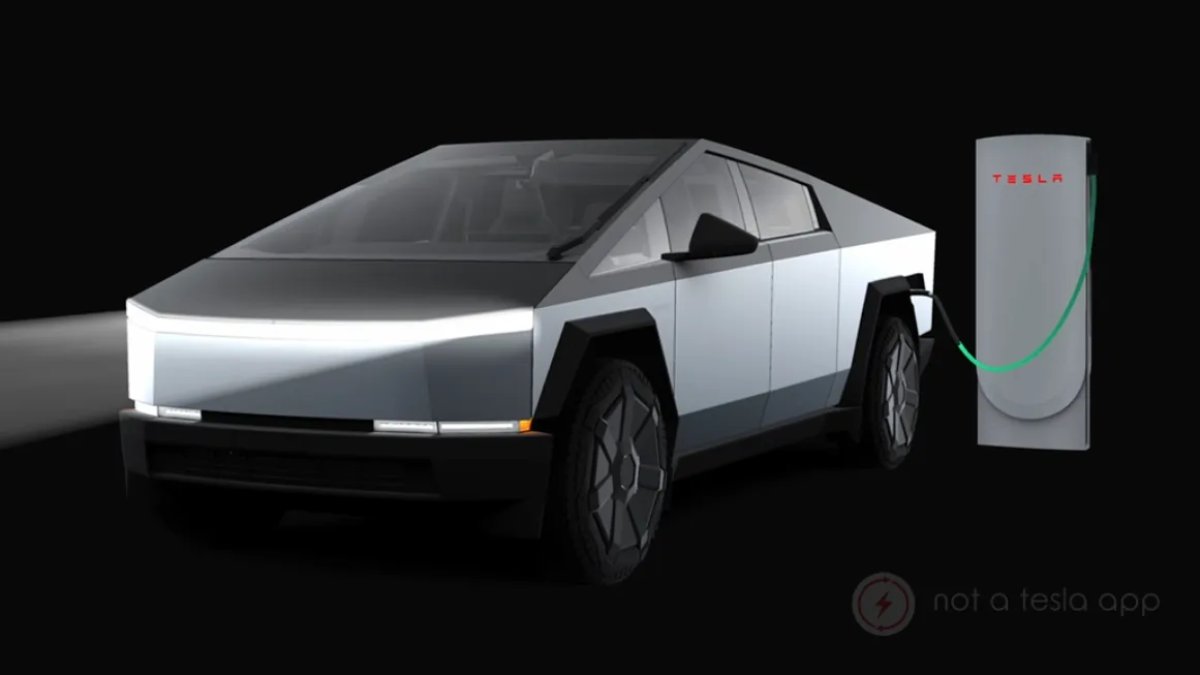
Tesla recently launched charging visualizations on the vehicle’s display. Tesla supports a wide variety of chargers and includes a different visualization for each type, including the mobile connector, Wall Connector, v2, and v3 Supercharger styles, as well as a generic type for third-party chargers.
However, surprisingly absent was a unique visualization for the newer style, V4 Superchargers. With this update, Tesla has added a proper visualization for the V4 Superchargers.
Parking Brake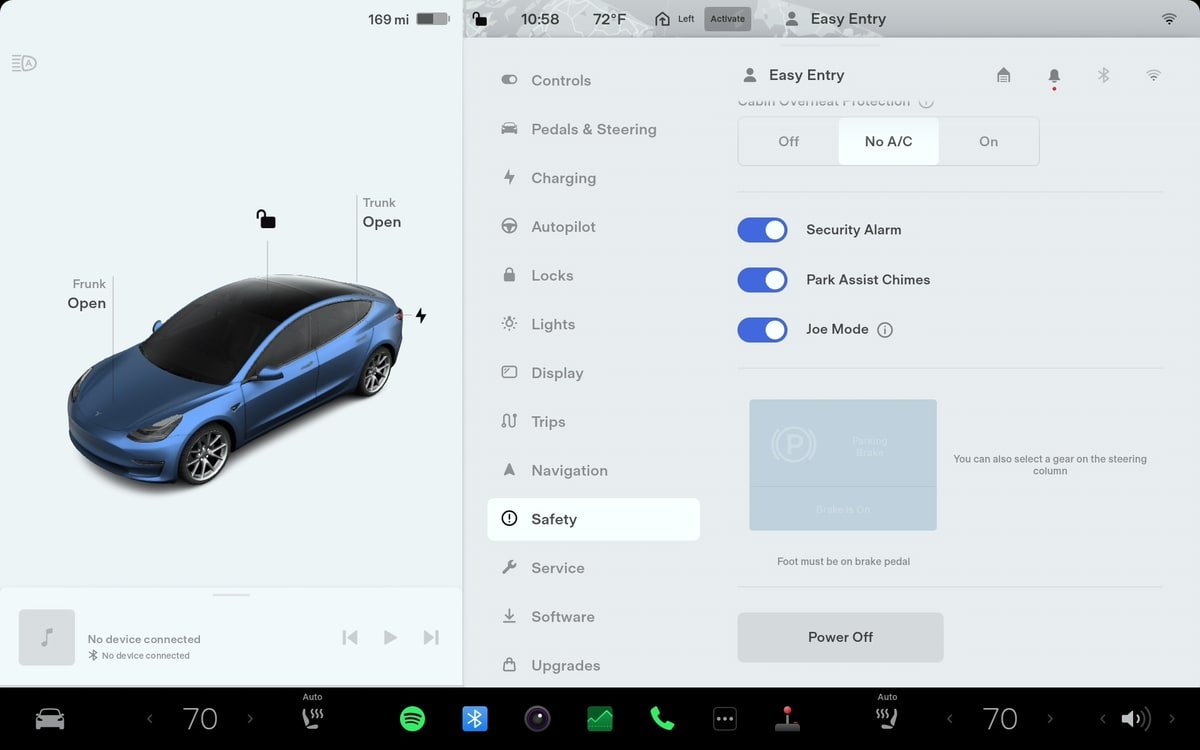
Tesla has removed the ability to enable the emergency brake (parking brake) from the vehicle’s display. Near the bottom of the Controls > Safety menu, users could manually enable the vehicle’s emergency brake. However, this option has now disappeared.
However, users can still enable the vehicle’s emergency brake by using the gear stalk or Park icon on the touch screen.
Express Lanes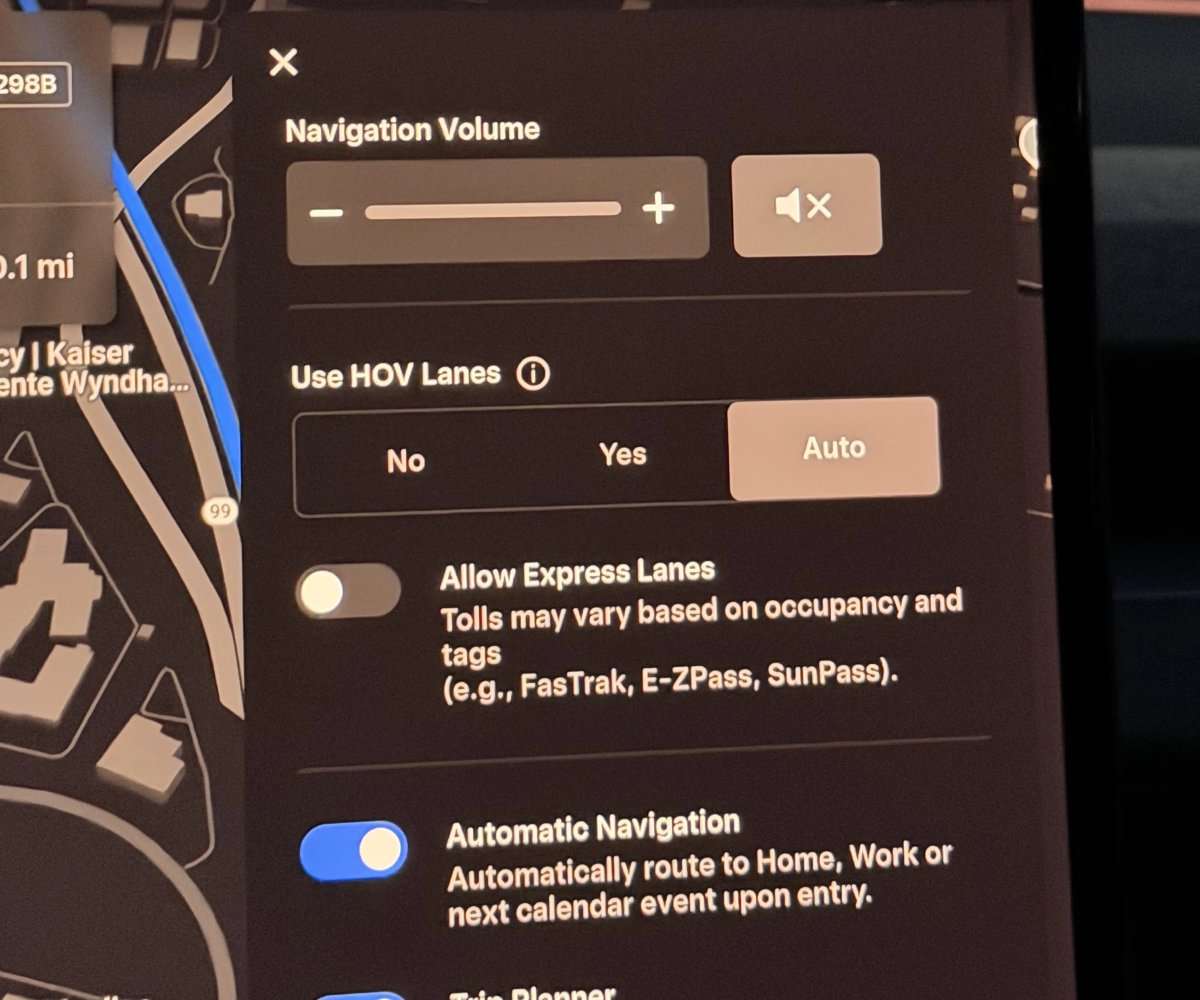
Tesla has added support for Express Lanes in some vehicles. Similar to HOV or toll roads, Express Lanes are faster lanes that may charge fees based on vehicle occupancy, vehicle type, and time of day.
With this update, Tesla is adding the ability for users to toggle the use of Express Lanes on or off in navigation settings. This feature is not available in all vehicles and Tesla may still be testing it.
Supercharger Live Maps Shows Exact Models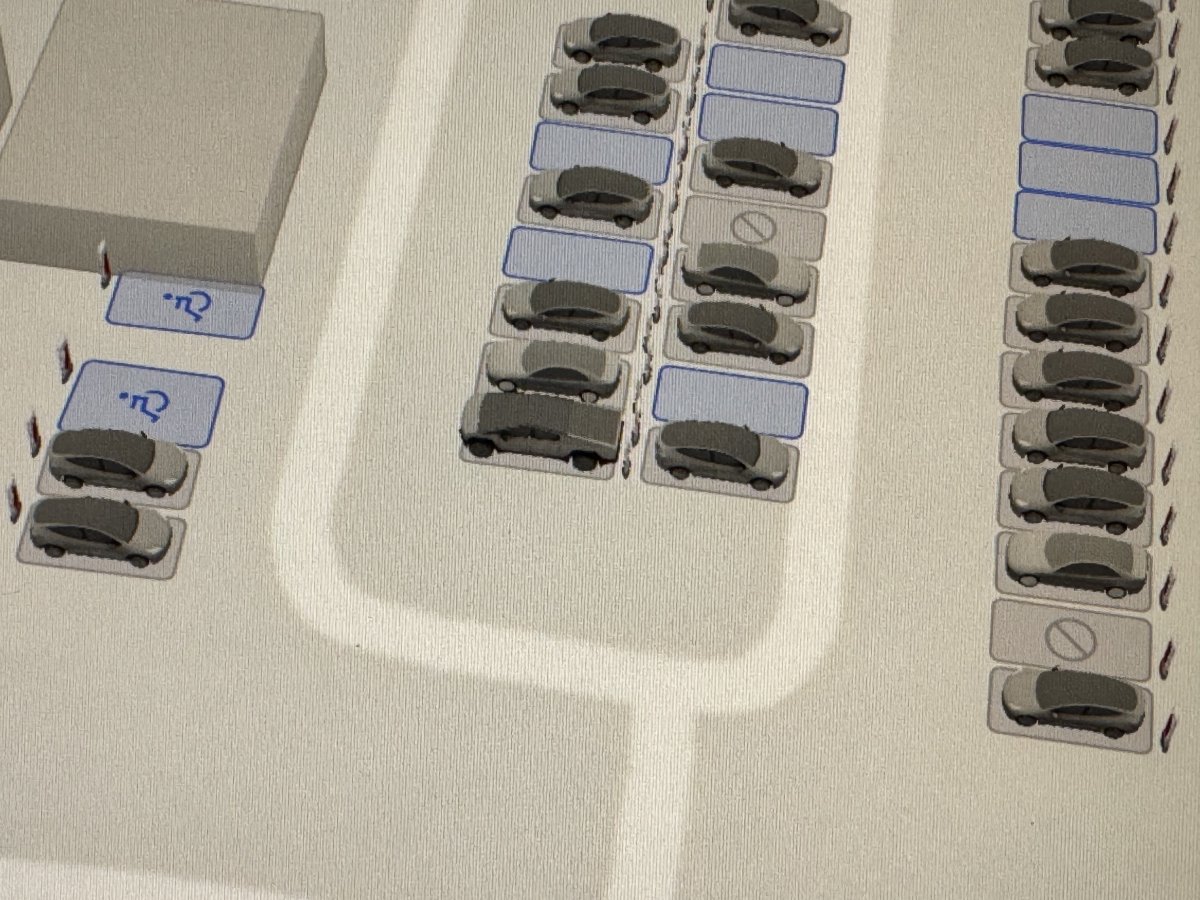
The new Supercharger Site Maps not only provide a real-time 3D rendering of a Supercharger site but also show the actual vehicle models being charged at each stall.
Tesla will show what kind of vehicle is charging at each stall, whether it’s the original Model Y, the new Model Y, a Cybertruck, or show whether it’s a non-Tesla being charged.
The Supercharger maps are useful to see which stalls are open, their location, which are handicap accessible, or whether a location has pull-through stalls.
To view this video please enable JavaScript.
Wrap & License Plate Icons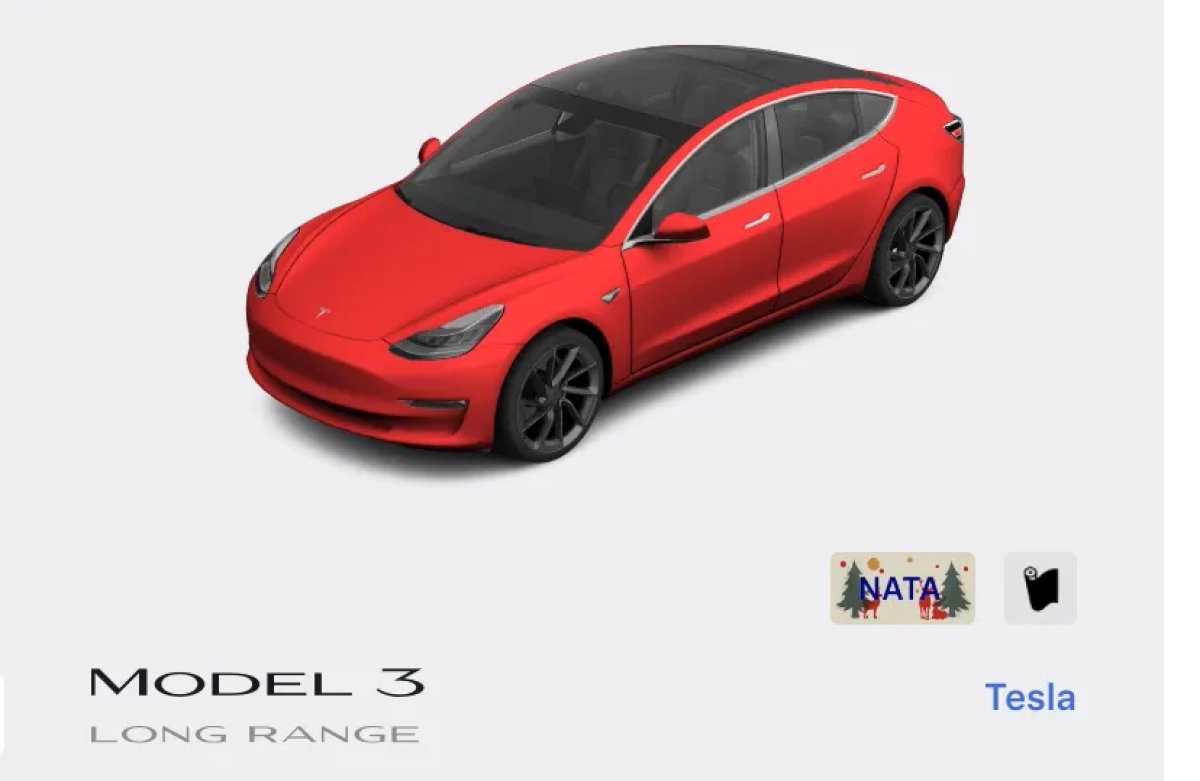
You can easily access the vehicle wraps and license plate options by navigating to Controls > Software. Underneath the vehicle visualization, you’ll have a photo of the selected license plate for your vehicle, as well as a wrapping paper icon that will take you directly to the vehicle visualization options.
The wrapping paper icon replaces the old colored square that used to take you to the vehicle Colorizer feature.
New Wheel Options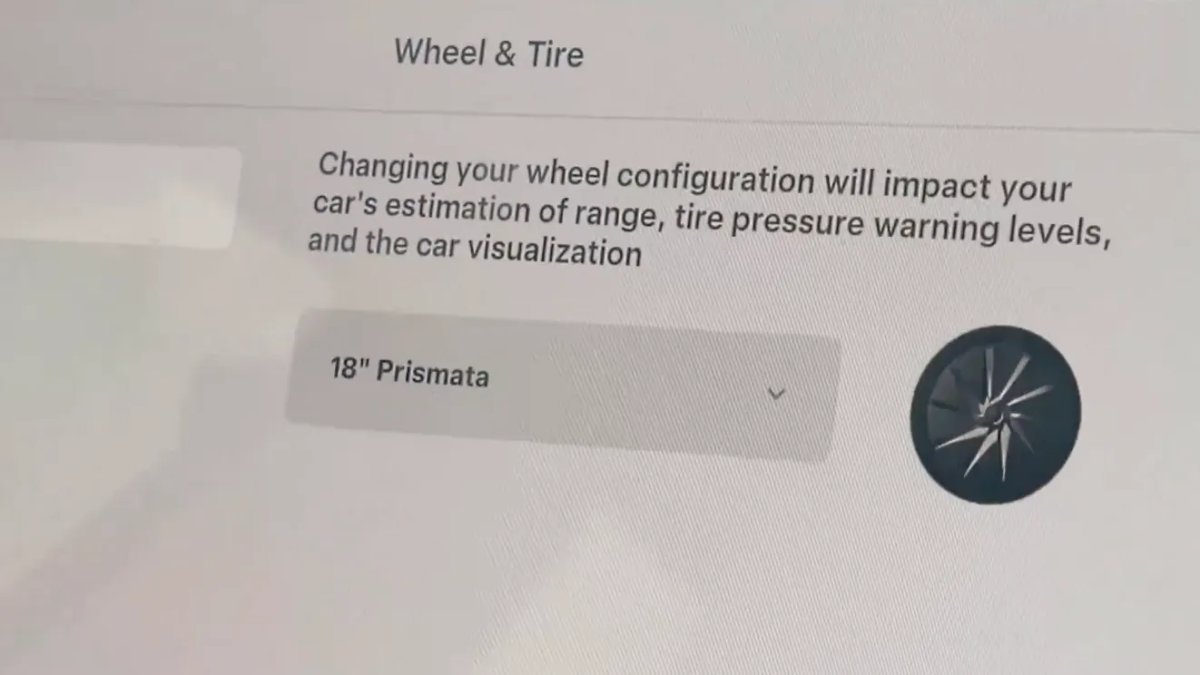
The new wheel designs that are available on the Standard Model 3 and Model Y are now available for all vehicles to equip in the vehicle visualization.
The new 18” Prismata for the Model 3 and the 18” Aperture wheels are available for all models in the tire section. To view or select the new wheels, go to Controls > Service and select tires and wheels.
Camera Visibility Warning Improvement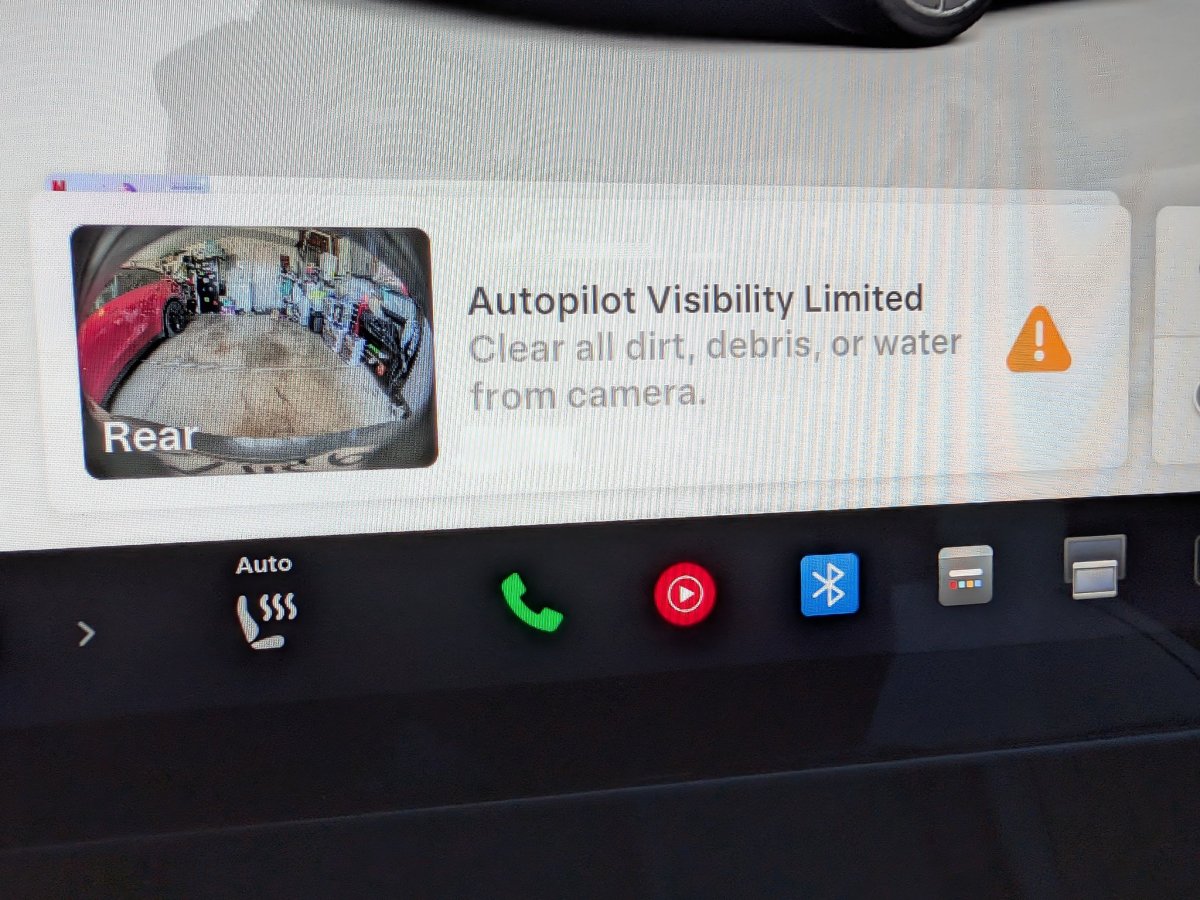
When you receive a camera visibility warning, indicating that a camera has an obscured view, the camera’s view will now be labeled. This lets you know exactly which camera needs to be cleaned.
The display is similar to the Dashcam Viewer, where the camera location is overlaid on top of a photo from the camera. Previously, the camera was unlabeled, making it unclear which camera was obscured and needed to be cleaned.
Tesla will display Front for one of the front cameras underneath the windshield and Fascia for the front bumper camera.
Dashcam Viewer Zoom Support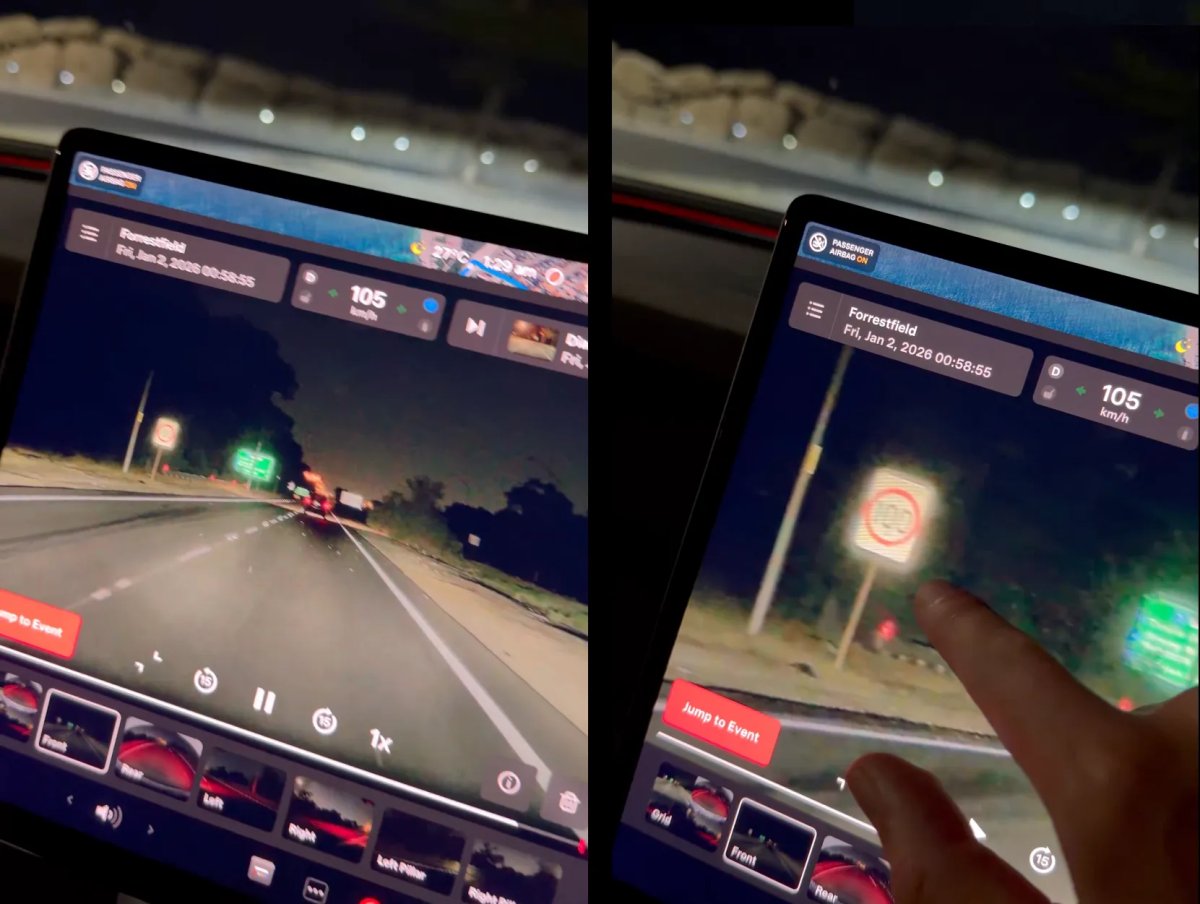
When you’re viewing a video in the Dashcam Viewer, you can now pinch the video to zoom in (video). In addition, you can also pan the video while zoomed to see other parts of the video.
Note: This feature is limited to vehicles with Tesla’s AMD Ryzen infotainment processor.
Switch to Bluetooth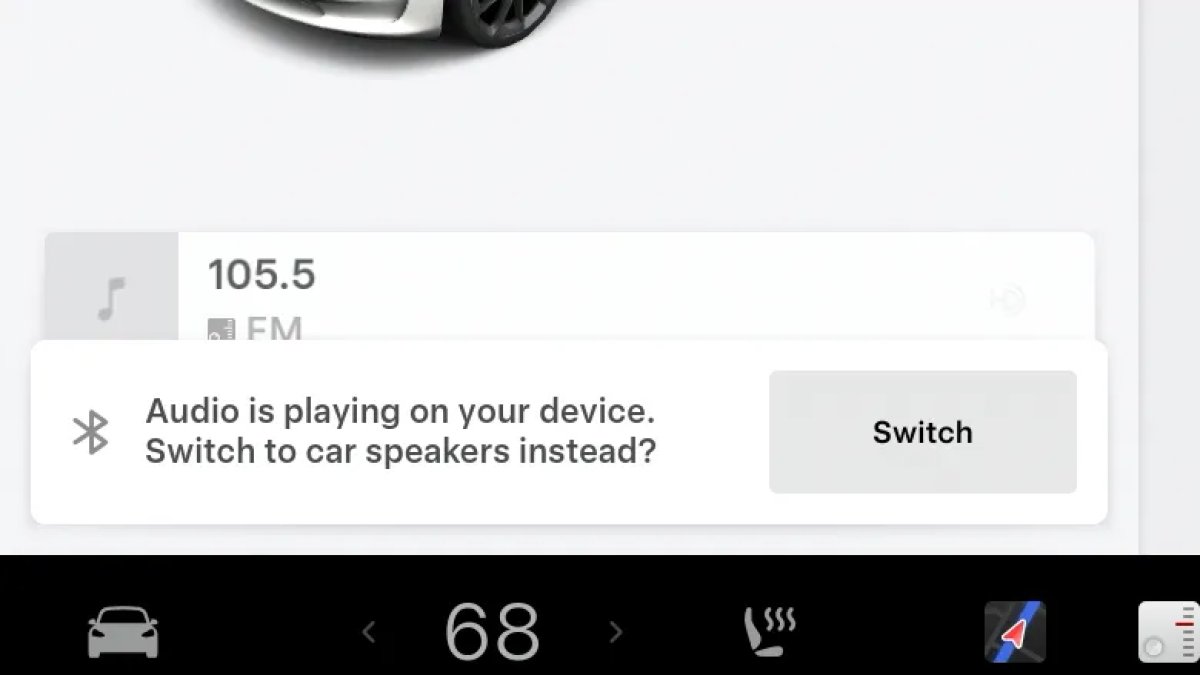
If your phone is connected via Bluetooth and the vehicle detects that your phone is playing audio, it will now prompt you to switch over to the Bluetooth audio source, so the audio comes out of your vehicle’s speakers instead.
Most users likely listen to a music streaming service such as Apple Music or Spotify, but when they listen to audio on their phone, there is often a second pause, leaving the driver wondering why the audio isn’t coming out of their vehicle’s speakers.
This solves that problem and also makes it easier to switch to Bluetooth instead of manually finding and tapping the Bluetooth app.
Boomerang Fu Game Removed
The game Boomerang Fu has been removed from vehicles and replaced with SpaceX Docking Simulator. The game’s license likely expired this year, as it was released in last year’s holiday update.
Air Suspension Controls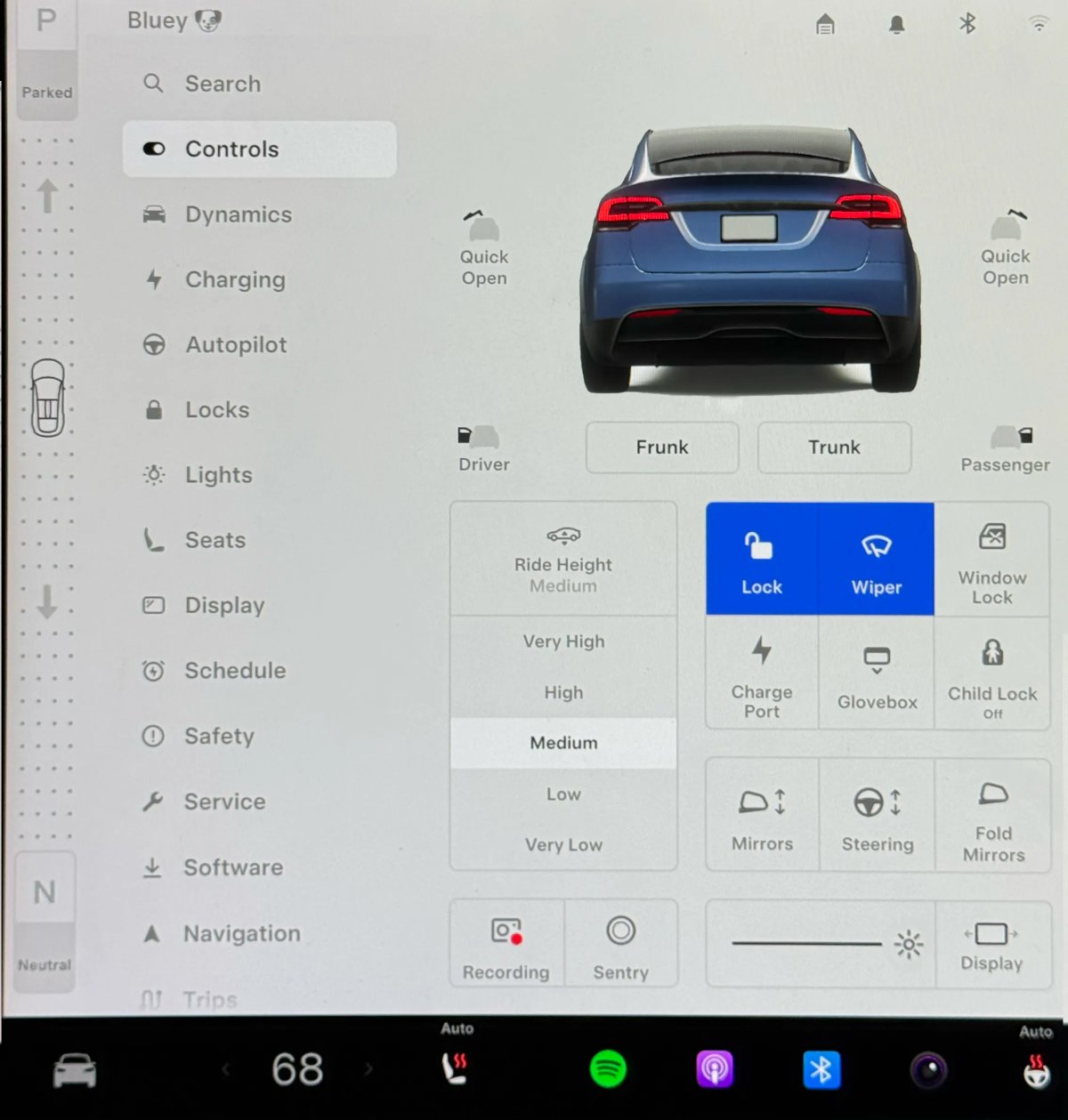
Air suspension controls for the Model S and Model X are now available in the main Controls section for all 2021+ years, rather than requiring users to go to the separate Suspension tab.
The 2026 models already include this feature. 2025 and older vehicles keep the older, more detailed Suspension menu, instead of the simplified version found in the 2026 models.
New Visualizations With Unreal Engine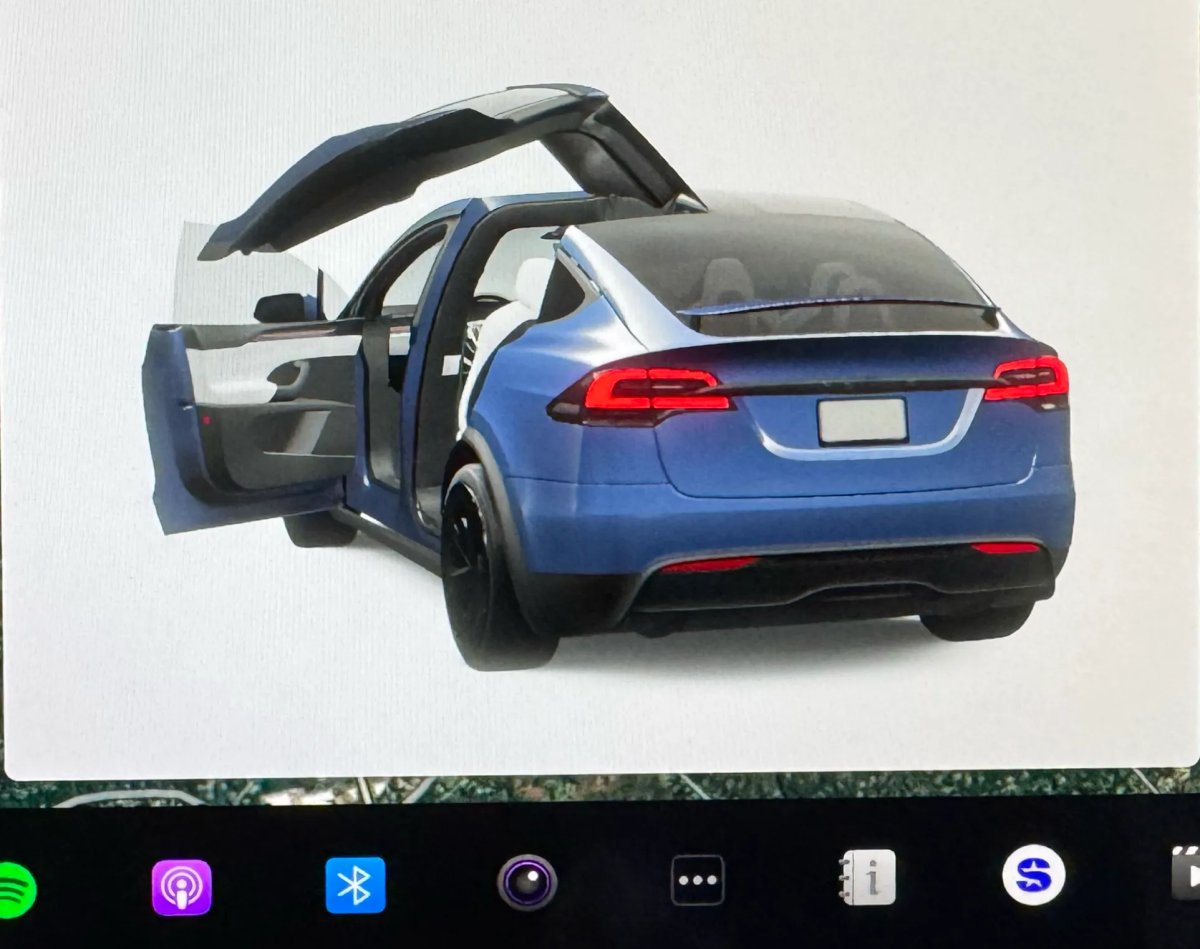
The new visualizations that have been available on the 2026 Model S and Model X are now available on all 2021+ Model S and Model X vehicles.
Besides the improved visuals in the instrument cluster and in the menus, you can now freely rotate your vehicle’s visualization in the Controls menu, letting you view your vehicle from any angle.
In addition, the module that pops up when parked, which lets you open the doors and trunk, is also interactive, allowing you to pan and zoom in on the vehicle.
Favorites On Map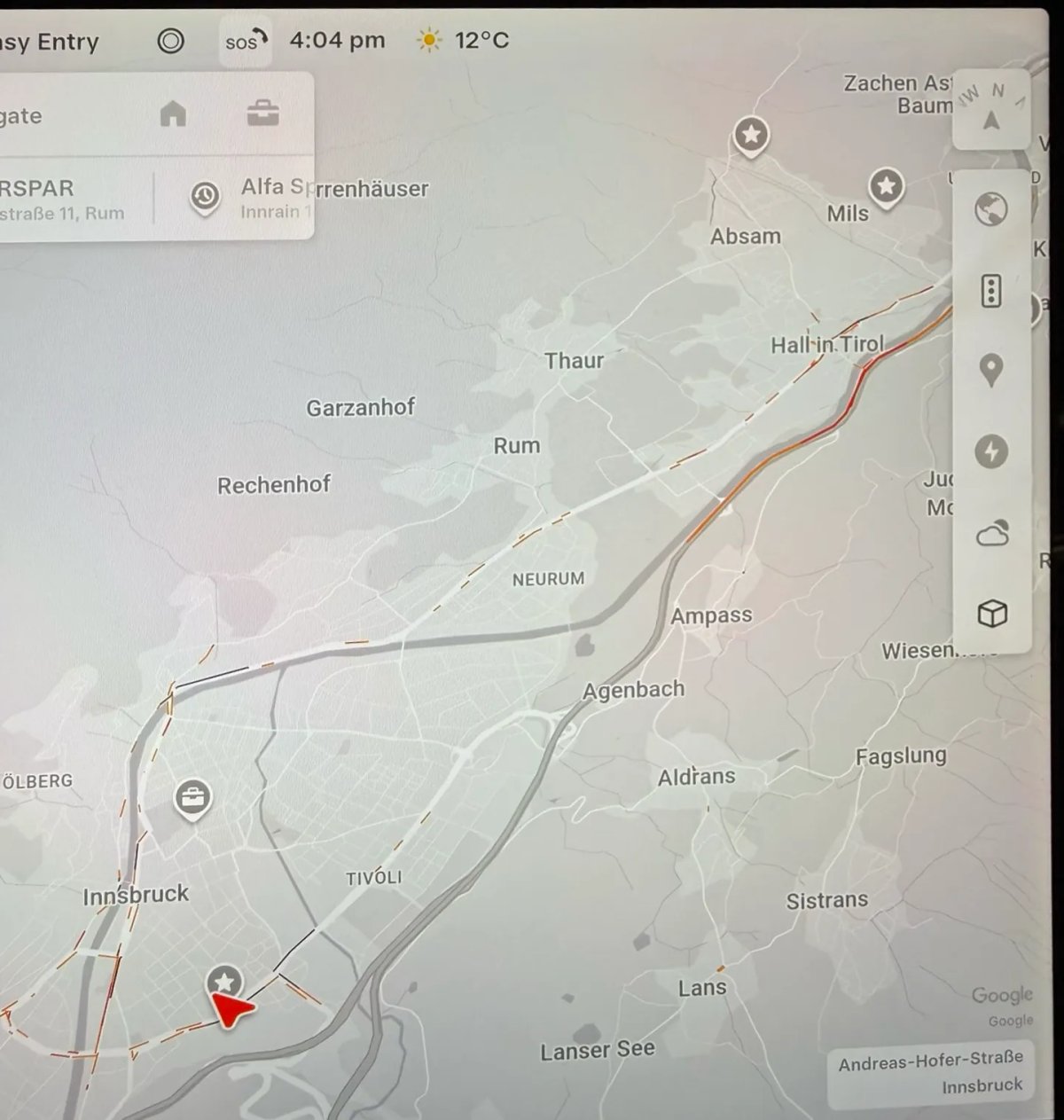
Tesla has made several changes to favorites and home/work in this update. However, this change has gone undocumented in the release notes.
In addition to putting the home/work icons into the Navigate box and showing your top two suggestions underneath, Tesla is also pinning all of your favorites, home, and work locations directly on the map.
This makes it much easier to orient yourself as you move the map around and makes it obvious when you’re near one of your favorites, such as a friend’s home, restaurant, or other favorite location.
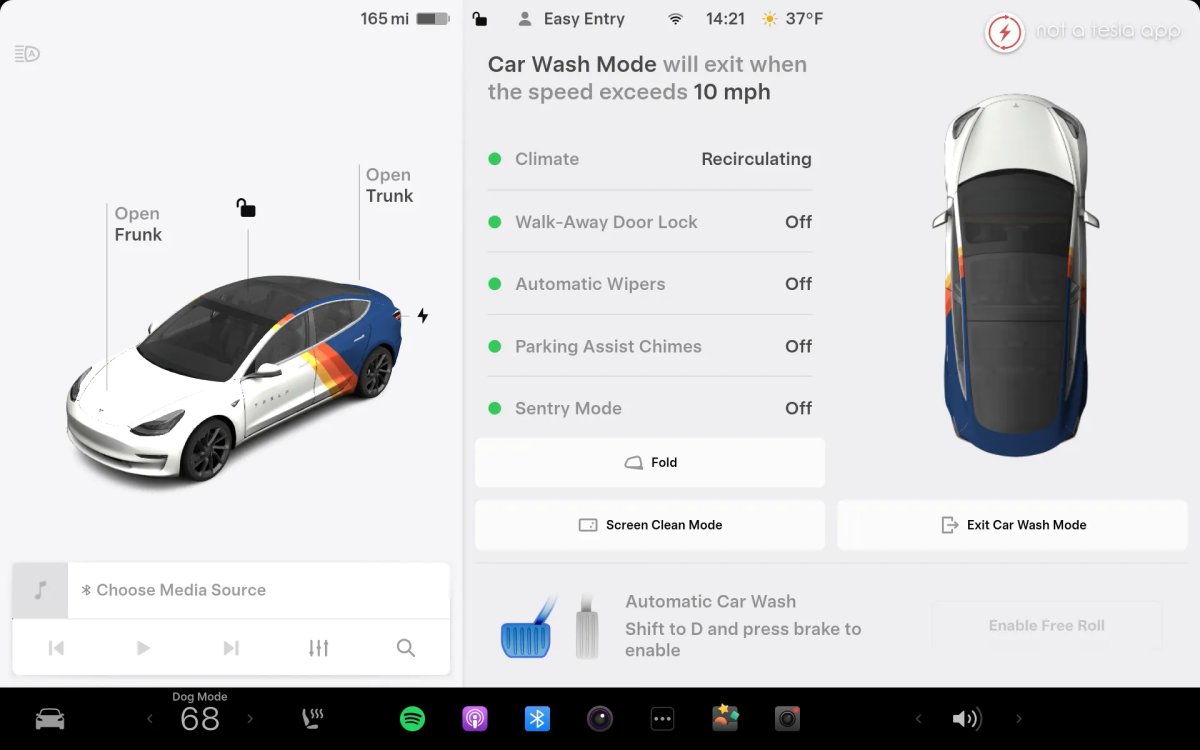
Car Wash Mode Redesign
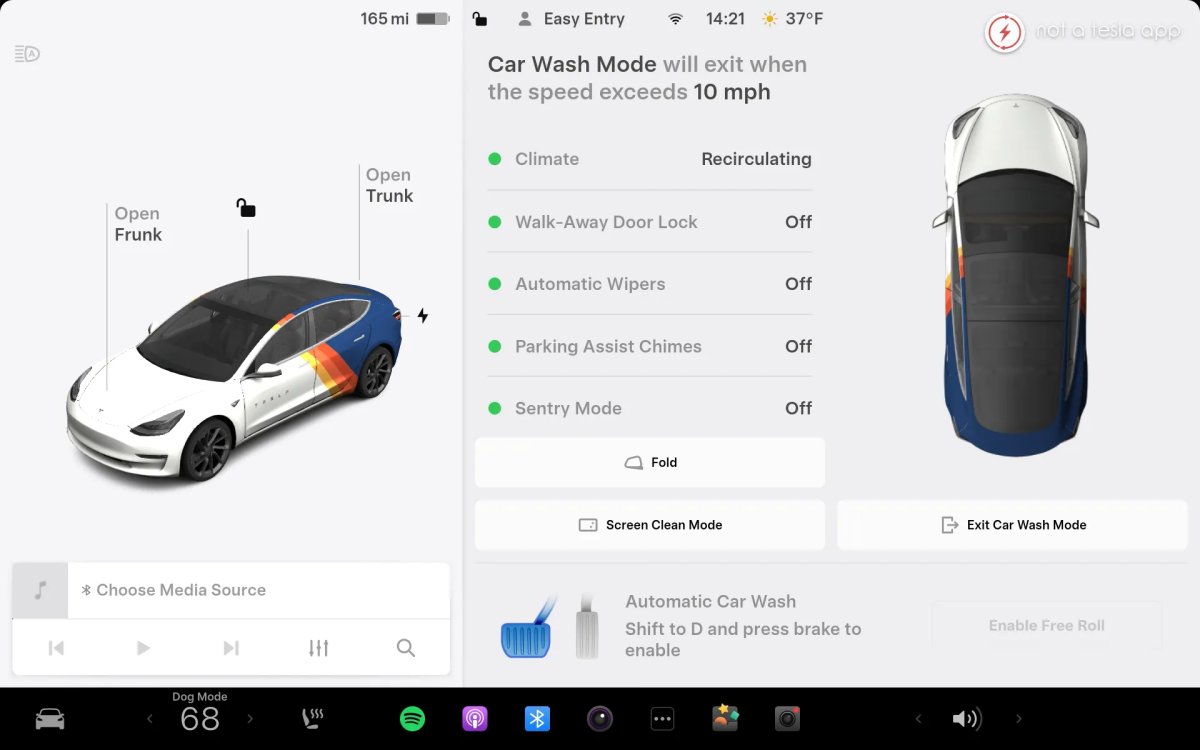
Tesla has redesigned the Car Wash Mode feature with this update. It now includes a visualization of the vehicle on the right with the usual checklist items on the left.
For anyone not familiar with Car Wash Mode, it features a real-time checklist to help prepare your vehicle for a car wash. If any items are in the proper setting, such as a window or trunk being opened, the dot next to the item will turn red.
The ‘Enable Free Roll’ option at the bottom is now more obvious, making it easier for users to find how to put their vehicle into neutral.
Dashcam Filters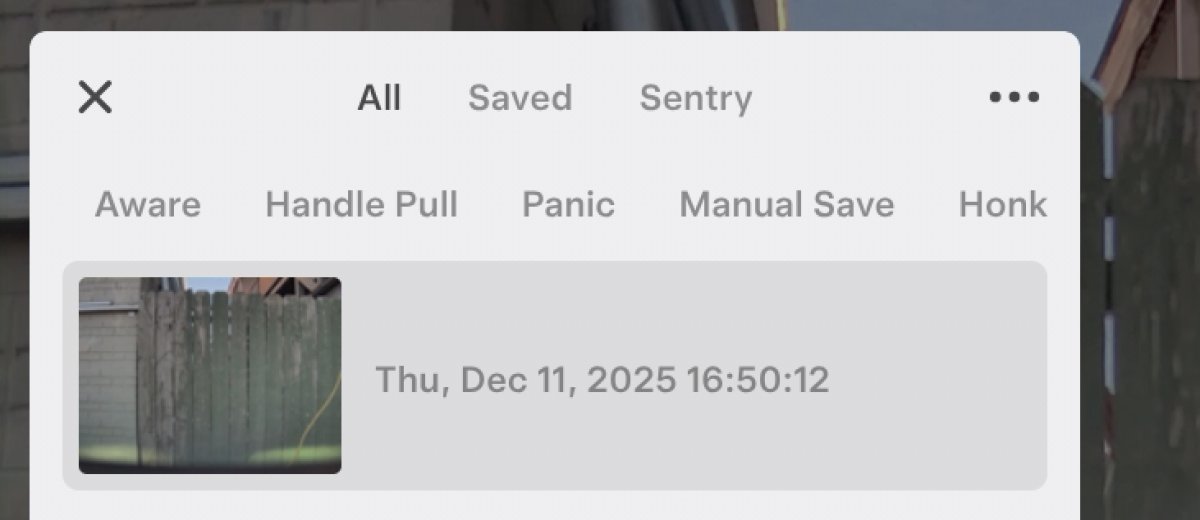
Tesla has made additional improvements to the Dashcam Viewer. In addition to having Dashcam and Sentry tabs in the Dashcam Viewer, Tesla now includes additional categories for Dashcam videos.
The system will automatically categorize videos taken with Dashcam and Sentry Mode and put them into appropriate categories that triggered the footage, such as Honk, Manual Save, Handle Pull, etc.
Tesla also launched a tool that lets you view the exact data each video clip contains.
View Dashcam Storage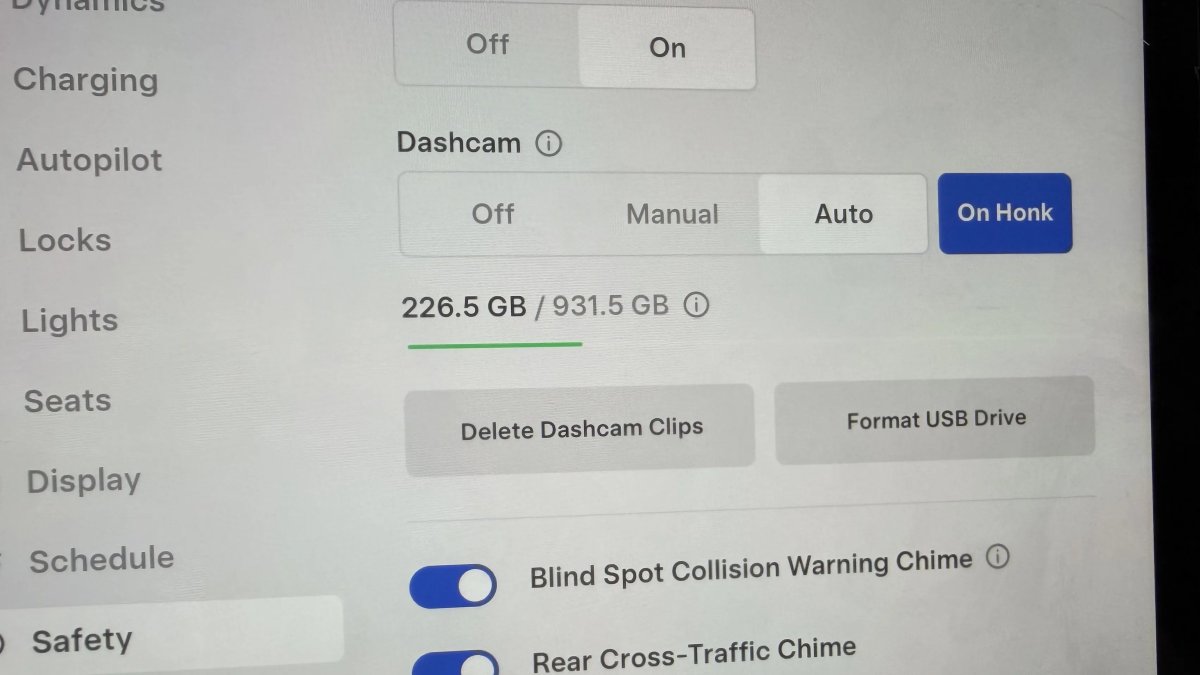
You can now view the storage space of your Dashcam USB drive. You can view the amount of space used by Dashcam and the total size of the drive.
To view Dashcam storage, go to Controls > Safety and scroll down to Dashcam.
Hebrew Language Added
You can now choose Hebrew as your touchscreen language.
To change the language, shift into Park, and go to Controls > Display > Touchscreen Language.
Service Mode Improvements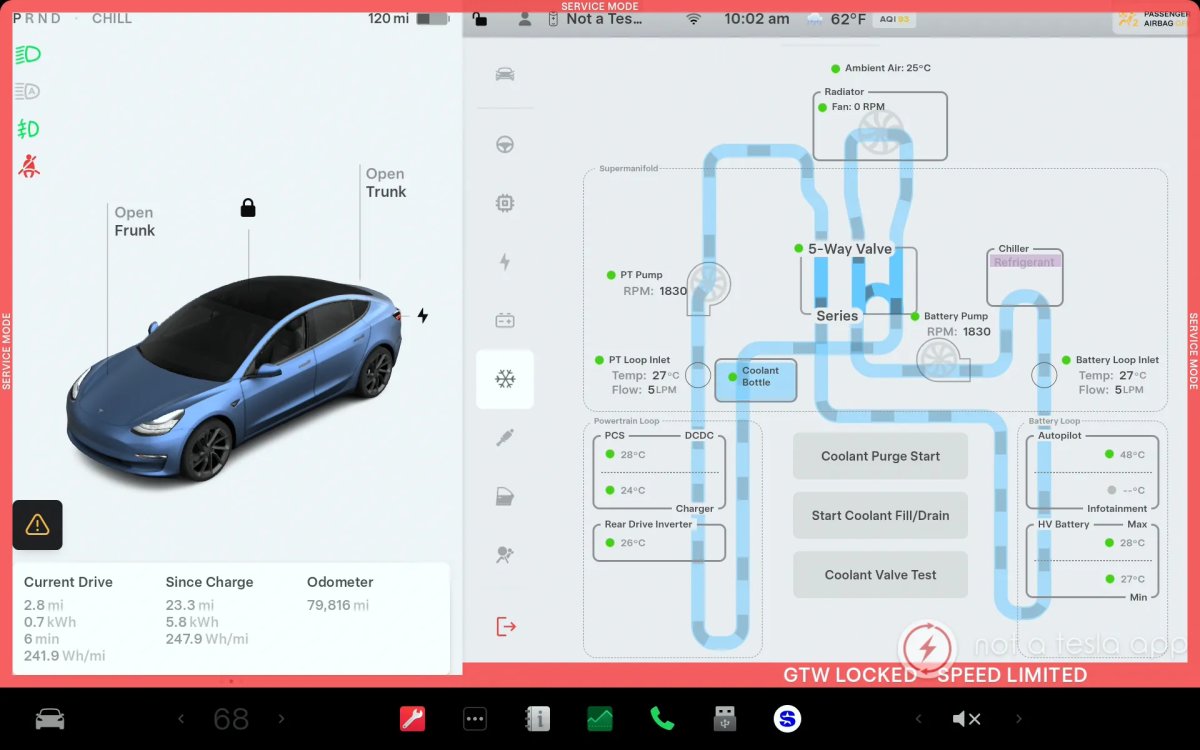 Thermal Control Components Panel Added to Service Mode
The Thermal Control Components panel has been added to Service Mode to support thermal Noise, Vibration, and Harshness (NVH) diagnosis. It adds the ability to individually control thermal components, set specific targets, and sweep across operating ranges with real-time feedback. It also includes a 3D static view of the heat pump, including the radiator, blower motor, louver, and pumps.
Models: Model S (2021+), Model 3 (Heat Pump), Model X (2021+), Model Y, Cybertruck
Airbag Panel Update – New Disarm Airbag and Resistance Check Routines
In the Airbags panel, a routine has been added that allows users to disarm the airbags. With this routine, users no longer need to disconnect the Low Voltage (LV) battery when diagnosing the Safety and Restraints system. Once the airbags are disarmed, individual components, such as an airbag or pretensioner, can be tapped to view the resistance readings.
Models: Model S (2021+), Model 3, Model X (2021+), Model Y, Cybertruck
Tesla is expected to roll out the first update of 2026 in the next couple weeks.
Subscribe to our newsletter to stay up to date on the latest Tesla news, upcoming features and software updates.
January 6, 2026
By Karan Singh
According to the updated Owner’s Manual for update 2025.44, the 2025 Holiday Update, Tesla now sets the default Speed Profile for new vehicles and for those activating FSD for the first time to Sloth Mode.
Previously, vehicles would default to Standard; however, given changes to FSD v14, both Chill and Standard will drive above the speed limit. Sloth, meanwhile, drives below the speed limit. The manual also now explicitly defines Sloth mode as “drives under the speed limit.”
Tesla has also defined each Speed Profile for the first time.
Default Speed Profile
It appears that the shift to Speed Profile that drives below the speed limit is a move to ease new users into the experience. If a vehicle starts driving above the speed limit, first-time users often feel nervous, wondering when it will stop. It can also be seen as a move to prevent potential issues with NHTSA.
This lets drivers build trust in FSD before they start experimenting with other drive modes. Just as before, once you change speed profiles, that profile will remain selected the next time you enable FSD, so new users can start off slow and calculated.
Speed Profiles Defined
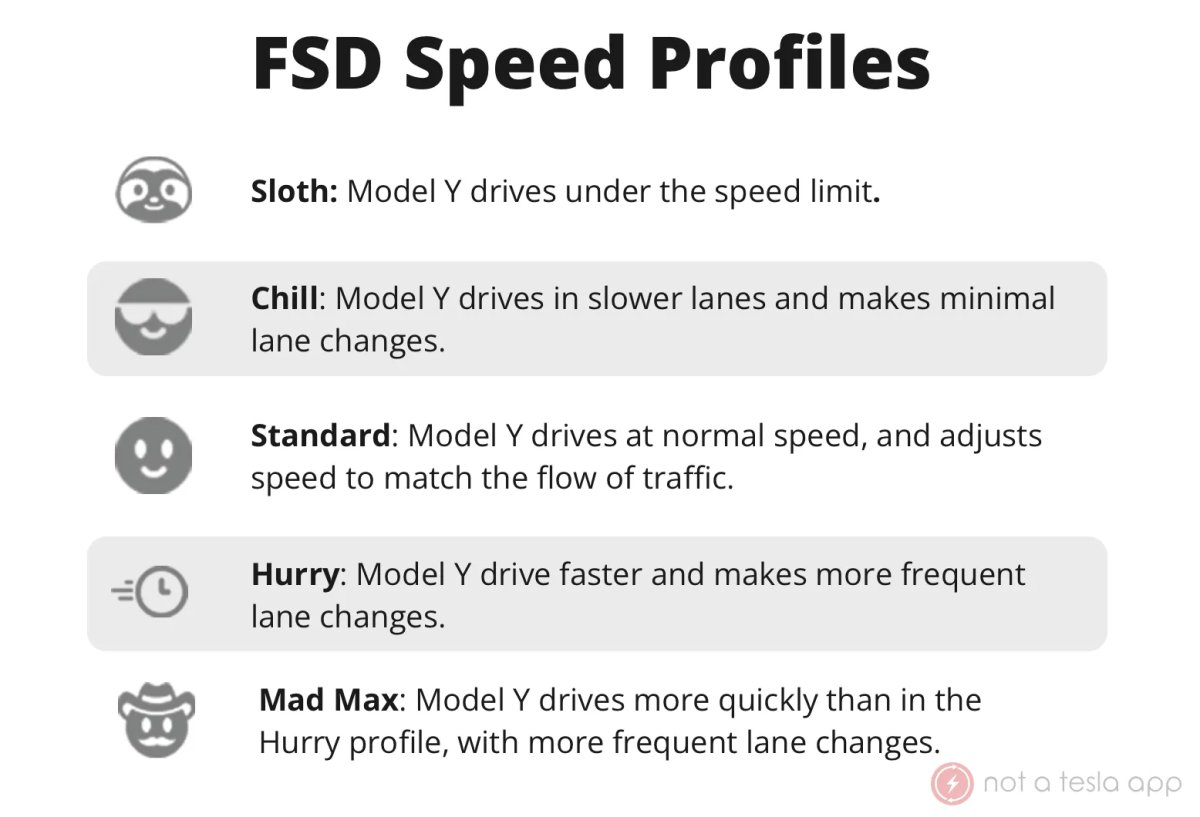
The updated Owner’s Manual also introduces clear descriptions of the Speed Profiles, giving owners a better understanding of how FSD will drive in each mode.
Sloth: Model Y drives under the speed limit.
Chill: Model Y drives in slower lanes and makes minimal lane changes.
Standard: Model Y drives at normal speed and adjusts speed to match the flow of traffic.
Hurry: Model Y drives faster and makes more frequent lane changes.
Mad Max: Model Y drives more quickly than in the Hurry profile, with more frequent lane changes.
Otherwise, the vast majority of the updated owner’s manual related to FSD remains the same. These new descriptions help provide additional clarity to FSD’s Speed Profiles, which were previously only roughly defined in release notes.
January 6, 2026
By Karan Singh
Tesla has quietly upgraded the interior of the Model Y in China by adding features to the Standard and Premium models that were previously reserved for the higher-end Model Y L and Performance variants.
Tesla is standardizing parts of the interior across all Model Y variants, including the Standard, Premium, Performance, and extended-wheelbase models.
Luxury for Everyone
This move appears to be a direct effort to unify the fleet following the launch of the Model Y L earlier last year. When the long-wheelbase variant arrived, it set a new standard for Tesla, featuring upgraded materials and functionality. Now, Tesla is bringing the standard-wheelbase models up to that same standard.
By trickling these features down to the cheaper variants, Tesla effectively eliminates some of the differences in their economy tier of the Model Y in China. A buyer purchasing a base RWD model now gets an interior experience that is visually identical to that of the most expensive trim, reinforcing Tesla’s premium feel and design.
Black Headliner
Perhaps the most noticeable visual change is the replacement of the gray headliner. For years, the lighter gray fabric was the standard fit for entry-level trims and was often cited by owners as a feature that made the cabin significantly less premium. The black Alcantara-style fabric found in the Performance variants was considerably more popular, to the point that people would often upfit their Long Range variants with similar materials.
Now, black is replacing the light gray headliner in all Model Ys. The gray headliner is officially gone, simplifying the aesthetic and manufacturing process and creating a more premium feeling cabin.
Upgraded Display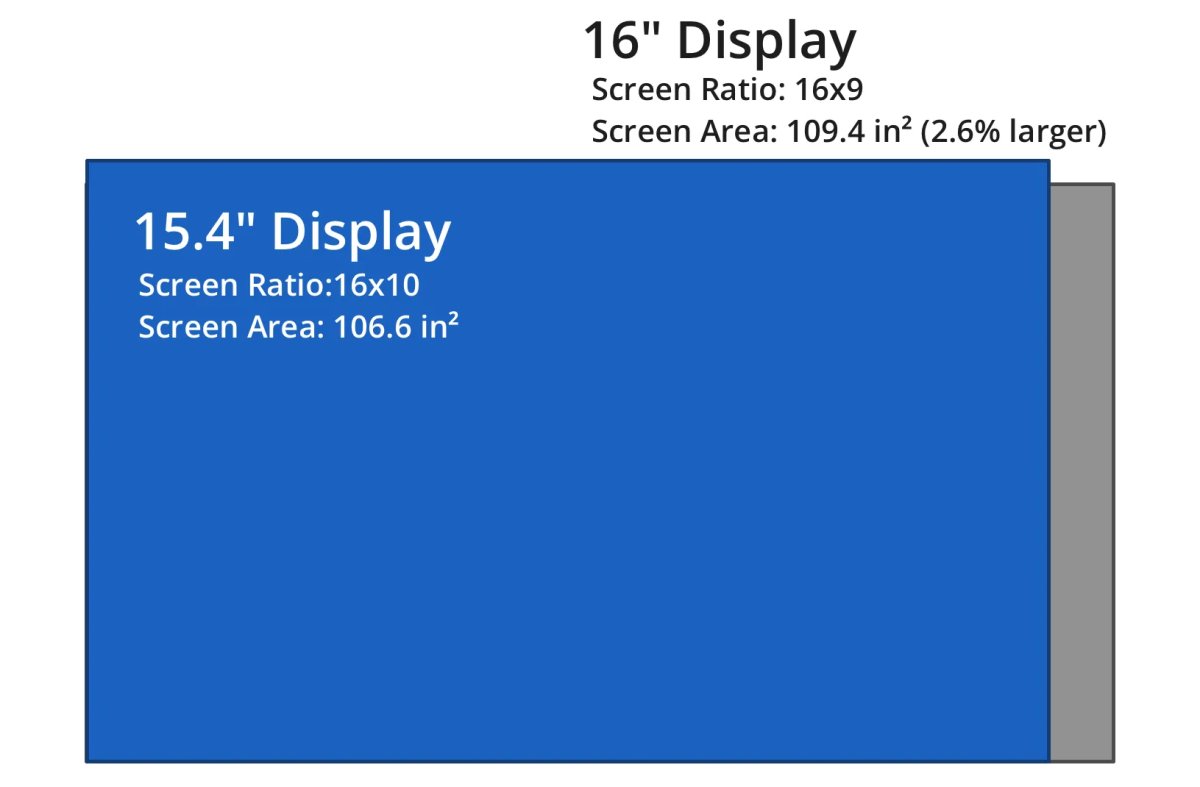
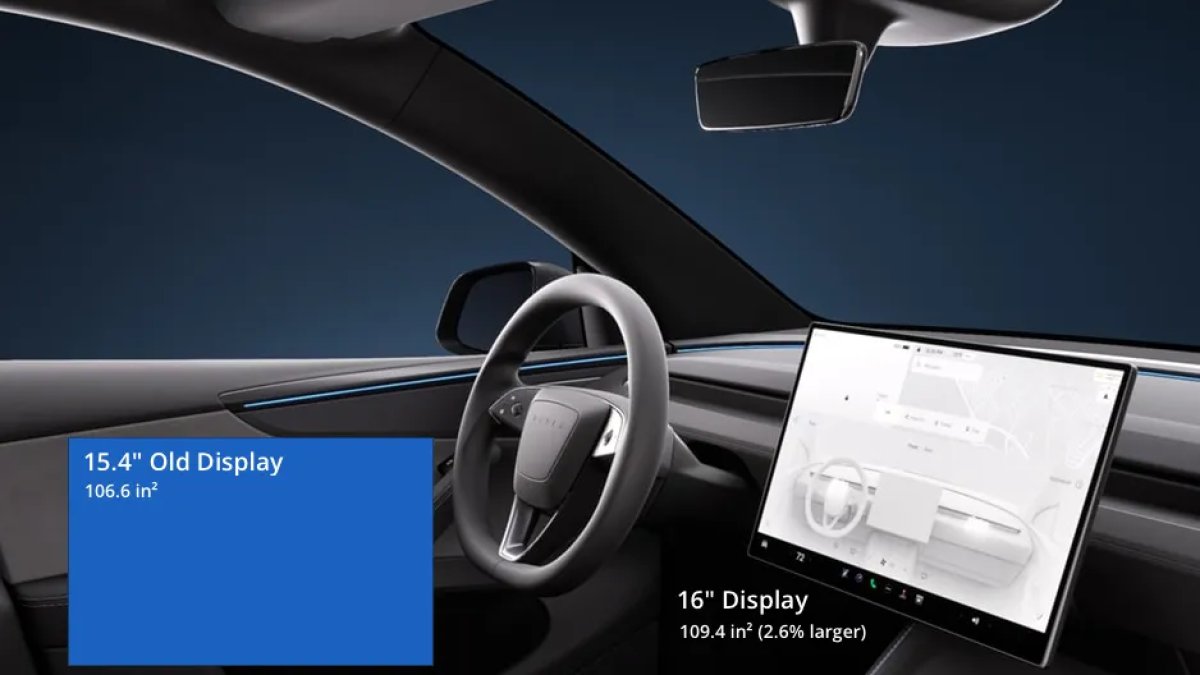
Tesla is also upgrading the vehicle’s center display to match the Model Y L and Performance models. The screen size of the Standard and Premium models will now go from 15.4 inches to 16 inches.
While 0.6 inches may seem minor on paper, it adds about 3 square inches to the screen, an increase of 2.63% in area.
However, that’s only part of the story. The new display also has thinner bezels, higher contrast, and higher resolution than the previous display.
The thinner bezels and larger display make the vehicle feel more modern and lets all Model Ys, and likely future Model 3s, share the same display.
Old Display
New Display
Size
15.4”
16”
Resolution
1920×1200
2560×1440
Resolution name
Slightly higher than 1080P resolution
QHD
Screen Ratio
16:10
16:9
Display Height
13.06”
13.95”
Display Width
8.16”
7.84”
Screen Area
106.59 inches²
109.39 inches²
Coming Soon to Europe & North America?
While these changes are currently specific to vehicles manufactured at Giga Shanghai, they likely won’t remain so for long.
Tesla typically introduces manufacturing changes at Giga Shanghai first, given the factory’s newness and agile local supply chains, before exporting these processes to Giga Berlin and Giga Texas.
Given Tesla’s relentless focus on supply chain efficiency, as well as the recent registration of the Model Y L with European type registration authorities, it makes sense that Tesla would slowly wind down the old parts chain in favor of the newer design. As Tesla runs out of stock of the older headliners and screens, these upgrades become the standard everywhere to maximize volume pricing and supply chain efficiencies.
It’ll just be a matter of time.