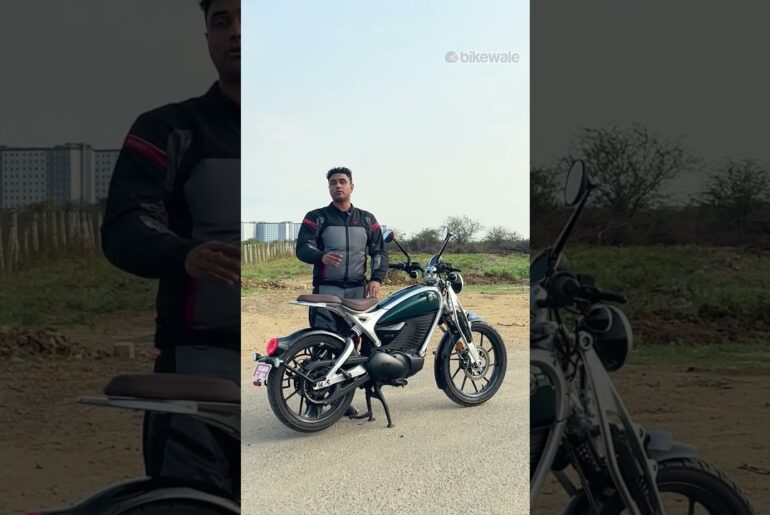
I Turned My Alibaba EM5 Into a MONSTER! (Sotion Kit Upgrade Install)
[Music] 67 68 69 7 Oh wa Oh my god. I got to slow down. Oh my god. Oh my god. Oh, what did I build? What did I build? This thing is a monster. All right, guys. So, we’re going to be upgrading my EM5 that’s sitting behind me right here. We’re going to make this thing go even faster than it already is. And if you guys don’t follow this channel or don’t know about this bike at all, this bike originally was coming in at 650 bucks, but it actually has gone up in price, but it is still cheaper than the 2T Sole01. Now, this bike in general right here that I’ve been modifying to 63 miles, it has the Super Motos on it, an upgraded chain. The motor is going to be upgraded soon, but we did upgrade the controller, which you actually can’t tell. It looks completely stock, but if you come in here, you can see all the green bits of that controller. We also upgraded all the grips and we got a new button layout. We have a key ignition up here, so we got rid of this ignition. So, anyways, even though this thing had a 72vt system and it was hitting 63 mph, it’s going to go even faster. And let me show you how we’re going to do that. It’s going to be with all these components sitting here on this table. We have a lot to do. Everything is going to completely change, but it is going to be a very nice upgrade. You can obviously see our big motor, but let’s start here on the left hand side. So, this is the controller. This is all from Soion. This kit was 950 bucks. You could talk to Becca. I will put links down in the description so you guys can find there so you can order it from AliExpress or Alibaba. And then you have the brackets right here for the controller because obviously this controller is a lot bigger than the factory controller. It also gives you the hardware, too. So, this is going to be the hardware that goes behind the controller. And then these bolts are probably going to be for the side of these so they fit. It would be nice if someone 3D printed some mounts to fit bigger far driver controllers. But for now, we do have brackets to modify it to the brackets already on it. This is a harness that’s probably going to go to something. I’m not sure. I think it’s a display. And this is our DC converter right here. This is our main harness that we’re going to need for the whole entire bike. And this is our nice display. So, it’s going to be similar to my 2T build. I don’t know if you guys saw that, but we will have a nice display. It also looks like we have the brackets as well for the display. So, that’s probably going to go on the handlebars. We got some nice grips. These actually feel better than the grips that I have on the bike right now. This is our full throttle. This is going to be our mode. So, you’re going to probably have like eco, sport, and race mode. So, you can just hit that on the fly, which is very nice. And the heart of it all is this huge ocean motor. This is a FW22. And just to show you, I’m not lying. And they even put a sticker letting you know it’s a FW22 motor. It looks like it has a 10 to it, but we do have these gears next to us. Now, I wanted to build something that went 80 plus miles an hour. And this is definitely going to get us there. You can see how big this gear is. I believe this is a 14 to most likely run it with this at first and then we’ll put the 14 to see how it performs. And that should give us a lot of huge top speed. Now, going back to the controller really quick. First off, this is super cool. You can see through it. You can see it’s colorcoded. It’s very easy to do this. This is your positive for the battery. This is your negative for the battery. And these are all your motor connections. And you can see they’re colorcoded right here. It’s very simple to do. Obviously, this kit is going to be a little bit more advanced people to do, but I’m telling you, it’s very easy to do. But what I want to show you is it has 450 amps. So, this is going to be pushing a lot of power. However, my Amore battery that’s sitting right here is only capable of going up to 250 amps for 10 seconds and then I believe it’s about 200 or 220 amps continuous. So, it’s not going to be able to push all the power. However, we were only pushing 100 amps on my other setup and getting 63 mph. So, when I tell you this thing is going to fly when you push 200 amps, which is double of what we originally had, this thing is going to be a monster and it’s going to be super scary. So, without further ado, let’s get into it. And by the way, thank you Shreddcape for sending me the Gas is ass t-shirt. You can order these online. I’ll put links down in the description. This is also how the back looks. Great YouTube guy, great electric bike reviewer. So, thank you, Shredder McKate again. So, the first thing we want to do is we’re going to remove this cover and the cover on the other side. They just pop out. You just got to get your hand behind here and push it out. And then we’re also going to remove the chain. Once all that’s removed, this is how everything looks. You’re going to have three nuts on this side. And then on the other side, you’re going to have three Allen bolts. You might have to put something on this side and get a socket on the other side. But we can’t take the motor fully out yet. We have to access the controller cuz you have to take the phase wires off. To remove the controller, you have four allens on the outside of this plastic cover that kind of goes around the controller. Makes it look a lot cleaner. Then you have four allens on the actual controller itself around. Once you take all eight of those off, the controller will drop down. And then you’re left with this. Now, your controller is going to look different just because I have an aftermarket controller in mine. Yours is going to look more grayish. Anyway, same concept. You have the blue, green, and yellow. We have to remove. Then also, you can see this orange cable coming to this hall sensor connector. We have to remove that. Once all three of these are removed and this is removed, our motor will be free to come out. Now, after you do all that, this motor should just come right out. It’s going to be a little tight. Should be able to slide it out, though. All right. So, I lied. There are four bolts. There’s two on this side and two on the other. They’re Allens. And you’re probably going to have to drop the motor from the bottom because it’s not coming out from the side. And now that we have all this loose, should just drop right out the bottom. Ah, there we go. That’s what I was looking for. Now, let’s quickly show you guys the difference in size. So, you can see that the ocean motor is actually a lot longer side by side. So, we’re probably not going to need those adapters that we needed on the original motor cuz there were spacers on this side and spacers on the other side for the brackets. And this thing is just way way longer. I noticed that this is an 11 to the stock motor and this one is a 10 to those gears so we can change it from 10, 11, 12, 13, and I think 14 is the highest we can go. The higher you go on that, the more top speed we’re going to get. So, it’s going to be nice. Look at the difference in size of wires. I mean, just look at how small these are compared to these. I mean, these are just massive. And again, just check out the size difference from the top right here. That is crazy. And here is a look at the back real quick. So, let’s drop this motor in. But we’re not going to be able to do anything yet because I do have a lot of electrical to do. We have to remove the grips. This is going to have to come off. So, basically, the whole harness for the stock controller or a far driver aftermarket controller, you’re going to have to take everything off. And keep in mind, guys, that you can do this however you want. You can get rid of all the stuff on your bars, the harness. You can get rid of all the stuff. You don’t have to do the motor first. I just wanted to see how the motor fits in here first, but if you want, you guys can still follow along the way I’m doing it. But you’re going to have to remove everything on this bike cuz it’s a whole brand new kit for everything. All right, so it’s been about 30 or 45 minutes since we got the motor installed. Now, it was pretty difficult. Um, I was hitting it up here. I was hitting on the corner, but I was able to get it in. The one thing I could not figure out is when I went into the packages, and you saw the stuff that I told you guys came in the box, there was three of these things. Now, after I saw that the original motor had spacers on both sides, I figured this motor was long enough cuz widthwise, it’s longer than the stock one. However, you still need spacers. So, the kit came with three of these, I put two of them on the bottom where you can see underneath the chain right there. Those are the brand new spacers that the kit came with. And I used one of the original spacers right up there. If you guys can see that, this is the original one that was on the original motor. Also, you have to use the original bolts and nuts. So, try not to strip these and try not to damage these because you do have to use some of the original hardware to put this motor in. Now, before everyone wonders why I had to use one of the old spacers, well, you can see the difference in length. You can see that the aftermarket ones were longer, and I literally I have no room. I don’t know if this part was bent on mine or whatnot, but these are welded. I’m not cutting the welds off and redoing this bracket, but I could not for the life of me get that in there. So, if you guys can drop a comment, let me know if you guys put this kit together, but definitely had to use the original spacer. You’re also going to notice that we don’t have a gear on this thing right now. So, the original gear sitting right here, this is a 10 to the stock motor had 11 to. Now, I’m going to try a 13. I was originally going to put like a 11 or 12 in there, but I think this chain might fit. I don’t know cuz this is going to extend our chain a little bit. Well, I guess it’s going to shorten it. So, we’re going to have to move the wheel closer to the front. But, it’s pretty simple to do. I just put the chain on so it held this from coming off. And you basically just line it up to that. And then you do have one bolt and you have one washer right here. And you basically just have to put this together. It’s a little hard with one hand, but there you go. You just got to tighten that on. Put the chain on. I put something through here so when I tightened it or loosened it, the wheel would stop it from rotating so you can get a good torque down on this. And that’s pretty much it. And here is how the final product looks. I did have to move the wheel a little bit far forward. I did not have to change out the chain at all. Uh going up to a 13 tooth compared to 11 to. So we went up two teeth over here. I was going to put a 42 sprocket on the back, but I realized I ordered the wrong one. So we’re just going to continue with the 48 to everything is set up. I got all that tightened down. I basically just put a bar through here like I said earlier. And then you can torque that down and this will make it stop. So if you have a better way to do it, cool. But that’s how I figured out to do it. And everything is good for day one. We’re going to stop for now. I’ll see you guys in day number two. All right, so day number two is here. It’s actually been a week since I left off working on this bike, but we are going to get into it right now. The first thing I got to do is figure out how this controller gets mounted up. Remember those two brackets we had sitting on the table? Well, I got them mounted up to the controller, and I believe this is how it goes. It’s going to sit nice and flush, real flat. It has three bolts on each side. So, this bracket mounted up to the controller isn’t going anywhere. and I realized that it actually removes the plastic piece on the bike. And I’m going to show you what I mean. This was the original bracket that was surrounding the controller. Now, because this one is so much bigger, the actual mounts are going to be these. So, we’re going to be reusing these screws, which originally went right here on the outside of the frame. And we’re actually going to be removing these little spacers or studs, whatever you want to call them, because the controller is actually going to fit inside the frame this time instead of sticking out a little farther because it is bigger. So, what I want to do is test fit it to see how it’s going to look. And to remove them, if you look, they are just simple allens. You could probably just put an Allen and grab the other side and twist it off. Very easy to take these off. All right, so this is exactly why we test fit stuff because there are no instructions for this kit to go on. And this is what I think I originally saw on a video that they posted is it looked like it sit flat like this and it used the outer screws. Now, it still uses the outer screws. However, there’s no room back here for these cables. These are very thick, so they’re not going to fit. So, I found out after flipping it like this, I believe the controller is going to sit like this, but we need to flip the brackets so this is on the inside and not the outside. So, now that we know which way this controller sits now, this is why we test fit stuff. And this is why I make videos for you guys so you guys don’t have to do it wrong the first time. Now, we’re not going to mount this up yet because we do have to get these cables mounted up and also the positive and negative for the battery. So, we’re going to get that mounted up and just let this controller hang for the meantime so we can get all the wiring done up top. Once you get all that connected, that’s how everything is going to look. Now, you can obviously run your cables differently, however you want. This is just kind of mocked up right now. I actually don’t even have a lot of things tightened yet because once we do get the harness ran from all the stuff that we’re going to put up here on the handlebars all the way down. You can see I don’t even have the harness uh pushed in right here yet. We will push that in soon, but you are going to have to connect some stuff to the positive and negative based on the harness. So, you can always leave these loose. This cable is the one that’s going to go to your battery. You get this when you order a custom 72, 60 volt, 48 volt, whatever type of voltage you want to have on this setup. So, you will get this cable or you can order them on Amazon. I’ll put links down in the description, but uh mine is kind of short. It barely reaches the top, so I’m going to have a little bit difficulty plugging that battery in. But anyways, this is how your setup should look as of right now. Now, we’re going to move on to the wiring. And by that, I mean, we’re getting rid of everything on the top from my original FAR driver setup. Now, your original setup will look a little bit different than this, but basically just take off all the cabling, all the wires that went to the stock controller. We need to remove all of this from the bike right now. Once that is done, it will look something similar to this. Now, you will have two cables on the handlebars still coming from the brakes. These are the brake sensors. You could probably cut those, but just leave them on just in case you ever want to go back to factory. One thing I did is the factory connection right here to charge the battery from the outside of the bike. I removed that. I’m going to have all my cables from the top go into that port right there. I connected the harness for the social controller. I figured out what I was going to do is if you come over here to this side, we have a nice little gap right here. And all these cables are going to be coming out from the side. Like I said, we’ll plug everything in before we move everything up. Then I’m going to push all the cables in this cubby. And then the battery will sit right in there. So it should look pretty clean. So that’s the way I’m going to do my setup, but you can always do it a different way if you like. So one thing down, we got the throttle on. Got it nice and tight. There’s two bolts on the side. They’re both allens. And then I basically just ran the cable through here and through that port that I told you earlier. And I have my throttle on this side before I connect anything down there. Now, I’m going to have to remove my headlight that I had on this bike because, if you know, the EM5 does not come with a headlight. So, I got to remove this because our display is going to sit right in the middle of this. And here’s a look at our display after taking it out of the bag. It’s a very nice display. This is attached to the bracket. It doesn’t come like this. So, this is how it looks in the back if you want to know how that goes on. It’s just two nuts on the other side. I believe they’re tins. Anyways, I don’t have them on there very good because this bracket is going to go on the handlebars. I want to make sure it fits. It does come with the other side and all the hardware to do that. So, let’s just get this display fitted on real quick. So, it looks like we ran into our first issue with this kit. Now, there are bound to have issues with this because it is a brand new kit. So, it doesn’t fit, unfortunately, in between the handlebar mounting brackets. So, uh you’re either going to have to put it on this side, but because I have my foam mount over here and I don’t want anything blocked, I’m going to put mine on this side. Now, I’m going to get it as close to the middle as I can, but it’s obviously going to be offset. Another thing you could possibly do if you want, you can flip this upside down and then flip the display upside down so it’s the right way, but you can have it closer to you. But because I’m a tall person and this bike is small already, it’s going to be a little hard for me to see that when riding, I always have to look down to see the display. So, I’m going to have mine sit just like that. Now that the display is mounted, I decided to do the DC converter. And I found out that the best spot for it was going to be right down there because there is a bolt hole. There’s actually a bolt hole on this side as well, and I did have some extra bolts and nuts laying around, so I was able to get it mounted right there. Now, if you don’t have a nut or extra bolt to put on there, just use double-sided tape and stick it up there. I don’t think that would be in the way of the battery. It is going to take up a little bit of room for the wires, but we’re just going to have to figure that out once we move the wires up and see if we have enough clearance. And if not, I was thinking of putting it on the outside of these plastic fairings right here and seeing if that works. Also, we got this other grip on here, but we are going to have to put something sticky underneath because this is just sliding all over the place. And pretty much the whole bike is completely done. We just have to start connecting all these cables together. The first cable we’re going to do is going to be the hall sensor connector. It’s the biggest cable you’re going to find on this controller. They just plug in and you’re good to go. And just get most of that out of the way. Next, I hooked up our high-speed gear and our throttle to these. This came in the kit. Obviously, this goes to the positive. There’s also two negative cables that came off of some of the harnesses. So, just plug those into the ground and then make sure you snug them down for the final time. You do not want those cables to be loose. You can see that this red and black cable right here connected to the pink and black. I also connected it to the orange and red cable. And then I actually had to put the original ignition in the bike because it actually uses the original key, which is actually really nice because now we can use that same key for the seat and the ignition and not have two separate keys. And that’s what this connection is right here. So this black and red cable, this big old bundle that comes wrapped up, goes to the yellow and red cable that goes to your key ignition. Now, moving on to this side. I’ll do my best to kind of show you how these cables are. I know it’s a mess, but this is your hall sensor connector right here. This is the one that goes off the harness and goes into the motor connection. You’re going to need this one. This is the main one. This one is the one I showed you earlier. This is going to be for your eco sport and race mode. So, it’s going to basically be your gear selector and your throttle. This is connected correctly because I just tested it out and everything seemed fine. This one right up here that has a little bit of tape on it and branches out to a little skinny red wire, a yellow wire, and a skinny black wire. The red one goes up to the DC converter. And I’ll show you guys that in a second when we go up there. This one, the yellow one, goes to the one line connection off of this harness. And it’s actually labeled for some reason, but that’s where that one goes. This black one goes into a connection right here that runs all the way down to the ground on the controller. A lot of these other ones just don’t go to anything because we don’t have an alarm. We don’t have reverse. We don’t have none of that other stuff. So, none of these all have to be connected. So, that should give you a good idea. Now, let me move up to the top. And don’t worry about this little connection right here. This is actually a brake sensor. We could probably hook that up to this harness, but I’m going to leave the brake sensor off. But you can see our DC converter. You can see that there’s a black cable going into a black one right here that goes into the ground. There is a red and black one going into a red connection right there. And then the yellow one that I showed you down there earlier is right there. And that is pretty much it. All these cables right here are going to get tucked in there. I just have them out right now to kind of show you guys that. Now I just need to get the controller buttoned up first. I guess make sure it fits on there and get the wires all pushed in there without ripping any of the wires out. And then once the controller is bolted and mounted, we should be able to put the battery in and test this thing out and get it tuned up. And there we go, guys. The controller is in and that’s how it looks on the bike. And of course, again, I told you we we’re not having that plastic piece on there anymore. These bolts are using what the plastic piece was on the original controller. Now, you can tell me if you like that or not. I think it looks badass. I do wish that these bolts were black. However, it is a very clean setup when you look at it from the front and all the wires are hidden. We have our brake line right here, which is a little bit pinched, but if I didn’t put it like that, it would have ran way out on the side. So, hopefully we’re not going to have an issue with that. Let me show you guys how all the cables look. Now, this is where you can kind of come in and do some cable management and zip ties and, you know, sleeve the cables if you want, but I pretty much just pushed all my cables back there. And the battery is going to rest right here. So, I think we’ll be okay. And that is with our 72V 25 amp hour battery, 1,800 W hours, 200 amps of continuous discharge. This thing fits in here really nice. I actually think you can get a slightly taller battery right here, but it would have to kind of shave off right here and then go that way. So, it’ have to be a different type of shape instead of it being a complete square. But, it fits in there. You can see where our battery connection is right there. All we have to do slap this thing down. Let’s turn this thing on. This is the part where having a fire extinguisher would be nice just in case something bad happened. And the display came on. Let’s see if this button mode works. There we go. Sports mode, race mode. Go back in the eco. Oh yeah, it seems like it’s working. All right. So, we’re definitely going to put the covers back on here because we definitely don’t want our pants getting caught by this chain, especially trying to hit 80 mph on this thing. So, let’s just see how the throttle works. Seems like it’s moving. That is in eco mode. Let’s bump it into race mode real quick. 70 miles an hour on this display. Man, that’s crazy. And I let off it. It’s going to go faster than that. I think it’s going to go into the triple digits without someone on it. And hopefully 80 when I’m on it. But anyways, let’s get this thing tuned up. I think it uses the Far Driver app. So, let’s load that app up really quick. Just make sure all our settings are good. Then we can take it out for a spin. All right, guys. So, I went into the Far Driver app and made sure everything looked good. The only thing I had to do was the low voltage protection and change a little bit of the voltage stuff on there. But, uh, and I also turned it down to 200 current line amps cuz I know this battery can do about 250 max for like 10 seconds or 12 seconds, then it goes down to 200. It was set at 450, but I know this battery can’t handle it. So, without this battery BMS cutting out and leaving us stranded, I put it at 200 for now. But, the bike isn’t tuned at all. I didn’t do the autolearn feature. I didn’t tune any of the RPMs or anything like that. So, we’re going to take it out for a spin right now and just have some fun with it. I’m going to go in some short, so we’re probably not going to do the top speed test today. So, stick around for another video if you guys want to see that. But without further ado, let’s test out this new setup and I’ll tell you guys how it feels like. All right, so let’s make sure to put this on so we cover the chain just for safety reasons. And there we go. All right, here we go, guys. Got the bike turned on. Hopefully it doesn’t whiskey throttle. Hopefully nothing bad happens. I don’t want to go super fast with shorts on. Uh, one thing I noticed though, I was moving the bike backwards and uh, it kind of keeps you from rolling back and then it also it kind of like pushes you forward a little bit. I don’t know if that’s what the setting’s supposed to be like, but I can hear the motor like making noise on the inside. Super weird though. I’ve never had that feeling while just walking a bike backwards. Maybe it’s just a thing that the ocean controller does. But anyways, let’s get out of here. All right, right off the bat, eco mode. Nice and smooth. Not much torque at all. That is full throttle right there. So, it definitely doesn’t have the torque that it used to before, but again, we haven’t moved it up to race mode yet. But that’s kind of nice. I feel like it could have been a little bit more punchy in uh eco mode if we wanted to change out that gear from a 10 to the 13 that we put on here. But, we’re after top speed, so I’m actually curious to see what eco mode will do with top speed. It’s still going. We’re going to run out of road. 40 m an hour, man, is still quick. Doesn’t seem like our display is accurate at all. Maybe that is for the stock setup for the rims. I’m not sure, but um it is definitely lower than how fast we’re going. All right, that looks like it’s what it’s going to top out at. Oh, 43 in eco mode. 43 m an hour. That’s crazy. 44. Damn, eco mode is quick. 45 mph. Okay, it’s just going to keep climbing in eco mode, but that is absolutely crazy fast in eco mode. It just doesn’t have all that power down low and that torque, but that’s a solid top speed. And you can always go into the app and change all this stuff. If you want to go slower, like 20 mph in eco mode, you can do that. But for now, this is just right out of the box settings. Now, what I want to do is we’re going to change it from eco to sports mode. Okay. Oh yeah, definitely uh not full throttle yet, but definitely gain some torque. Oh, there we go. There we go. Oh yeah, we’re getting a decent amount of power out of this thing. I think sports mode is actually going to go faster than uh race mode on the other setup. That’s crazy. 55 56. Okay, we’re going to let off. But I’m pretty sure that sports mode will do 60 m an hour. Close to what our max speed has been the whole entire time on this thing. So, we definitely are going faster in today’s video for sure. I at least want to go over 63 m an hour. Then we’ll go after 80 m hour in a separate video. All right, guys. Let’s move it into race mode. That’s going to give us all the power. Oh yeah, that’s not even full throttle. That’s full throttle. Holy crap. That’s where it’s at, baby. Race mode. 100% of that 200 amps that I turned it up to. Let’s see if we can do a little speed run real quick again. I just want to go over 60 or 63, I should say. I got to put my foot out. Oh my god. Oh my god. No way. No way. Oh my god. I got to slow down. 68. Oh, this is scary. Now, the 2T is definitely torque-wise faster by by far 100%. But it’s geared for having that extra power, and it still has way decent top speed, but it’s not going to have the top speed that this has. No way in hell. This thing is going to be a monster on the road. I can’t wait to be hauling ass with people on the freeway. No, we’re not going to go on the free. I’m just I’m just kidding. But seriously, this is just it has way good enough power that you need for a bike. Come on now. Like this is crazy. This is crazy. 69, baby. A little after 670. I’m wondering if we’re seriously going to have to switch out to a 14 to the front and go lower in the back if we want to go over 80 cuz it still had a little bit in it, but I don’t think it had 80 in it. It felt like it was going to hit maybe like 70 something, like under 75. I don’t think it was going to go past 75. Not the way it felt like it was capping out. However, we have not adjusted any of the RPMs in the app at all. All of them are starting at like 100, then it goes 90, 80, 75, 70, 60. So, if we start changing those to have more power at the higher RPM, we are for sure probably going to do it without that gear increase. But, um, I’m excited as hell for it. Now, one thing about this setup you guys got to keep in mind is our battery isn’t very huge cuz this is a pit bike. At the end of the day, you can’t fit a huge battery on these bikes. Especially the way the seat is designed while coming up in the front. There’s no way you can do what you could do on the 2T1 where a lot of people just put a Suron battery and cut the seat halfway down because it bolts in the back. You can’t do that on a bike like this. These bikes aren’t really made for getting really good range. And now that we’re pushing 100 more amps compared to our last setup, good luck trying to get more than 20 miles out of this thing. If you’re hauling ass everywhere, you can always get way more range if you go way more slower. It also just depends on your terrain and your weight and all that kind of stuff. I say this in every one of my videos because a lot of people just don’t understand that. But yeah, I mean, if you’re riding way faster for the power that you put on this thing because that’s what you wanted it for, you’re definitely going to get way less range compared to the other controller we had. Try to do a little speed run out here. I told you I wasn’t going to go this fast, but I mean, as long as the bike holds on. Oh my god. Oh my Oh, it’s windy, too. We’re going against a bunch of wind. Holy crap. 67 68 69 70 71. Oh man, she getting it, baby. Man, the Veltzu EM5 is quick as hell. This is the fastest one in the USA right now. [Music] Woohoo. 68 mph. Oh my god. Oh my god. Oh, what did I build? What did I build? This thing is a monster. Oh, damn. You ruined the fun, man. You ruined the fun. [Music] Oh, I’m not taking this thing out of race mode. Hell no. This thing is way too fun. Oh my god. Yes. Yes. And there she goes, guys. That was the first video that we did on the EM5 Alenu with the social motor kit. I got to say, looks really clean. It’s way more difficult to do though compared to the other kits on the market. However, this is 950 bucks and it comes with every single thing that you need to get it onto this bike compared to buying the controller. Then you got to buy the switch and the throttle and the voltage and all that stuff. One thing I do miss is I wish I had a voltage reading here and this kit doesn’t come with like a voltage reader or anything like that. So, that kind of sucks, but this thing is hauling ass. In our second video, we will definitely be testing it out, tuning it up to get it over 80 mph. That is the goal out of the EM5. This is going to be the fastest EM5 on the planet right now. So, subscribe if you guys want to see that. I will do a video coming up soon on that. So, I’ll see you guys in the next one. Peace out.
Valtinsu EM5 – http://www.valtinsusport.com (use code central)
Sotion FW22 Kit – https://www.alibaba.com/product-detail/SOTION-72V-12KW-FW22-MOTOR-Kit_1601596892896.html?spm=a2756.trade-list-buyer.0.0.3c4f76e9JQkneD
Supermoto Wheels – https://voltronwatts.com/collections/tuttio-soleil-01-replacement-forks/products/tuttio-soleil-super-moto-mags-with-kenda-12-tires (use code central)
Sotion Motor Sprockets – https://econiccycles.com/products/sotion-fw23-motor-sprocket-420-11t-13t-14t (use code MRCENTRALDRIVER)
Amorge 72v Battery Upgrade – https://www.amorge.com/post/amorge-20s5p-72v-25ah-200a-battery-for-electric-off-road-adult-motorcycle-dirt-bike-em-5
Phone Mount – https://amzn.to/3LJBZO5
Chain Upgrade – https://amzn.to/47povQ7
QS8 Battery Plug – https://amzn.to/493Z6g7
#ValtinsuEM5 #SotionKit #AlibabaEBike #ElectricBikeUpgrade #EBikeMods #EM5Upgrade #EBikeConversion #HighSpeedEBike #ControllerUpgrade #MotorUpgrade #CrazyFastEBike #BudgetToBeast #SuperEBike #EBikeBuild #EBikeRacing #DIYEBike #TechMods #BikeTransformation #SpeedTest #InsaneUpgrade #MrCentralDriver #EM5Series #ElectricRide #EVCommunity #RideElectric #EBikeLife #CentralDriverBuilds
▶️ALL MY DISCOUNT CODES BELOW:
NACHBIKE EBIKES https://bit.ly/4kGtBuw Use Code: MrCentralDriver
ARIEL RIDER BIKES https://arielrider.com/MRCENTRALDRIVER Use Code: MrCentralDriver
ANIIOKI E-BIKES https://bit.ly/42T7XfT Use Code: Mrcentraldriver
EAHORA EBIKES https://bit.ly/4iNpJaL Use Code: Eahoradriver
HEYBIKE EBIKES – https://bit.ly/4iAzAjY Use Code: MCD100
HAPPYRUN EBIKES – https://bit.ly/4iBGaXz Use Code: MrCD100
RATTAN EBIKES – https://bit.ly/3XQBHYY Use Code: MRCD
EUYBIKE EBIKES – https://bit.ly/4l30N10 Use Code: MrCentralDriver
LAIFOOK THUNDER https://laifook.com/1lpnib Use Code: MrCD100
VOROMOTORS – https://www.voromotors.com/?ref=22tyCvEC-TCrPj Use Code: MrCentralDriver
BEYOND RIDERS CLOTHING https://bit.ly/3eKXC05 Use Code: MrCentralDriver
LYRIC GRAFFITI https://lyriccycles.com/?ref=mrcentraldriver Use Code: MrCentralDriver2025
RIDE1UP EBIKES https://bit.ly/3W4znvl
WALLKE E-BIKES https://bit.ly/4dVLmmW Use Code: MrCentralDriver
GHOSTCAT E-BIKES https://bit.ly/4cnjhnK Use Code: MrCentralDriver
GOAT POWER E-BIKES https://bit.ly/4es4Nof Use Code: MrCentralDriver
LUCKEEP E-BIKES https://luckeepbike.com/?ref=ihzhmesj Use Code: MrCentralDriver
FIIDO EBIKES https://bit.ly/45qQpsi
C3STROM E-BIKES https://www.bit.ly/3FAnu9g Use Code: MrCentralDriver
MACFOX E-BIKES https://bit.ly/47ewM7l Use Code: MrCentralDriverx2
YADEA E-BIKES https://bit.ly/44MRI2X Use Code: MCD200
LECTRIC E-BIKES https://lectricebikes.sjv.io/AW3vv1
FREEGO E-BIKES https://bit.ly/3gVYmkg Use Code: Mrcentraldriver
HOVSCO E-BIKES https://bit.ly/46fD5G2 Use Code: Mrcentraldriver
APOLLO SCOOTERS https://bit.ly/3r5c9dG Use code: mrcentraldriver
VARLA ESCOOTERS https://bit.ly/3pWJlUd Use Code: MrCentralDriver
RAEV EBIKES https://bit.ly/45aIyP0 Use Code: MrCentralDriver
SPARK BANDIT https://bit.ly/41h9idv Use Code: MrCentralDriver
POWERFUL LITHIUM BATTERIES https://bit.ly/42sHZyc Use Code: MrCentralDriver
ROLL-ROAD BIKES https://bit.ly/3svEbQc Use Code: MrCentralDriver
TROXUS BIKES http://bit.ly/3necAAa Use Code: Mrcentraldriver
TESGO BIKES http://bit.ly/3K62vg8 Use Code: MrCentralDriver
TOMOFREE EBIKES https://bit.ly/3OUg3iL Use Code: MrCentralDriver
ENGWE https://bit.ly/3OOaaU8 Use Code: MrCentralDriver
ZOOZ BMX BIKES http://bit.ly/3J5q3TO Use Code: MrCentralDriver
VANPOWERS EBIKES http://bit.ly/43APiVa Use Code: MrCentralDriver
WOWGO SKATEBOARDS https://bit.ly/3qFWldy Use Code: xxxrider
TESLA CAR REFERRAL: $1000 OFF! https://ts.la/jonathan60407
——————
Join this channel to get access to perks:
https://www.youtube.com/channel/UCqel9h1MTP1Vs27OdFZy8rA/join
——————
▶️Please Subscribe: https://www.youtube.com/c/MrCentraldriver
——————
▶️For business inquiries: bmxxxrider559@gmail.com
——————
▶️Follow me on:
* Instagram: https://www.instagram.com/mrcentraldriver
* Facebook: https://www.facebook.com/MrCentralDriver
* TikTok: https://www.tiktok.com/@mrcentraldriver
——————
▶️Donate to support the channel:
* Venmo: @Jonathan-Runnells
* CashAPP: https://cash.app/$JonathanRunnells
* PayPal: https://paypal.me/jonathanrunnells