How-To: Climate Control in the BMW Panoramic iDrive.
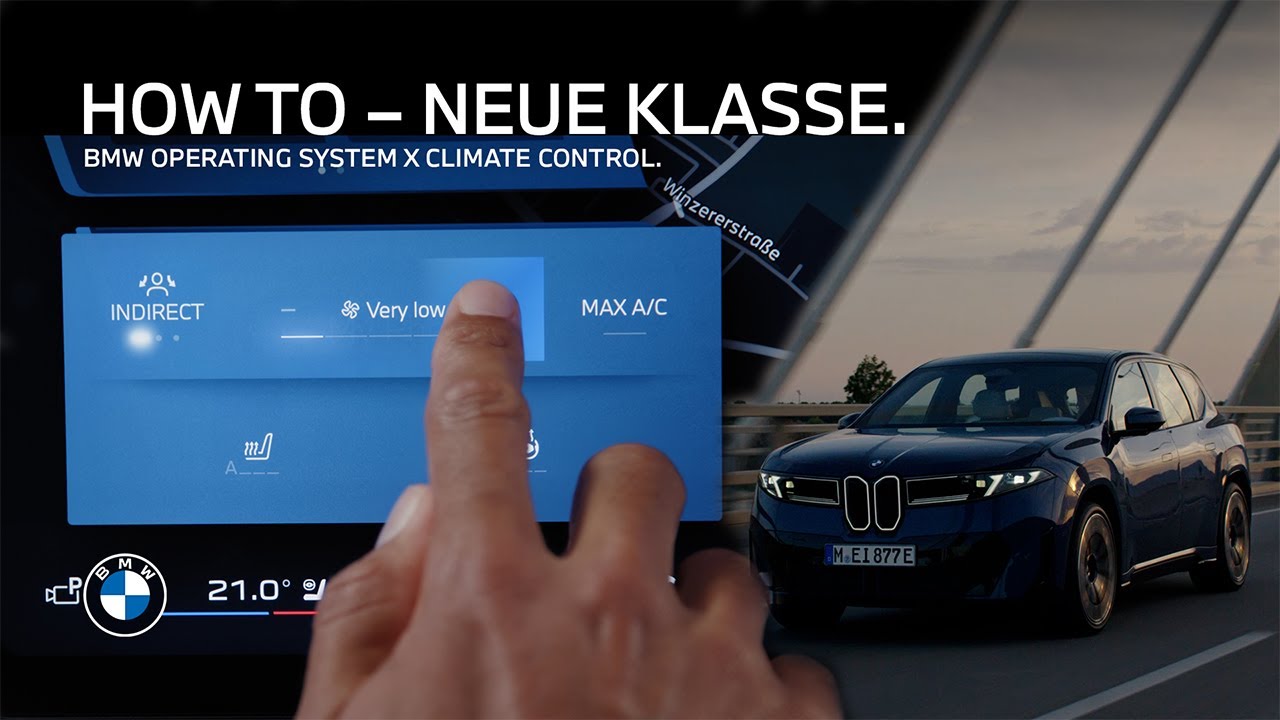
Here’s how to get quick and easy climate comfort in BMWs with Operating system X. The new BMW Panoramic iDrive can regulate the airflow and temperature intelligently and optimized to your needs. Let’s go! The quick access controls on either side of the Central Display let you adjust your desired temperature for the driver’s side and for the passenger side. The climate control will regulate it automatically. Tapping the seat and steering wheel symbol opens further quick access. And you can directly adjust the airflow either in “Personal” mode, for which you can save your desired direction. “Direct” for a frontal breeze or “Indirect” for a comfortable airflow around you. Tap the fan symbols to adjust the amount of the airflow. The “Max AC” button gives a quick access for maximum cooling on hot days. Here, you adjust the intensity of the seat heating in automatic or manual mode as well as the steering wheel heating. Of course, also the passenger has their own quick access for the airflow settings as well as for seat heating. Need more? Okay. Click the fan symbol in the menu bar on the Central Display to access the full climate control menu. With the “Sync” button, you can decide if you want to control settings for the climate control zones simultaneously or independently. Even if manual “Sync” is not active, the climate system still reacts intelligently to the seat occupancy in the automatic mode. For manual operation of the air vents, tap them to turn the vents off or back on individually. And drag and drop the air flows to change their direction. Click on the air direction and press and hold the “Personal” button to save the new air vent settings to your BMW ID. And of course, your BMW always listens to you. And that’s just about it. Of course, there is still the manual mode at your disposal in the climate menu, in which you can adjust all climate settings fully individually. And there is the all new air quality menu. And the personal climate and preconditioning settings menu. You bought the ultimate driving machine. Good for you. Now let’s make sure you’re using all of it. Tap one of these videos to unlock the full potential.
See how easy it is to establish a comfortable climate and temperature in your BMW with the BMW Panoramic iDrive and BMW Operating System X. Learn how to handle the quick access functions and the air flow control as well as how the automatic climate regulation works.
⚙️ Feature Availability:
Please note that each service, feature and its functions depends on availability. Depending on the vehicle model and its technical capacities as well as market regulations, the availability and details of a feature may differ.
📽️ Key Moments:
00:00 – Intro
00:15 – Quick access controls
01:13 – The climate menu in AUTO mode
01:35 – Air flow control
02:03 – Advanced climate functions
🔗 Learn More
The BMW Driver’s Guide app specifically describes the equipment and functions included in the vehicle. The Owner’s Handbook is available as an app in many countries. You will find further information on the Internet at: https://www.bmw.com/bmw_drivers_guide
🔔 Subscribe for more BMW content!
👉 Visit our website: www.bmw.com
📱 Follow us on social media @bmw
BMW iX3 50 xDrive: WLTP energy consumption combined: 17,9 – 15,1 kWh/100 km; WLTP CO₂ emissions combined: 0 g/km; CO2-class: A; WLTP electric range: 679-805km
BMW Individual Steering Wheel in digital white available for order optionally starting from 01/26.
Screen contents are subject to change due to ongoing software updates.
#BMW #BMWHowTo #BMWNeueKlasse #BMWPanoramiciDrive #BMWiX3