
How To Manage State of Charge & Preconditioning | MINI How-To
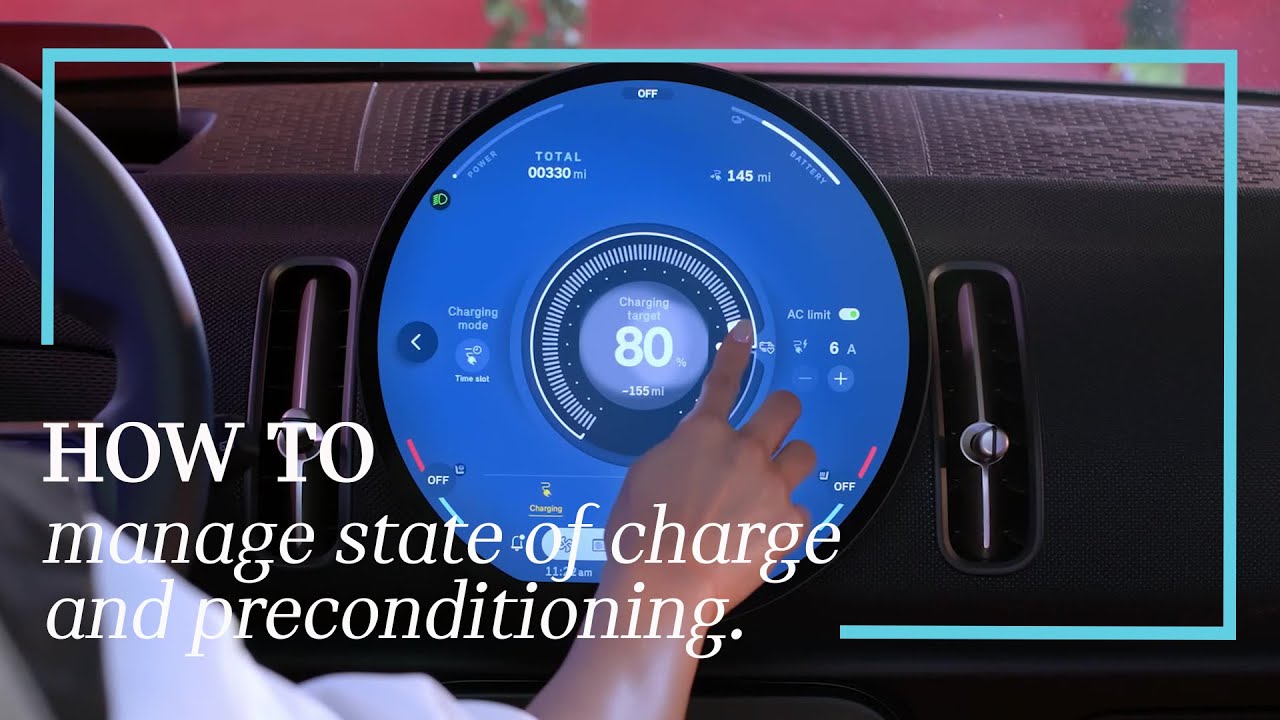
[Music] Want your Mini to be ready the moment you are? With built-in tools for preconditioning and state of charge management, you’re always good to go before you buckle in. Charging your all-electric Mini isn’t just easy, it’s smart. Start by setting your maximum state of charge right from the center display or remotely in the Mini app. 80% is the recommendation for daily driving, while 100% is ideal when you’re gearing up for a road trip. You can choose to charge immediately or schedule ahead so your Mini is ready when you are, boosting battery, health, and efficiency. Even better, set a charging schedule that repeats so you can set it and forget it. Your Mini is built for both efficiency and comfort. While still plugged in, it can precondition the battery for optimal range and also precondition the cabin, warming up or cooling down the interior before your departure. That’s comfort without compromising EV range. Plans changed? You can manually activate preconditioning right in the charging menu so your Mini stays ready no matter the schedule. Need to map out your drive? Use the Mini app to plan your route and send it directly to your Mini or use invehicle navigation to create a charging optimized route. The system automatically takes your current charge into account and adds charging stops along the way based on your preferences, making every trip smooth and stress-free. Need a quick check on your battery? Your state of charge is always visible in the top right corner of your center display or in the mini app anytime, anywhere. That’s electric driving the mini way. Want to learn more? Explore the rest of our mini how-to video series for even more ways to electrify your daily drive.
Want your MINI to be ready the moment you are? With built-in tools for preconditioning and
state of charge management, you’re always good to go – before you buckle in.
Charging your all-electric MINI isn’t just easy, it’s smart.
Start by setting your maximum State of Charge right from the center display, or remotely in the
MINI App.
80% is the recommendation for daily driving, while 100% is ideal when you’re gearing up for a
road trip.
You can choose to charge immediately or schedule ahead so your MINI is ready when you are,
boosting battery health and efficiency.
Even better? Set a charging schedule that repeats, so you can set it and forget it.
Your MINI is built for both efficiency and comfort. While still plugged in, it can precondition the
battery for optimal range and also precondition the cabin, warming up or cooling down the
interior before your departure.
That’s comfort without compromising EV range.
Plans changed? You can manually activate
preconditioning right in the charging menu, so your MINI stays ready, no matter the schedule.
Need to map our your drive? Use the MINI App to plan your route and send it directly to your
MINI. Or use in-vehicle navigation to create a charging-optimized route.
The system
automatically takes your current charge into account and adds charging stops along the way
based on your preferences, making every trip smooth and stress free.
Need a quick check on your battery? Your State of Charge is always visible in the top-right
corner of your center display, or in the MINI App, anytime, anywhere.
That’s electric driving, the MINI way.
Want to learn more? Explore the rest of our MINI How-To video series for even more ways to
electrify your daily drive.
Looking for a quick answer? Check out our FAQ site: https://faq.miniusa.com/
Refer to your owner’s manual or visit: https://www.miniusa.com/owners/tools-support/owner-manuals.html
Need further help? Contact us here: https://www.miniusa.com/footer-navigation/contact.html
Stay updated:
Official Website: http://www.miniusa.com/
Facebook: https://www.facebook.com/MINIUSA
X (Formerly Twitter): https://x.com/MINIUSA
Instagram: https://www.instagram.com/MINIUSA
YouTube: https://www.youtube.com/user/MINIUSA