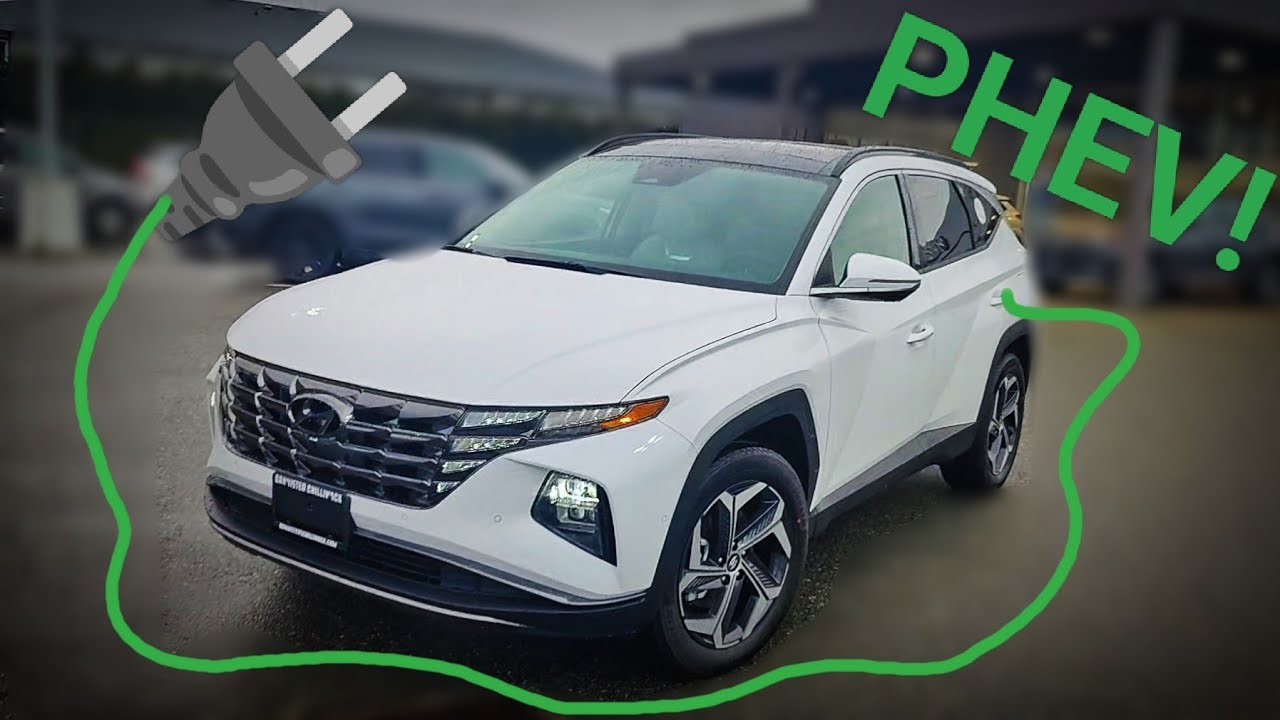
2024 Hyundai Tucson PHEV Ultimate, FULL REVIEW! PLUG-IN HYBRID!!
Good day folks and welcome back to Ed’s garage at banister Hyundai so today we are looking at the 2024 Tucson plug-in hybrid in the ultimate trim so this is the most expensive Tucson you can buy it’s got absolutely everything these vehicles are extremely well equipped they got some really cool features and
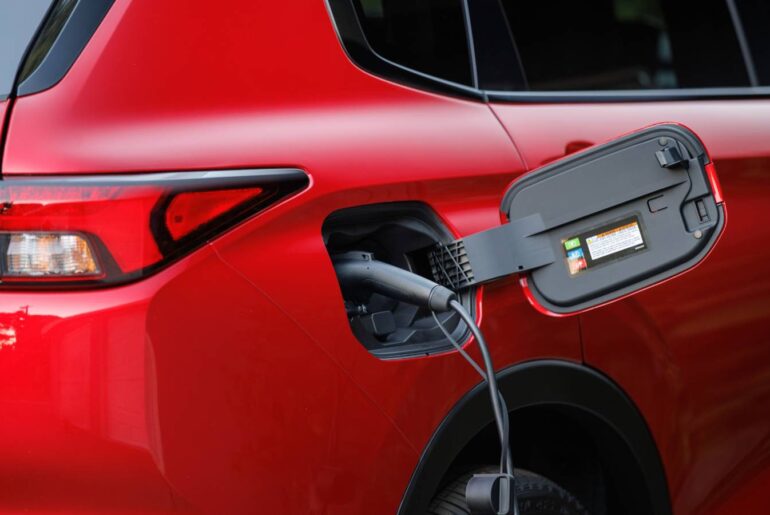
I’m going to cover all those features with you today now of course this being the plug-in hybrid means it’s also the highest price model with the extra door on the passenger side to charge the vehicle up there it is the charging port um so basically what I want to do today
Is I want to go over all the features all of the uh the cool stuff about this vehicle what we’re going to do is we’re going to start the front go to the back go to the inside I’ll show you absolutely everything it’s going to be a
Long video so buckle up but if you’re in the market for one of these vehicles well if you’re in Canada best of luck to you they’re extremely hard to get if you’re down in the states a little bit easier to get though so yeah but anyway long video let’s start at the
Front so this one of course does have that really cool uh like every other Tucson that really cool light signature with the LED lights uh daytime running lights merging into that Grill you’ve got LED daytime uh sorry LED high beams and regular headlights up front as well
This one does have the front sensors as well as the camera there and then up in the windshield you’ve got another camera for the for-ward autonomous emergency braking system with pedestrian detection cyclist detection Junction turning detection uh all that great stuff uh it’s got above that a sensor for the uh
Auto wipers as well so lots of automated functionality you’ve even got the forward facing radar system there for the adaptive cruise and the autonomous braking too um on the uh side here you can see we got these beautiful 19in aluminum alloy rims nothing’s changed for 2024 there’s still a 235 5519 that’s
A Michelin pracy uh allseason Tire so really nice rims can see we got the little sensor here on the side as well and there’s one on the back on the side too uh for a system called smart Park so let’s demonstrate that next all right so
Smart Park is pretty cool check this out the key itself has got tons of buttons on it yeah so first thing I’m going to do I’m going to remote start the car uh so there we go so the car is now running now of course being a plug-in hybrid
It’s actually running off of electricity right now uh but then I’m going to hold this button on the key fob here here and you’re going to see what it does watch the tire there whoop straightened out and then it moves that’s right you can move this vehicle forwards and backwards
Using the key fob as you can see there is nobody inside the car I just did that with the key fob and of course I can go backwards as well so I can hold this other button and then the car will go backwards so if you’re in a really tight
Spot maybe you got no room to get in or out of the car um that is pretty cool because now you can actually pull the car out of a tight parking spot I actually use this on my own vehicle quite often to get it in and out of the
Garage if I’ve been working in the yard or working in the garage or something and I’m dirty and I need to make some space in the garage I don’t have to get into the car with my dirty clothes uh to move the vehicle out so really great
Feature and I use it way more than I thought I would anyway let’s continue on on the side here so you’ve got the uh little camera there on the mirror cuz of course this one does have the top down 360 camera system which I’ll show you later got the marker lights on the
Mirrors there is a light inside the mirror there for the blind spot monitor ing you’ve got proximity entry so there’s the push button uh to unlock and uh lock and unlock the doors there’s also a light inside of here that comes on when you approach the vehicle and
Then coming around the back here there’s of course your fuel door and as I mentioned there’s a sensor right here on the side that’s also for the uh smart Park system because it actually checks to see if there’s anything around it it’ll it’ll kind of move a little bit if
It needs to um really really nice lighting signature back here guys you can see we’ve got um actual Orange like proper Amber turn signals and then all of your brake lights and daytime running lights are all incorporated into this this is actually a full running light as
Well so that’s kind of cool and you’ll notice there’s no windsh wiper back here window wiper because it’s tucked up under here so you got that beautiful aesthetic back end the vehicle not broken up by an ugly window wiper how many more compact SUVs do you see that
In not many uh all right there’s the backup camera right there and there’s also another cool feature back here and that is smart tailgate so what I’m going to do I have the uh the key fob in my pocket going to go wait here for a few
Seconds and boom tailgate opens up all on its own so no little dance required it’s just automatically opening up and of course the tailgate opens up very very high as well I can actually stand underneath the tailgate uh I’m 6’2 by the way you can see how much room I got
Above my head here was quite a bit uh right here is the button to close it and you can also adjust the max height that this opens so that it stops at the same amount every time all right having a look in the cargo area here 32 cubic
Feet behind the rear seats 66.3 cubic feet with the seats folded down so this is a very very large capacity space here and it’s got some nice little features as well I can fold down the seats very very quickly and easily by pulling these handles sorry it’s just getting stuck on
The plastic of the seat there uh this vehicle is still very cons uh very wrapped up on the inside so I got to move some stuff around but uh the seats when they fold down they do go down pretty flat I’ll show you that in a
Minute uh back here you’ve also got a 12vt power outlet and then underneath the floor a little bit of a storage organizer of course there’s some battery under there um so no spare tire on these but you do get the tire Mobility kit and of course you have the uh the charging
Cable there that you can plug into a regular 110 volt wall outlet uh in North America so uh fully charged uh would take on this one from 0 to 100% uh about 7 hours if I remember correctly s or eight hours they plug it in and overnight it’s full so that’s all you
Got to do uh uh other than that back here not much to talk about uh so we’re going to go around to you know what we’re going to look under the hood first and then we’ll go into the back seats under the hood of the 2024 Tucson
Plug-in hybrid ultimate you have a 1.6 turbocharged engine mated to an electric motor made to a six-speed automatic transmission so no silly cvts no dual clutches in this just a good oldfashioned bulletproof automatic transmission now the combination of that 1.6 smart stream engine and the electric motor gives you 2 61 horsepower 258
Ft-lbs of torque which honestly is quite a bit for this little guy this this vehicle actually accelerates pretty quick but even that under here you still got you know this nice um insulation under the hood to reduce a little bit of engine and road noise uh a little bit of
Coverings over here for the same reason so it’s actually a pretty quiet vehicle relatively easy access to everything there’s a decent amount of space in here it looks full uh on video I’m sure but there’s actually you know a reasonable amount I can get my hand all the way
Down there so you know maintenance on this is not going to be terrible uh you have separate cooling for the electric motor there is a gas engine cooling there all the high voltage lines and everything as well now you may be wondering why this has a regular bulletproof automatic transmission
Instead of a more efficient CVT or dual clutch and that’s because Hyundai realized that there really isn’t a need to have a more efficient transmission because you can use the electric motor to fill in the gaps whenever the transmission is changing gears so what they decided to do was put a more
Reliable transmission in there um and really not losing any efficiency because of the fact that you got the electric motor there anyway then furthermore on top of that some competition actually puts the electric motor between the rear wheels in order to give them all-wheel drive Hyundai has decided not to do that so
There is a mechanical link between the front wheels and the rear wheels now that takes away a little bit of efficiency however if you’re stuck in the snow you’re not going to have to worry about that electric Drive motor in the back overheating like some of the
Competition so I won’t mention who but unfortunately if you have an electric motor back in the back of your uh hybrid SUV it’s going to overheat if you get stuck in the snow for more than a minute or so uh so keep in mind really really good all-wheel drive system designed and
Engineered right here in Canada by Magna International and Austria actually joint joint venture um but it’s a really really good all-wheel drive system with snow sand and mud modes as well let’s check out the rear seats all right so before I sit in here I wanted to show
You so this is kind of where the seat stops when you just pull the little lever back there but if you push it down it locks into place now find another manufacturer that does that and you’ll be hard pressed most of them the seat just kind of flops down so when you go
Over bumps they tend to bounce as well um but the other nice thing is you can just do a one-handed movement to release it and then lift it there we go on top of that you’ll also notice let me put this down again there’s no little latch
Right here so you don’t have to worry about that latch getting in the way and what that means is that these seats they lock in you can imagine the engineering that was required to do this because it’s all locked in down here but the seat also reclines there’s 13 positions
Of recline uh in that rear seat and that is quite unique you won’t find too many companies that do that so what I’m going to do I’m going to recline this all the way now and you can see just how far it goes down there’s quite a bit of a
Difference there I can really really get comfortable in here now furthermore you also have have a center cup holder armrest that does not flop down on the seat it’s actually mounted and secured there you got cup holders there um you have nice solid seatbacks in both of the
Seats um Nets in both of the seats vents back here USB ports back here and some room to slide your feet underneath the seats as well also heated seats so this vehicle is equipped with heated seats in the front and in the back and then of course
Ventilated seats in the front as well speaking of the front now that we’ve checked out back here let’s check out up there now I’m going to want the car running when we’re sitting in it to show you all the features so I’m going to go ahead and remote start because there’s
One other feature that I really like um and that is the ability to basically jump in after you’ve remote started and not have to worry about starting the car a second time so we’re in the car most manufacturers you have to go ahead and press the start button again this one
Just comes to life the seat goes back to the last position which by the way you’ll notice it moved forward so there’s even more room in the back check this out the rear seat passengers also get to take advantage of this massive I think best-in-class panoramic sunroof so
Not a lot of people know this but Hyundai is actually the only company that manufactures their own steel so they use a lot of advanced high strength steel especially in the pillars so the A and C pillars have advanced high strength steel which also allows a larger panoramic sunroof you don’t have
To worry about these sunroofs leaking either because they sit down on top of the seals not inside the seals like older traditional sunroofs and of course they do have drains just in case all right let’s start going over the copious amount of features in this beautiful Tucson plug-in hybrid starting with
These seats they are super comfortable these are some of the best seats that Hyundai produces um I’ve done a road trip in a Santa Cruz which had the exact same seats as the Tucson and I can tell you I didn’t have that numb butt feeling
Uh that I got in Santa Fe actually um at during the same rip road trip I I drove one up and then one back basically and the the seats in this vehicle or the seats in the Santa Cruz and the Tucson are more comfortable than the old Santa
Fe so that that was a bit of a surprise um but we have an eight-way passenger power seat and a 10-way driver power seat so lots of manipulation you can tilt it you can raise it you can lower it you know forward backward obviously lower back support in the power on the
Uh driver side as well and uh that’s also tied into the memory systems you got memory seats and mirrors as well as as two user accounts for the infotainment system which covers everything like uh your interior lighting level your ambient lighting color um your temperatures all that
Stuff really really cool uh as far as the uh the interior materials as you can see they’re quite beautiful this one has the light gray interior um and of course you have that leatherette seating surfaces with the perforation on there nice dual color um multicolor dual tone
Two-tone whatever you want to call it on the dashboard you have that cool sort of strip that goes all way from the doors all the way around to the center console wraps around the console comes back it’s a really really nice looking interior it’s one of the best interiors Hyundai
Produces um and on top of that you also have this ambient lighting as you can see that blue hue coming from the door there it’s also coming from out of here and then down on the sides as well and the cool thing is you can actually change that there’s 64 available colors
That you can choose from for the ambient lighting uh let’s start with all of the buttons and then we’ll get to that screen in a bit bit here so first off you have the memory controls on the left here pretty simple straightforward you got the window mirror controls down here
Um down beside the steering wheel you have your dimmer switch right there the trunk button you have traction stability control and then you have the uh the button to open up the gas door uh now of course the gas door and the charging door uh sorry this is for what is this
For yeah this is for the gas door uh the charging door you just push and open that one actually opens up the fuel door so on the steering wheel you have automatic headlights automatic high beams and also has the One Touch turn signal so you can tap it and it turns
Check this out when you put the signal on it actually shows you a view down the side of the car don’t worry about the flickering that doesn’t actually happen in real life uh and then the right side comes up when you put the right signal
On on the right hand stock you can see we have the auto wiper system and one thing that Hyundai does really really well is whenever you change the wiper settings or the headlight settings it actually shows you in this screen what setting you’re on so you don’t have to
Look at the stock and try to figure it out by moving the stock up and down whatnot it just shows you on the screen what setting you’re in so that’s pretty cool uh on the steering wheel itself you have the paddle shifter so you got the
Uh uh Gear Up gear down here um this is gear down uh and then of course you have the controls for your media system you see more flickering from those LED lights um those don’t actually flicker in real life to me it just looks solid so voice recognition for the built-in
System as well as Apple carplay Android auto uh you have the mode button here which changes where audio is coming from your volume is also a mute button if you press it you got your next song previous song or next track previous uh track uh next preset previous preset answer phone
Calls and then this one is customizable so I usually set that to uh go to the home screen so I’m going to go ahead and do that now you can also set it to reject phone calls and then on the other side of the uh steering wheel you have
The cruise control settings here of course this one is equipped with adaptive cruise control so this will change the distance that it’s following the car in front of you you have increase speed decrease speed pause resume and then this one will turn on cruise and set your initial speed uh
These two buttons here go through stuff on that screen we’ll get that out in a bit and then this one is the lane keep assistance so pressing that turns the lane keep assistance on at any speed whether or not you have cruise control turned on the steering wheel itself is a
Fully heated 360° all the way around uh leather wrapped tilt telescopic wheel really nice look to it very very comfortable good bolstering up here at the uh uh what is that 10 and two positions uh so yeah really really comfortable nice steering wheel uh the center console reasonably sized in front
Of that we have our shift by wire transmission so it’s a simple matter of putting your foot on the brake and then pressing the button that you want and what’s really nice about that is if you forget to put it into park it does it for you automatically when you open up
Your door or when you shut the car off it goes into park instantly uh right below that you have you have your e BR here so lifting that will set the E brake putting the car into driver reverse will turn the E brake off you also have the auto hold button there as
Well uh right above those buttons you have the dri terrain and sport or uh drive mode selector so moving this little toggle switches the drive mode that you’re in so you got eco mode which going to save you fuel on the highway sport mode it’s going to tighten up the
Steering wheel give you more lowend kick and keep the engine on longer Smart Mode is going to determine what uh to do best based on how you’re driving and then if I hit the terrain drive drive terrain button uh and then move down you can see
We have snow mud and sand which of course is going to manipulate the all-wheel drive system the traction control system lock the center differential uh start you off in second gear that sort of thing it’s going to manipulate all that stuff to make it the
Best way it can be for those types of scenarios uh right along the top edge here we have our ventilated seats heated seats heated steering wheel button we got Hill descent assist our parking sensors the camera button which I’ll talk about in a moment and then of of
Course the passenger uh seat heater and ventilator and then in front of that we have our wireless charging pad on an angle here which leaves this other section here open up for whatever we have our USB port for Wired Apple carplay and Android auto unfortunately it does not have wireless apple carplay
On Android auto yet uh whether or not they’re going to do that for the Tucson is up in the air right now so uh other Hyundai that are coming out now do have wireless Apple carplay and Android auto in every trim for the Tucson it’s only the vehicles
That do not have built-in navigation that have that uh but you do have wired Apple carplay Android auto if you want to make it Wireless though check in the description of this video uh because I’ve got a link to a video where I show how you can make it Wireless uh by
Getting a cool Wireless Android auto box which gives you a heck of a lot more gives you wireless carplay wireless Android auto uh allows you to watch TV on your on your car screen play games browse the internet edit documents whatever you want to do basically turns
Your your screen into a computer it’s really really cool I highly recommend check it out in the description below uh it’ll also pop up at the end of this video also down here you’ve got your 12volt Port so that mimics the 12volt port in the back you’ve got your
Wireless charging indicator and then another USB port to charge other devices all right above that in the very highly reflected piano black um section here you’ve got your climate control system now this vehicle is equipped with automatic dual zone climate control which you can synchronize if you want uh
But three levels of automatic climate control which is nice to see and you’ll also notice that it has um along the bottom here a diffuse button that’s because when you press diffuse it diffuses the air through these tiny little holes in the dashboard so you’re not getting blasted with
Air the other nice thing about this system is when you use the uh the windshield washer fluid you’ll notice it actually automatically recirculates the air so you don’t have to smell the washer fluid but furthermore what’s awesome about that system is it’ll also do that when you drive through a tunnel
As you can see here activate recirculate um when you drive through tunnel so you don’t have to smell the uh windshield washer fluid or the tunnel that’s pretty cool uh check this out you also have automatic steering wheel warmer and seat warmer or ventilation so if your car is
Actively trying to get to temperature it’s going to turn on the heated seat and heated steering wheel automatically um which is awesome all right um the rest on here here is pretty straightforward you have your front defrost driver only option that shuts the entire uh passenger side off to save
Fuel or save energy um oh by the way there’s another button here I totally forgot to point out this EV H button so you can actually put the vehicle into one of three different modes I’m going to switch over to the screen here so you can see what I’m talking about let’s
Zoom in uh so if I press that button we have automatic mode hybrid mode and electric mode so assuming you have enough battery so you can see here we got about half the battery you can put it into full EV drive it says EV right
There now that EV logo will come up in hybrid mode as well or automatic mode whenever the engine’s shut off but right now it’s just basically pointing out that yes we are in complete EV mode so how much range do you get well you get about 50 kilometers plus or minus it
Depends on how cold it is outside will it never use the engine no it will use the engine sometimes if it’s cold enough outside that it needs to warm up the cabin it’s going to fire up the engine for a little bit just to get some heat because the engine’s actually really
Really good at making heat I mean it’s hard to compete with a gas engine for making heat so it’s going to use the gas engine to make the heat I said heat a lot there but you get the idea so if your climate control is turned off and
You don’t mind suffering some cold then yeah then the engine probably won’t turn on at all and you can just do everything you need to do in uh in electric Drive EV mode but if you got the heater on it’s going to do it um air conditioning
On the other hand uh it can actually do that without the engine on so that’s pretty cool so in the summer you’re really going to get a reasonable amount of range off the uh the EV Drive Trin all right we’re going to skip the screen
For a moment and go up to the uh uh rear mirror we’ve got home link buttons here so one two three one of them actually has two-way communication so if your garage door is closing or opening it’ll actually indicate that here uh but basically it’s for garage doors and
Gates and it’s an auto dimming review mirror up on the headliner you can see we have call for roadside assistance call for emergency assistance we have all the lights on map lights of course all the lights on when the doors open and then control for the sunroof and sun
Shade the sun shade by the way is 100% light blocking uh and can be stopped anywhere along the way we have sliding sun visors on both sides with mirrors and lights so that’s cool but before we talk about that screen I want to go over some of the options on the instrument
Cluster so we’re going to be talking mainly about this middle portion here and I’m going to adjust and control everything with these two buttons on the steering wheel so this one here Cycles along the top edge of the screen and the one underneath that Cycles between the different things within that screen So
Within the screen that you happen to be looking at so uh it’s also an okay button if I hold it down so we’re going to start with this first one here attention level so this vehicle can actually monitor your attention level and if you’re getting tired it’ll
Actually consider or it’ll tell you to consider taking a coffee break uh if I drop it down one or actually go up one it chose our Drive info screen which yeah if you can see that that means your eyeballs work just look out the front windshield pressing that top button
Takes us over to the uh electric range and gas range it’s kind of cool and I can drop a down one here for our Drive info it’s like our trip computer drop it down again brings me to our drive or a trip computer since they last refueling
Which we’ll reset because it’s going to be wildly inaccurate right now I’ll reset that one as well and then we’ll go to energy flow so this is where energy is coming from going to and then of course we have our digital speedometer pressing that top button once takes us
To this screen here which currently shows a compass however check this out find the nearest Walmart please say the line number line one would you yes now proceed there we go so now it’s actually going to show us our turn BYT directions on this screen or our time uh
To destination and distance to destination all right pressing that top button again takes us to our all Drive info screen this just shows where power is going to like what Wheels actually getting power as you start to accelerate uh and then we have our tire pressure
Monitor if I drop it down one and if I drop it down again our engine temperature um other than that really nothing else that you can well actually you can configure you can actually put a uh tachometer on this side uh instead of the um the Eco charge power screen
Uh but the other thing you can do is uh change the background look so you can make it look like this or you can make it look like this I make it look like this and then there’s also another one in the settings that makes it look like
Just a couple of cubes with numbers in them it’s kind of interesting okay last but certainly not least is our main screen so the infotainment screen yeah so I’m not going to go too crazy in depth on this because this system hasn’t changed from last year so check out my
Uh 2023 or even the 2022 tucon videos because yeah honestly this is basically the same hasn’t really changed so we’ll start here though we’re going to cover uh we’re going to try to cover everything anyway so you got your main home screen here you’ve got your clock
If I tap the clock it actually brings up the clock settings uh where we change time and stuff the radio uh which will actually take us to the radio and then from here of course we can choose stations and whatnot uh you’ll notice we got a split screen going on I can
Maximize the screen here by pressing that little button uh and then on this side if I tap the map it actually brings up the map which I can put in 3D mode as well here there we go and then uh also up in the top right hand corner you
Might see uh your weather report so once once Blue Link is active uh you can see the weather report there now I don’t know if I’ve mentioned Blue Link before but um Blue Link is free for three years in Canada not sure about the states I
Think it’s free for a year in the states uh but Blue Link allows you to remotely start the car with the heated seats on or the ventilated seats and the heated steering wheel and the defrost in the front the defrost in the back defrost in the mirrors have it run for spe specific
Amount of time have the cabin control set to uh you know whatever temperature you want and it basically will do that from your cell phone and you can choose multiple different presets you can set up one for winter one for summer one for fall one for spring one for your
Daughter one for your son one for your husband wife whatever you can set up multiple different types of presets uh for how you want the vehicle to start and run it’s pretty awesome uh and it’s free for that period of time as a matter of fact I don’t know anybody that’s
Being charged for it yet so they might just make it free who knows uh but really really cool system you can also find into the car on a map so there’s the option to locate your vehicle and then with that also the SOS button up here with that Blue Link connection if
You God forbid if you get into an accident if the airbags deploy you’ll actually call emergency services for you as well so really really great technology all right getting back to this screen here so uh so that’s your sort of home home screen now if I go to
The uh to the left here you can see we got our plug-in EV uh information screen so on here it shows you know your range Energy Information charge management uh you can actually set it to charge at specific times you want to set it for uh
You know no peak energy rates and that sort of thing Eco driving just gives you a history of how the vehicle was driven we got our energy flow where energy is coming from going to that sort of thing if I tap it just makes it larger if I
Tap this brings up more information how long it’s going to charge see here AC charger 120 volts uh about 8 hours so I guess it takes a little bit longer on it h you know what I don’t think that’s accurate I think once it’s plugged in it
It gives you a better uh better amount of time uh a better accurate time for how long it’s going to take by the way guys if you ever see this little Burger menu you tap that you can also go to the user manual on the web scan this it
Takes you right to the uh user manual page that talks about the screen you’re looking at another really cool feature so that’s the plugin hybrid electric vehicle screen on the map uh yeah pretty basic it’s a navigation system it’s really really good it works great with
Um with voice and you have the speed limit up here this turns red if you exceed the speed limit so it’s kind of cool you can also get the uh the speed limit to show up in the instrument cluster as well navigation menu is where you can store your addresses find
Addresses find points of interest that sort of thing pretty easy phone screen is obvious phone projection is your Apple car play Android auto uh voice memos where you can record your own voice play it back later climate screen basically this is uh you’ll notice you can’t actually touch anything in here
Other than the settings but this just shows you what’s going on with the climate control and on the right hand side here is just some basic climate control settings uh valy mode is if you have Blue Link enabled you can hand the keys over to a valet restrict the
Vehicle’s access so it stops them from being able to access your personal information and some of the vehicle features quiet mode will shut off the rear speakers completely and limit the volume of the front speakers HD Radio Data is pretty cool you can check your local traffic you can check local radar
Uh like doppo radar and you can check local fuel prices check this out so you can see how much gas costs in a certain area and then you can navigate to one if you find one that’s inexpensive uh and it’ll also use Blue Link to kind of help
Navigate to those locations as well uh so that’s pretty awesome and radio of course takes you to the radio screen now in here you can quickly set the presets that you want you can go to preset save them in here pretty easily the radio has already determined that these channels are uh
Easily uh or they’re they’re coming in clear so that’s nice but you can also enter a station manually in that burger menu so you tap that there’s enter station um now when you actually choose a station the screen comes up a little bit differently and then this burger
Menu shows you about a bunch of other stuff including that user manual thing that I was talking about you even have radio noise reduction and of course sound settings where you can adjust uh your Bas treble mid-range that sort of thing which we’re going to see in a
Little bit got the HD radio button up here because it’s able to pull in an HD radio source for a clearer signal we going to skip setup for a moment uh go over here so media is where you’re pulling music from and you’ll notice we have FM AM serus XM Satellite
Radio of course you have Bluetooth USB Android auto apple carplay and sounds of nature uh this is my favorite thing to make fun of so these are multiple different sounds of nature so on top of this music that they include which is not a nature sound you get some nature
Sounds so yeah I think this is ridiculous I personally uh preferred it when it was just the nature sounds and no music accompanying it uh okay and then let’s see what else we got here so that’s the media if I swipe over here we got our
Blue Link stuff so Blue Link this won’t work right now cuz blue Link’s not set up yet but you can link this calendar up to your Google calendar as an example and then if you have a Google Calendar reminder it’ll pop up on this screen pretty cool check the weather here
Forecast for today or the week vehicle diagnostics if you have a surface engine light on it’ll tell you what’s going on uh maintenance you can actually set up maintenance reminders here within Blue Link as well so you get them to your phone too um and then we also have our
Notifications for Blue Link so that’s kind of related and then our main user manual you can scan that it does still come with a paper manual as well now there’s a little circle in the top left corner here that is the user profile um so right now we’re in driver 1 you can
Rename that to whatever your name is and then you can also change some of the settings like for instance the Blue Link profile image uh you can link it up to your Blue Link account as well pretty awesome what you can do there and of course that as I mentioned will save a
Lot of your settings on the radio as well as some of your vehicle settings uh and then when you switch users it’ll jump onto the other user cell phone and put all the settings the way that they had it uh okay okay in the setup screen
You can see we have vehicle uh we’ll start there so under vehicle settings you can see we got driver assistance settings which gives you things like the ability to change um your uh let me see here your your forward autonomous emergency braking and your lane safety and blind spot safety and parking safety
And what type of warning methods because it even has haptic steering so if you uh if you have a warning come up it’ll actually vibrate the steering wheel and it’ll give you a little audible tone as well there is a ton of things in here that I’m not going to cover right now
Because just assume that this has every single safety feature you’ve ever heard of cuz it probably does it’s a very very very capable vehicle when it comes to that under Eco uh vehicle you see we got our coasting guide uh that’s if you want to really really save fuel this will
Actually help you do it by guiding you to Coast properly uh we have our cluster settings uh welcome sound it’s kind of cool there tachometer display this is where you can turn on the tachometer for the different Drive modes if you want uh under climate is basically the same
Settings that we were looking at before seat you can have uh your well we already looked at that as well it was in the climate settings as well let’s go to ambient light because here is where you can change the ambient lighting color and this is where I’ll show you so right
Now as you can see there’s a little bit of blue coming out there and a little bit of blue coming out here so if I press red there we go see that it changed so you can choose one of 64 possible colors for the uh lighting or
You can even link it to the drive mode so it turns red when you put it into sport mode so yeah lots and lots and lots of settings in here even the um power power lift gate opening speed you can reduce it you can also change the opening height here as well under
Convenience to see we have our wireless charging system and automatic rear wiper so if the head uh if the front wipers are on and then you put the vehicle into reverse let me see if you can see this in the uh in the mirror so I’m going to
Go ahead and put it in reverse yep there it goes there’s the wiper moving in the back so I didn’t turn on the rear wiper I just put the car into reverse and it just turned the wiper on automatically how cool is that all right also in here of course you have
Navigation settings here’s your sound settings uh you have a startup volume limit Dynamic speed compensation radio noise reduction that sort of thing here’s where you can set up your phone your user profiles voice recognition you can do some training uh sorry you can actually sorry you can put this into an
Easier uh voice recognition thing or a harder voice you reduce the amount of prompts that you get from the system once you got kind of got used to it under screen layout you can uh here’s that Cube them I was talking about so that’s what that looks like kind of
Crazy uh we’re going to link that to the drive mode you have a screen saver so digital clock when you turn this off so if I hold this button down that turns the screen off gives you a digital clock or you put an analog clock or just none
Uh and then under display check this out I love this you have a blue light filter so you can turn on a blue light filter so when it gets dark out it filters out blue light to reduce eye strain that’s where you can set up your buttons that’s
Where you can set up your Blue Link and then under General is where you can do software updates and also change language date time keyboard information that sort of thing so quite a bit of settings in there again I don’t want to go too crazy uh so I think I’m going to
Leave it at that all right as you can see that is that’s the majority of the utter Myriad of features in the 24 Tucson plugin hybrid now I didn’t really see anything too different from previous model years so this video may have been pointless cuz I probably could have just
Renamed my 2022 plug-in hybrid video 2024 uh or just copied the entire thing and changed the start of it to say hey this is the 2024 so I don’t think they’ve really changed much if anything but anyway hopefully this video helped you out if it did please don’t forget to
Hit like And subscribe if if you have any comments don’t forget to leave those comments below if you don’t like this vehicle or if you’d rather see something different in my next video by all means let me know please don’t forget to hit like And subscribe I’m on my way to
20,000 subscribers this year at least that’s my goal so if you could just just click subscribe just just hit the button just do it for me I would appreciate it very much guys thank you so much for watching have a wonderful day
GET YOUR WIRELESS ANDROID/CARPLAY BOX HERE!!:
https://www.linkifun.com/?ref=U2SO0083uV-0sw
DON’T FORGET TO USE “EDSGARAGE” TO GET 15% OFF!!
Learn about it here: https://youtu.be/TOvGpsYZP8g