
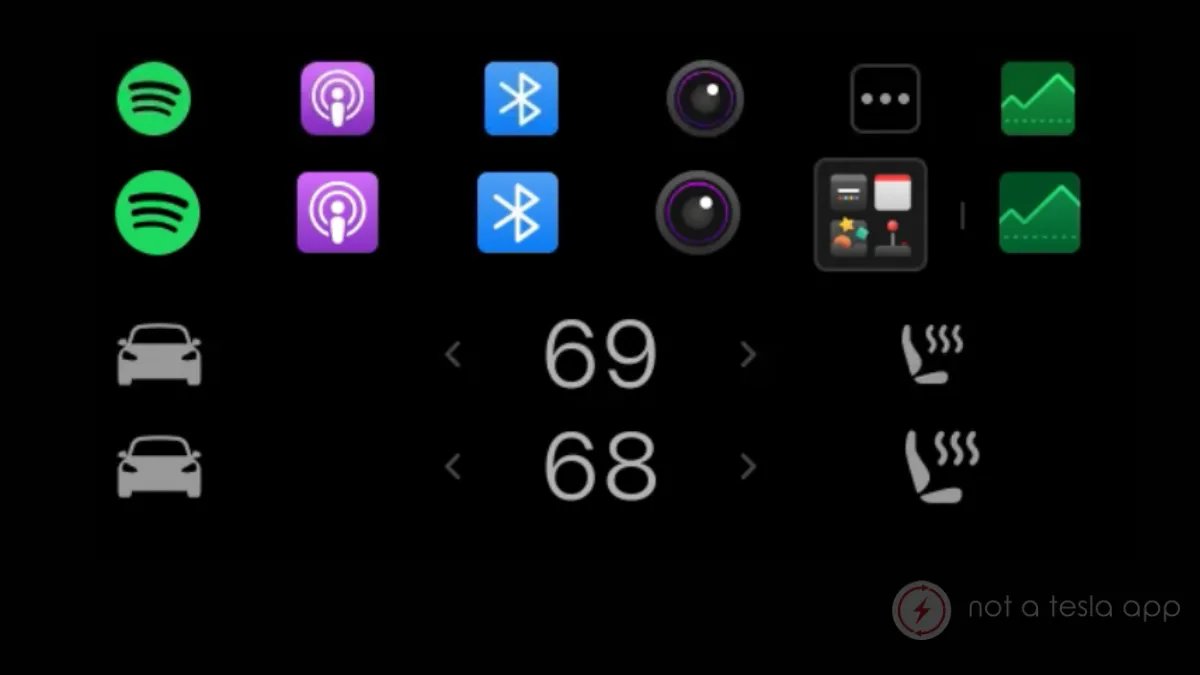
Tesla is proving once again that even the smallest details matter when it comes to the user experience. As part of the massive Spring 2026 Software Update, which started rolling out last month with version 2026.14 (and later), the automaker has quietly overhauled the interface icons on the main touchscreen. While much of the attention has been on headlining features like the new Pet Mode and the dedicated “Hey Grok” wake word, these visual tweaks make the car’s daily operation just a little bit smoother.
The update introduces icons that are 21% larger than their predecessors. Previously, dock icons were displayed at 40 x 40 pixels, but they have now grown to 44 x 44 pixels. Under the hood, the actual icon source files have been bumped up to 80 x 80 pixels to ensure everything looks crisp on Tesla’s high-resolution displays.
The New ‘All Apps’ Dynamic Icon
The most dramatic change is reserved for the ‘All Apps’ icon, which serves as the gateway to your full library. Tesla has ditched the old design — three dots inside a box — in favor of a look that resembles iOS folders. This new icon is significantly larger than the others in the dock, jumping from 38 x 38 pixels to a whopping 62 x 62 pixels.
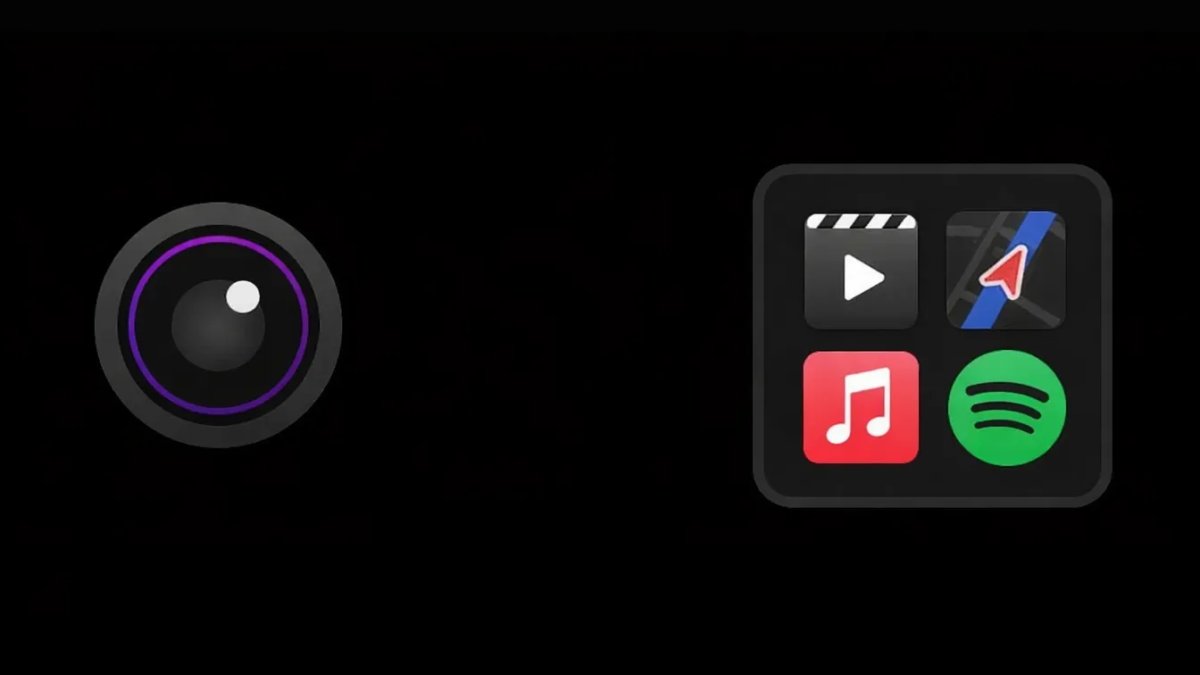
What makes this icon special is that it is no longer a static image. The design shows four apps inside the folder-like icon, and these update dynamically based on your most recently used or most popular apps that aren’t already pinned to your dock. It’s a clever way to keep your favorite tools just one tap away without cluttering the main bar.
A More Readable Dock
Beyond the app drawer, the general dock icons have been scaled up to fill the space more effectively. While the dock itself hasn’t changed size, the larger icons make it easier to hit them while driving, reducing the time your eyes need to be off the road.
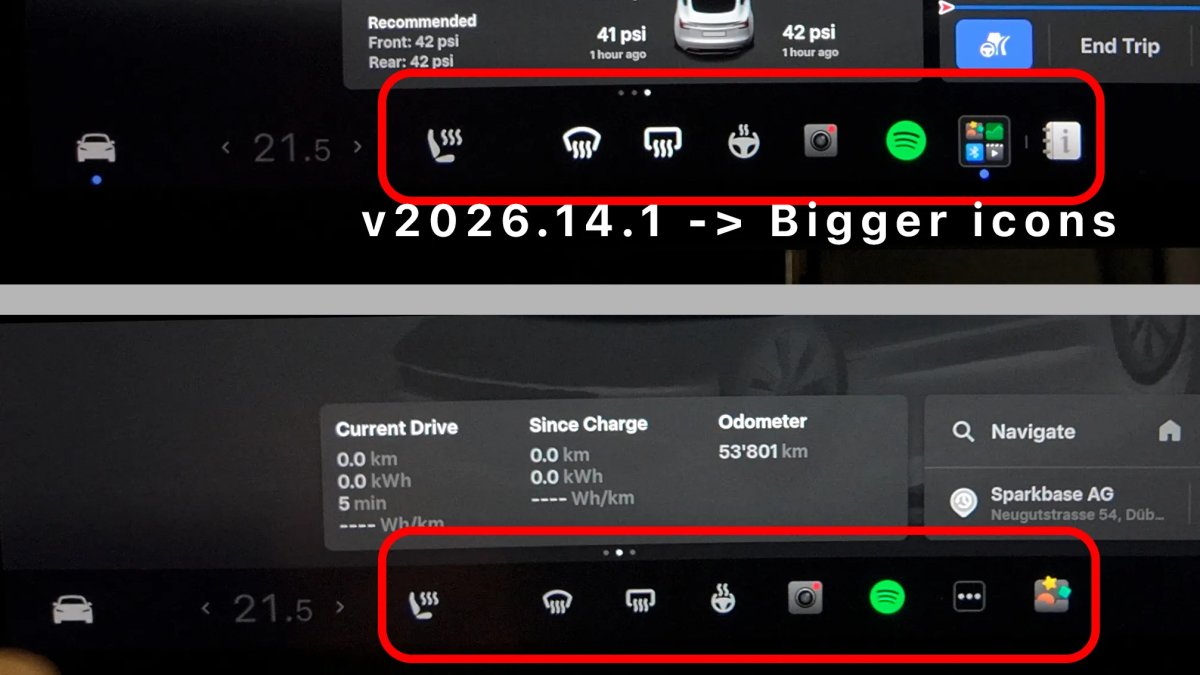
However, the size increase wasn’t applied universally across the entire bottom bar. While the seat heater icon got a noticeable boost (now 40 x 40 vs the old 33 x 33), the “Car” settings icon and the temperature controls remain the same size as before. This suggests Tesla is prioritizing icons that require frequent, quick interactions over static information displays.
The Spring 2026 Evolution
These UI refinements are just one piece of the Spring Update puzzle, which is proving to be a major release on par with Tesla’s yearly Holiday Updates. In addition to the visual tweaks, users are seeing a brand new Self-Driving app that consolidates subscriptions and tutorials, interactive maps for the rear passenger screen, and new high-quality visualizations for the latest Model 3 and refreshed Model Y.
As Tesla continues to pivot from an automaker to an AI powerhouse, these software-driven improvements ensure that even older hardware feels fresh and modern. It’s clear that Tesla isn’t just focused on what the car can do, but how we feel while we’re using it.