Honda ProZision Autonomous ZTR
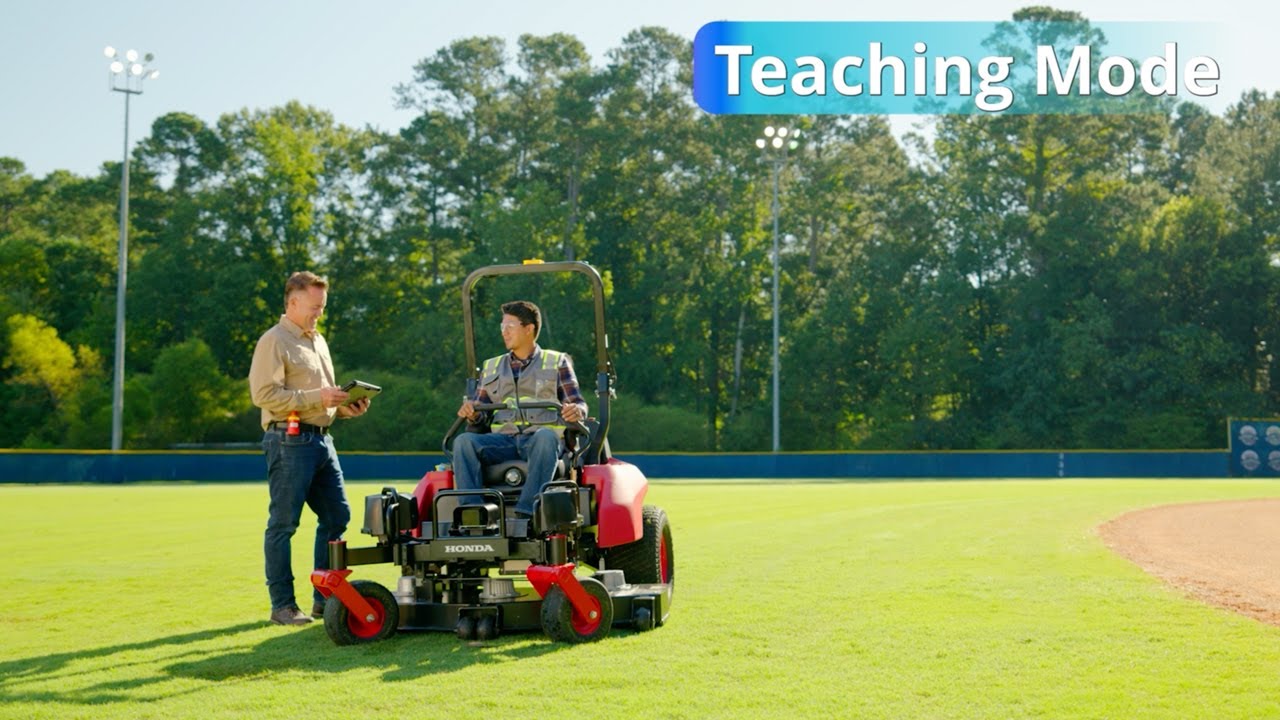
[Music] The Honda Prosition Autonomous ZTR is designed to improve the efficiency of landscape professionals. Equipped with a number of built-in safety features, the Proision ZTR uses omnidirectional sensing to provide a full 360 degree view through advanced radar and LAR technology. This allows the machine to detect obstacles and sense terrain variations, automatically slowing down or stopping when needed. Teaching the Honda Pro Zision Autonomous ZTR is easy and intuitive. In this video, we’ll cover key features, safety protocols, and step-by-step instructions to help you confidently operate the Proision ZTR in both manual and autonomous modes. Before getting started, ensure a stable Wi-Fi connection. Inspect mowing zone and remove potential hazards such as large rocks, fallen branches, sticks, and other objects that could interfere with operation. Turn the power switch to the on position using the key. Once the unit is powered on and in manual mode, verify the battery charge level on home screen should be at or near full for planned operation. The Honda industry exclusive ideal operator position system IOPS allows the ZTR operator to adjust the seat position, drive controls and handles together while moving the seat. To set up autonomous mowing, the operator launches the teaching mode, manually maneuvering the ZTR to create a mowing route using the Global Navigation Satellite System, GNSS, for accurate location recognition. Before getting started, ensure the Wi-Fi signal strength is within operating range and the emergency stop fob is present and on Crew Chief. Log into the Honda euser interface UI application on a tablet or smartphone. Confirm the LAR radar calibration status on the UI to start teaching mode input zone and client information to map session. Add new mowing area, client name, area name, and trip direction. The operator should set a starting position and adjust the cut height and mower speed. Next, select teach, then start, and the recording session begins. Create buffer space 10 ft around permanent obstacles. Maintain steady, clean passes throughout the mowing session. Select end teaching. Confirm end of recording on the tablet. Next, save the map. Repeat teaching process of setting up multiple mowing zones. In playback mode, automatic route optimization recalculates for better turns and coverage, providing consistent and stable grass cutting quality on the first pass. The ZTR can reproduce these roots and patterns, duplicating the performance of the most skilled operator. Select the saved client map and adjust mowing settings if needed. Ensure mower is on correct zone at the starting point. Ensure there are no error codes displayed. Next, select start to begin mowing in the programmed pattern. The operator and crew can do other groundkeeping tasks around the property in parallel. The Proision Autonomous ZTR is powered by 5 48vt brushless electric motors built to handle the demands of commercial landscaping. Three deck motors drive Honda’s exclusive micro cut twin blades, delivering a clean, professional finish, while two drive wheel motors provide precise maneuverability and control. Honda developed the Prozision autonomous ZTR to improve the efficiency and performance of lawn care and landscape maintenance companies. Engineered for best-in-class cutting precision on the first pass, it seamlessly combines comfort, convenience, and advanced eco-conscious technology. For more information, please visit powerquipment.honda.com.
Honda’s ProZision™ Autonomous ZTR mower offers the advantage of autonomous operation. This video offers step by step instructions on how to use the teaching and playback modes to create mowing route maps for the ProZision Autonomous.