December 13, 2025
By Karan Singh
We have all been there: the navigation says “You have arrived,” but you’re staring at a multi-level parking garage or sprawling shopping center, and the Superchargers are tucked away into a corner.
When you find them, you’re looking closely to see where there’s an open spot.
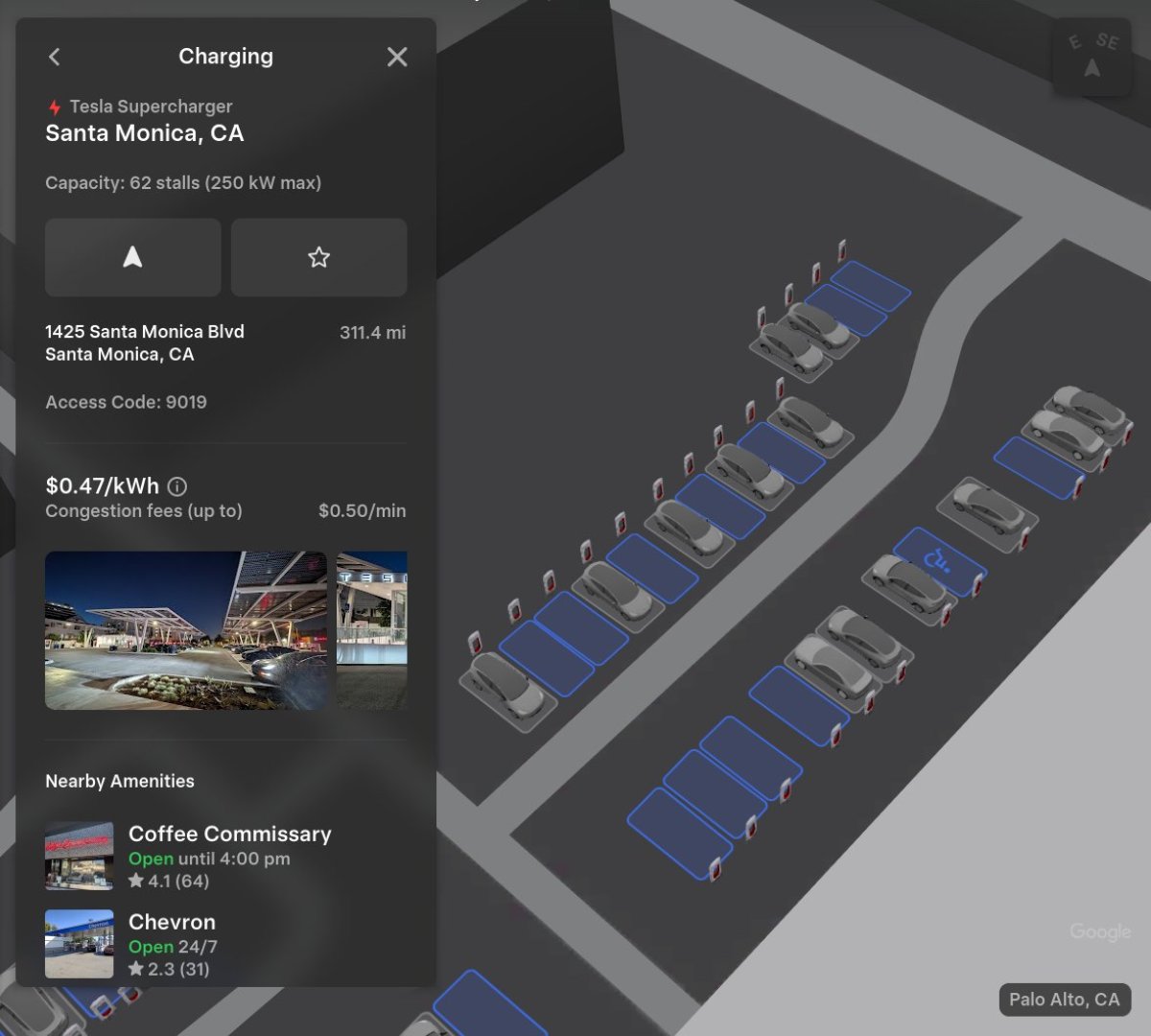
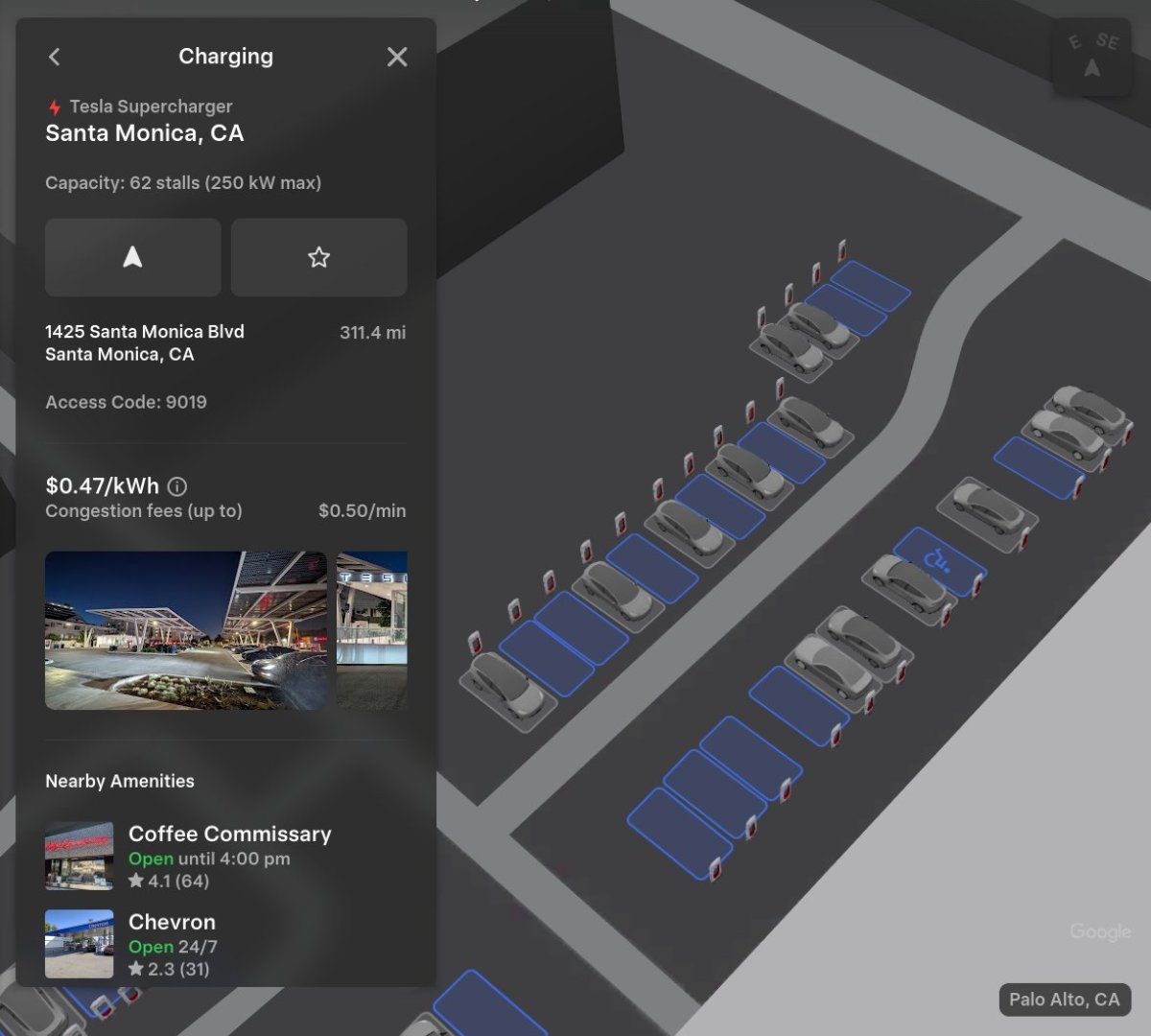
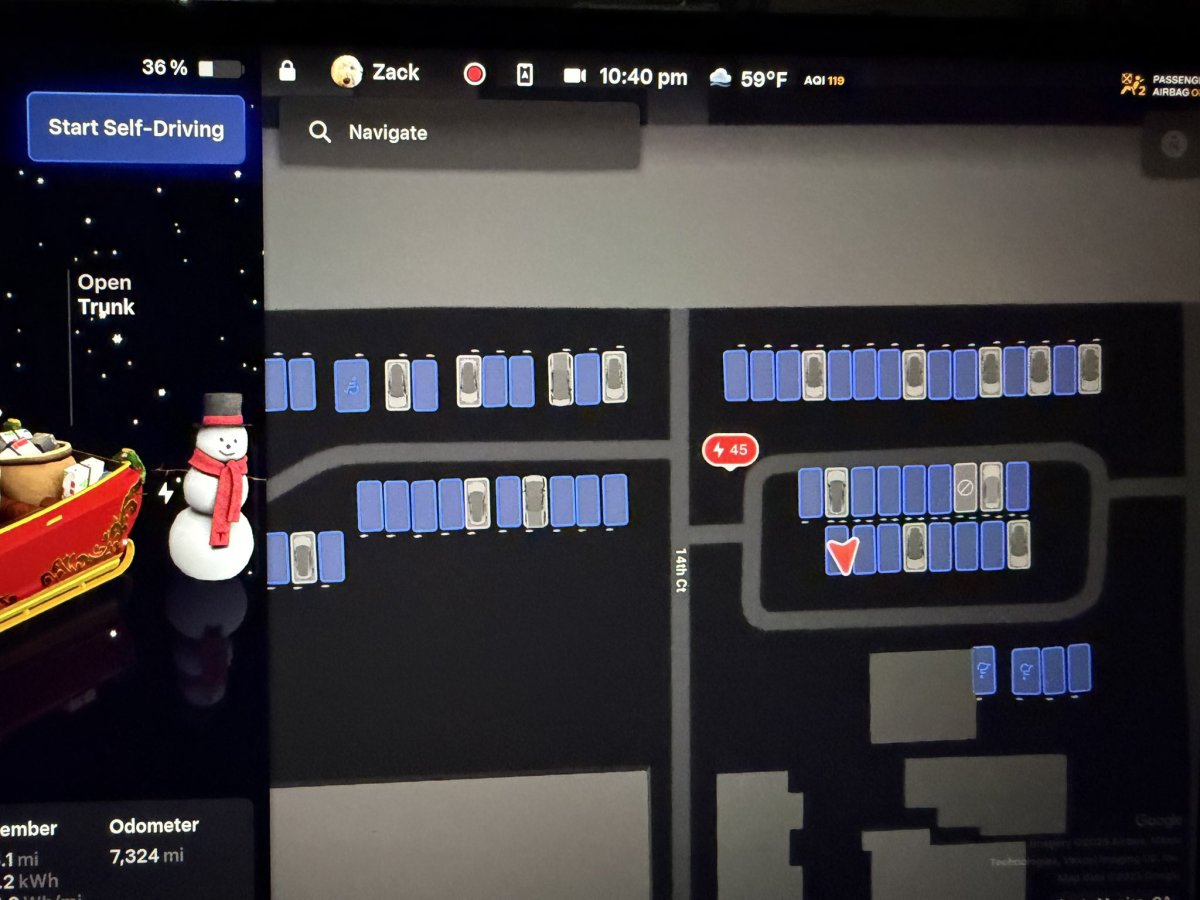
With the 2025 Holiday Update, Tesla is solving this problem by introducing beautifully rendered Supercharger Site Maps, a new feature that shows charging locations in high-fidelity 3D. But Tesla isn’t just adding a bunch of Supercharger visuals; the Supercharger map accurately reflects the real world, taking into account disabled stalls, which spots are occupied, which direction the vehicle is facing, whether it’s a towing stall, and more.
Tesla is currently piloting this feature at 18 select Supercharger sites across California and Texas, but more locations are coming soon. This upgrade leverages Tesla’s vertical integration to show you exactly where to pull in – and which stall is open – before you even get there.
How It Works
Supercharger Site Maps are piloting at 18 sites. With this latest update, you can now see 3D views of Superchargers when navigating to them, or by tapping “View Site Map”.
Site Maps display Supercharger layouts, nearby businesses and live availability details. https://t.co/mw3T5Mixb7 pic.twitter.com/dVIlZ8pZLQ
— Tesla Charging (@TeslaCharging) December 6, 2025
The feature adds a new “View Site Map” button to the charger pop-up in the navigation menu for eligible chargers.
When tapped, or automatically upon arrival, the screen shifts to a top-down, 3D rendering of the parking lot. Unlike a standard satellite view, this is a clean, digital twin of the site that highlights all the features.
That includes the exact layout of charging stalls relative to curbs, entrances, and buildings, giving a bird’s-eye look at the site. The best part is that this view also visually marks stalls with vehicles, showing which ones are occupied and which ones are not. This allows you to drive directly to an open spot without circling, making it super easy, especially for large sites with multiple chargers.
The Site Map also highlights walkable nearby amenities, like coffee, restrooms, or retail stores, making it easier to plan your stop or figure out what you’d like to do next while you top up.
 Vertical Integration at its Finest
Max de Zegher, Tesla’s Director of Charging, highlighted this feature as a prime example of Tesla’s unique advantage – vertical integration. He noted that this should make Supercharging a little more magical, especially at larger and busier sites.
Because Tesla owns the software stack, the charging network, and everything in between, they can map these sites with extreme precision and push that data back to build these highly precise 3D Site Maps.
Third-party networks simply cannot offer this level of handshake between the car and the plug, much less legacy manufacturers who rely on fragmented data sources and software development.
The Pilot List
The feature is currently active at 18 high-traffic locations, primarily in California, with one outpost in Texas. If you are near one of these, you can test it out as soon as you get the 2025 Holiday Update. The feature is unfortunately limited to AMD Ryzen vehicles, but even if your vehicle isn’t capable of displaying the high-resolution visuals, it may still use the available data.
Alameda, CA
Austin, TX – Research Boulevard
Carlsbad, CA – Paseo Del Norte
Cupertino, CA – Stevens Creek Boulevard
Daly City, CA – Mission Street
Diamond Bar, CA
Firebaugh, CA
Fremont, CA – Pacific Commons Boulevard Ave
Harris Ranch, CA
Marin City, CA – Donahue Street
Menlo Park, CA
Mountain View, CA – Grant Road
San Bruno, CA – El Camino Real
San Bruno, CA – San Bruno Ave
San Carlos, CA
Santa Monica, CA
Union City, CA
Williams, CA – 6th Street
What’s Next?
Tesla has confirmed that it will keep refining the feature and eventually enable it for all Supercharger sites over time. As the network continues to grow, whether it be small urban stalls in a parking garage or massive superhubs like the 168-stall Harris Ranch site, these 3D maps will transition from a cool visual gimmick to an essential navigation tool.
Subscribe to our newsletter to stay up to date on the latest Tesla news, upcoming features and software updates.
December 12, 2025
By Karan Singh
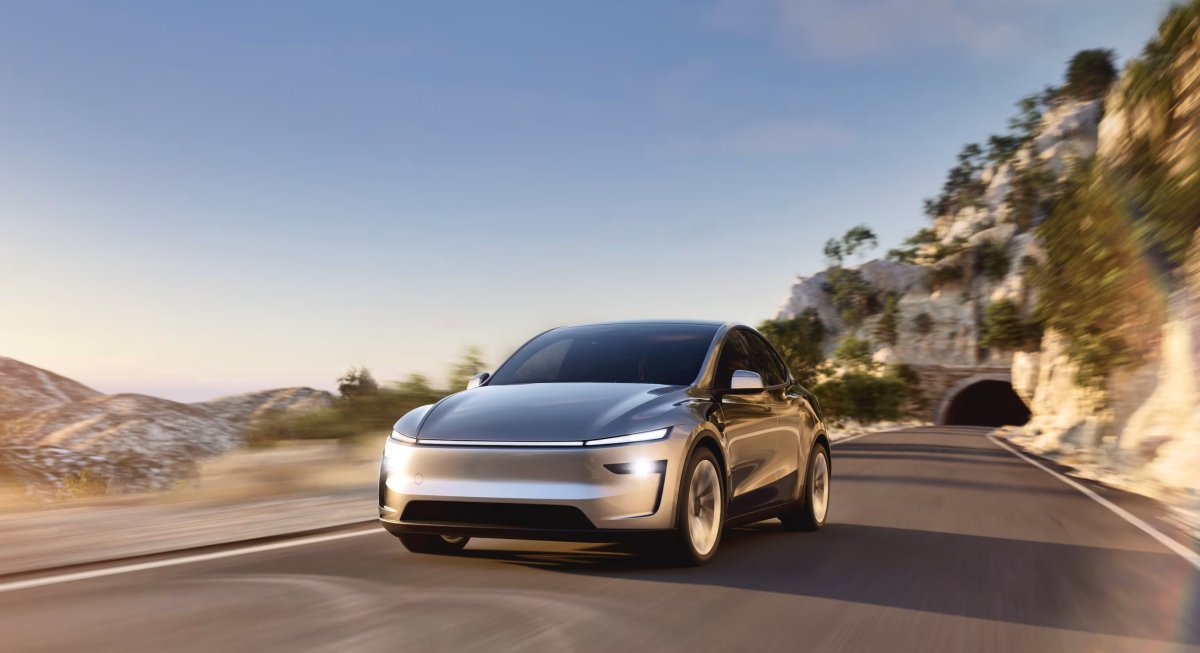
For years, the narrative surrounding Tesla was one of brilliant but flawed innovation. Incredible technology was wrapped in inconsistent build quality. But as 2026 approaches, that story is finally starting to change.
In a one-two punch to its old reputation, Tesla has cracked the Top 10 in Consumer Reports’ annual reliability rankings for the first time, while also winning over skeptics at the Wall Street Journal with the latest versions of FSD.
Building Reliability
The most concrete victory comes from Consumer Reports’ 2026 Auto Brand Rankings. For the first time in history, Tesla has entered the overall Top 10, jumping eight spots from #18 last year to secure the #10 position.
Even more impressive is the specific breakdown for reliability. Tesla ranked 9th overall with a score of 50, making it the highest-ranked US automaker in the category aside from Lincoln. The Model Y was singled out as the most reliable electric vehicle overall, while the Model 3 was the most reliable electric car.
According to Consumer Reports, Tesla’s rise is due to manufacturing stability. By keeping the Model 3 and Y platforms consistent without constant radical redesigns, Tesla has ironed out the production bugs that plague newer competitors. The only outlier remains the Cybertruck, which scored below average due to its new 48-volt architecture and steer-by-wire systems.
Rank
Brand
1
Subaru
2
BMW
3
Porsche
4
Honda
5
Toyota
6
Lexus
7
Lincoln
8
Hyundai
9
Acura
10
Tesla
Wall Street Journal Praises FSD
While Consumer Reports validated the hardware, the Wall Street Journal provided a glowing endorsement for FSD.
In a recent review, a self-described control freak detailed their transition from a 7.5-year-old Model 3 to a new Model Y with FSD (Supervised). The review captured an interesting psychological twist that many new owners experience: moving from anxiety to trust.
“For someone like me, who likes to stay in control, surrender has never come easily,” the reviewer wrote. “Yet here I was, cruising through traffic in quiet surrender to the car’s code and sensors. It felt like liberation.”
The review went a step further, describing FSD not just as a convenience feature, but as a superior driver to a human chauffeur. “My car never tires, panics, or wavers; it doesn’t jolt at brake lights or grumble at traffic jams. It simply drives, with quiet confidence and near-perfect composure.”
The New Consensus
These verdicts mark a turning point for Tesla. It isn’t just an exciting choice for early adopters willing to overlook flaws. With the Model Y crowned as the most reliable EV on the market and FSD turning skeptics into believers, Tesla is entering 2026 as something it has never been seen as before — the safe, mature choice.
December 11, 2025
By Karan Singh
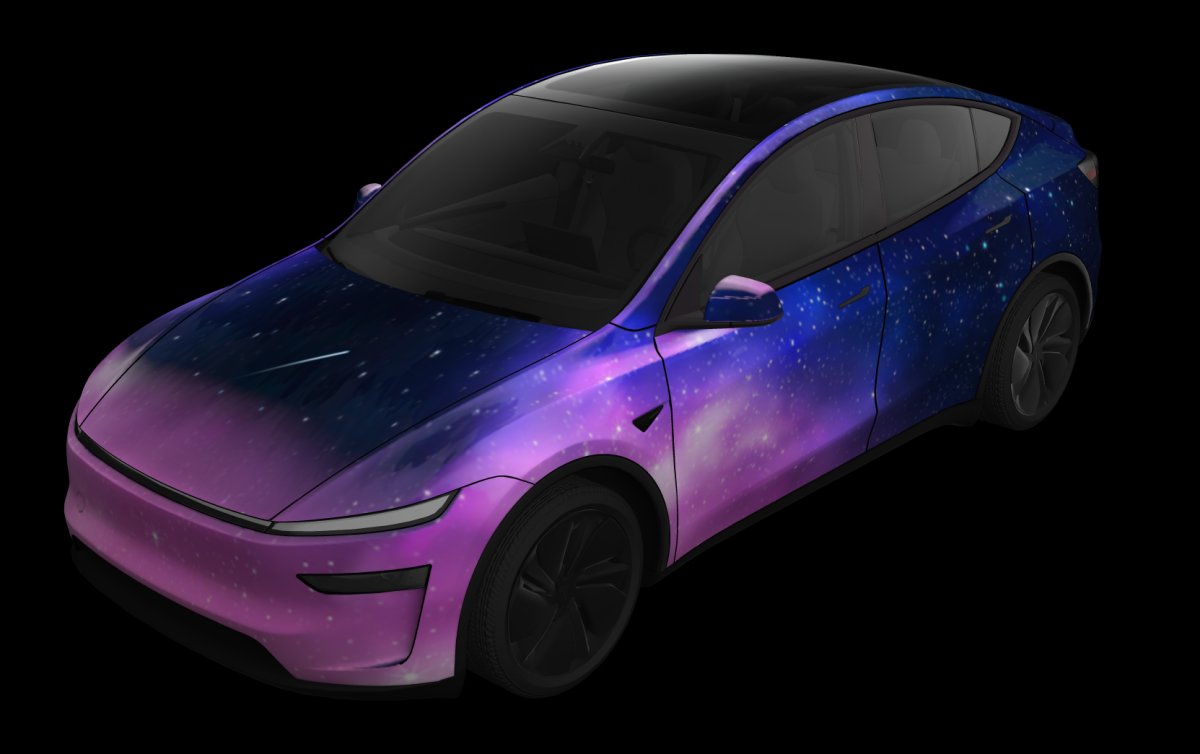
The 2025 Holiday Update finally adds custom wraps and license plates to most users, letting them personalize their vehicles beyond just changing colors with the Colorizer feature. While the Cybertruck served as the vanguard for the customized wrap visualizations in the 2024 Holiday Update, Tesla is now rolling out the feature to the masses with support for the Model 3 and Model Y.
The main attraction of the new Paint Shop tool is vehicle wraps, which can be customized. Tesla is also adding license plate and tint features.
Custom Wraps
The most notable part of the update is the arrival of this new feature for the Model 3 and Model Y, Tesla’s highest volume vehicles. Owners of these models can now access the Toybox > Paint Shop menu to select from a diverse roster of pre-loaded designs.
The feature is available to all Model 3 and Model Y owners, including Standard, Premium, and Performance owners, as well as owners of the Model Y L in China. However, support for the Model S and Model X is not included at this time. We expect that to be added in the near future.
Tesla supports Intel and AMD vehicles with this feature, which is great to see, as this is one of the bigger features of the holiday update.
Here is a video of the wrap feature in the vehicle:
Tesla paint shop wraps! pic.twitter.com/WNHKrQKFyI
— Deandawiz (@Deandawiz) December 9, 2025
License Plates
Tesla is also giving users the ability to customize their vehicle’s license plate, ranging from the vehicle’s name to the car’s actual license plate. You can choose the text and background colors, or pick from a list of available backgrounds.
However, like the wrap feature, you can also create your own license plate background and add it to your vehicle. Users can choose from a unique image or even use a background that matches their state’s or country’s actual license plate.
Tesla paint shop! pic.twitter.com/HPuoYL90H5
— Deandawiz (@Deandawiz) December 8, 2025
Available Wraps
Tesla didn’t just port the Cybertruck’s library of wrap options, but instead curated a distinct collection for the Model 3 and Model Y. The new official wraps for these two vehicles lean heavily into pop culture, digital art, and Tesla’s own internal branding.
That also includes the new xAI-focused wraps, featuring Japanese-style character-based “Itasha” wraps based on Ani, Mika, Rudi, and Valentine. These represent the personifications of Grok’s personalities, and include the character art on the sides and hood of your vehicle in the visualization.
Take a look at all of the available wraps in the video below:
Did you know that Tesla added custom wrap visualizations for the Model 3 and Model Y?
Check out all of the pre-loaded ones below. pic.twitter.com/k1CU9ZkA3s
— Not a Tesla App (@NotATeslaApp) December 8, 2025
Tesla has included a series of more popular textures and patterns, which we’ve divided into groups:
Camo & Nature
Camo
Leopard
Avocado Green
Cosmic Burst
Sakura
Digital & Retro
Glitch
Pixel Art
Dot Matrix
Vintage Stripes
Vintage Gradient
Divide
Ice Cream
The Esoteric
Doge
Apocalypse
Acid Drip
Sketch
Holiday ThemedCybertruck Too
The Cybertruck also received a batch of new pre-loaded wrap visualizations to check out, including the xAI wraps
Creating a Custom Wrap
While this official library covers a wide spectrum of aesthetics, it is ultimately a starting point. For owners who want a truly bespoke appearance, whether matching your real-world wrap or a unique artistic vision, the system supports creating fully custom designs by uploading to your vehicle’s USB drive.
We have a complete guide on how to format, layer, and upload your custom designs using the official templates.
Check out our full guide on creating and uploading custom wraps here. The steps are the same, regardless of the model. You’ll just need to use the template specific to your model, such as the Model 3 or the Model 3 Performance.