![How To Build A Revvi 20" [& 18"] Electric Bike #ebike #dirtbike #kidsbike](https://www.evshift.com/wp-content/uploads/2025/11/1763765166_maxresdefault.jpg "How To Build A Revvi 20″ [& 18″] Electric Bike #ebike #dirtbike #kidsbike")
How To Build A Revvi 20″ [& 18″] Electric Bike #ebike #dirtbike #kidsbike
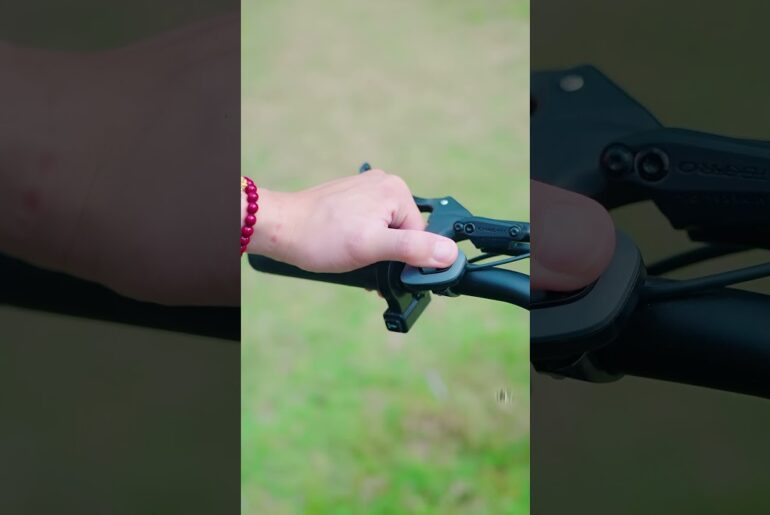
So, hello everyone. We’ve had a lot of requests for this, so we thought we’d jump on here and do a quick how to build video on the Revy 20. Now, the same build would apply to the Revy 18 as well. They are very, very similar bikes. So, if you have the Revit 20 or Revit 18, watch this video to learn how to build the bike. When you open the box, you should find everything that you need, such as charger, instruction manual, toolkit, bar pad, stand, and front number board. Also some nice cool stickers to put your name on it. First of all, let’s pull the bike out the box and adjust the front forks. So, as you can see, we’re loosening off the two top and bottom clamps and then sliding the fork extension down, making sure they are both equal at each side. Once we’ve done that, we’ll just tighten these back up on both sides, making sure they’re nice and secure. So, next, moving on to the handlebar installation. So, as you can see, we are removing the face plate of the stem with the four bolts there. And then what we’ll do is put the bars on, making sure we tighten down the bars nice and evenly. Make sure that you are putting the bolts correctly in here and that you’re not cross threading anything. Um, these can snap quite easily, so make sure that you are doing it nice and evenly. Um, so you’re not putting a lot of stress on one particular bolt. Moving on to the brakes. These have one bolt, so simply take the bolt out, put it over the handlebars, and tighten it back up again. Making sure it’s tight, but not too tight, cuz they do snap if overtightened. To test the brakes, simply pull on the levers, making sure there is tension. Now, moving on to the brake plugs. You will see some arrows on the plug itself, and they are colorcoded so you can’t get it wrong. Make sure the arrows line up because if they don’t, you are putting it in wrong. There’s clips on the wires and the hoses to make sure everything is nice and neat. Now, let’s move on to the front fender installation. And this is very simple. Just using one bolt, slide the fender on using the bracket and tighten the bolt with a spanner and an Allen key. Pull the brake spacer out of the caliper. It’s red. You can’t miss it. You will slide the front wheel on, making sure the disc goes into the caliper and the bolts fit nice and snug into the forks. When the wheels on, tighten the bolts on either side evenly, making sure to tighten them with the spanner provided. Tighten each side evenly and don’t overtighten. Now, the front number board, the bolt will come pre-installed into the fork clamps. Simply remove it, push it through the number board, and tighten nice and snug. Now, your bike is ready for the kickstand. So, flip the bike over and you are looking for a little hole in the swing arm. Get the bolt through the stand itself. Line it up with the hole and screw it in. Making sure it goes in straight so you aren’t cross threading it. And making sure the stand operates as it should. Then there’s some protective packaging to cut off the bike. There’s foam on the frame and swing arm and also some cable ties on the pegs. There’s also a hose locator on the front forks. Simply take the screw out a little bit, put the hose in, and retighten. Then finally, the bike comes with a nice bar pad. Put it on the bars, put the Velcro on, and that’s your bike done. Now it’s just your turn to ride the bike.
The Revvi 20″ has been our best selling bike all year long and we’ve had plenty of people asking how to assemble them properly – so we’ve obliged!
This build process also applies to the newer Revvi 18″ models as well. If you have any questions let us know in the comments or drop us an email or social media message.
0:00 – Intro & Unboxing
0:32 – Adjusting the front fork stanchions
1:05 – Installing the handlebars
1:39 – Brake installation
1:55 – Connection the throttle and brake plugs
2:21 – Front Fender install
2:34 – Installing the front wheel
3:00 – Front number board
3:12 – Flip the bike to add the kickstand
3:30 – Finishing touches
Now you’re ready to enjoy your bike 😊 Happy riding!
https://go-off-roadbarnsley.co.uk
Instagram: https://www.instagram.com/gooffroadbarnsley
Facebook: https://www.facebook.com/profile.php?id=100083284811706
Tiktok: https://www.tiktok.com/@gooffroadbarnsley