November 14, 2025
By Karan Singh
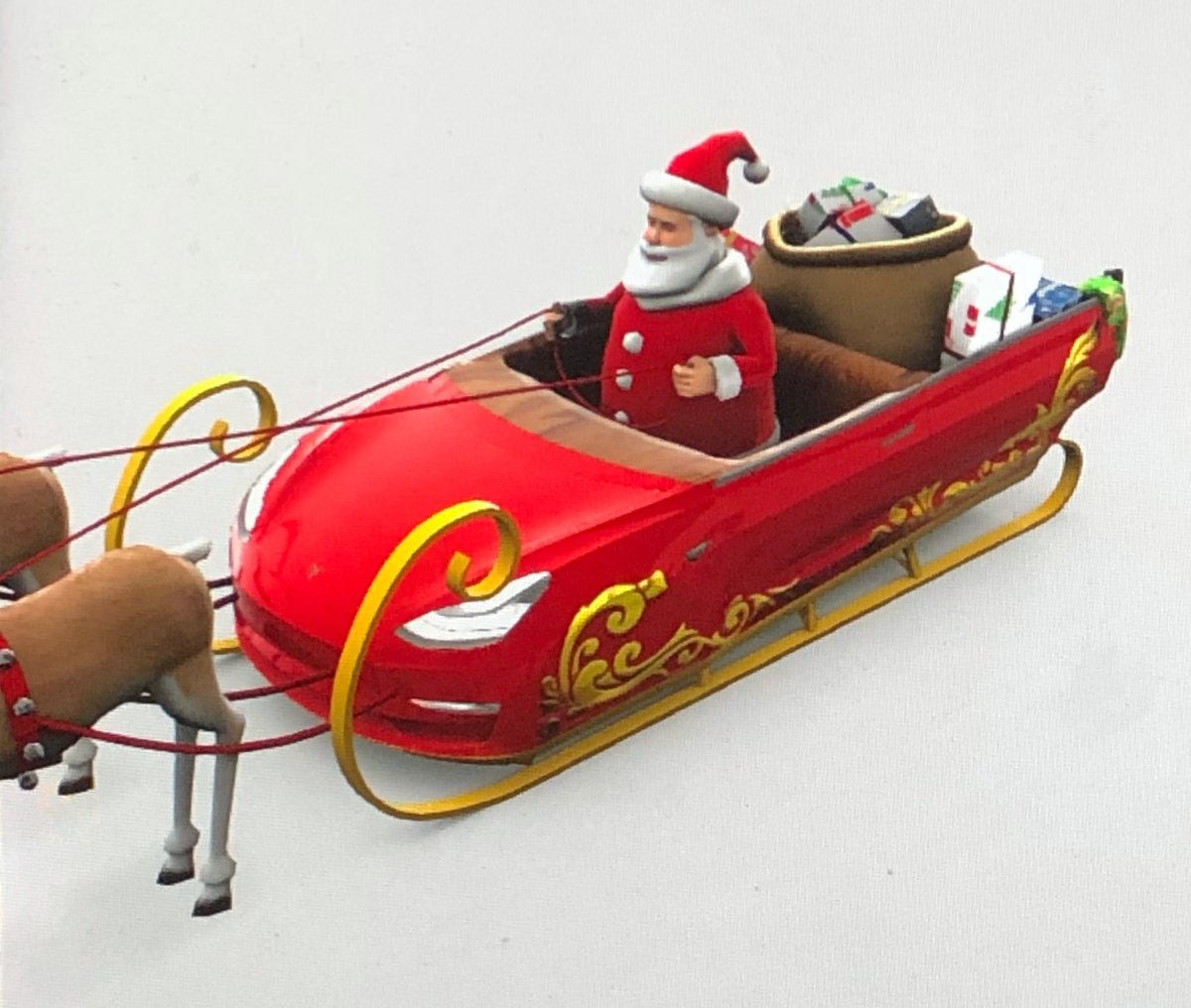
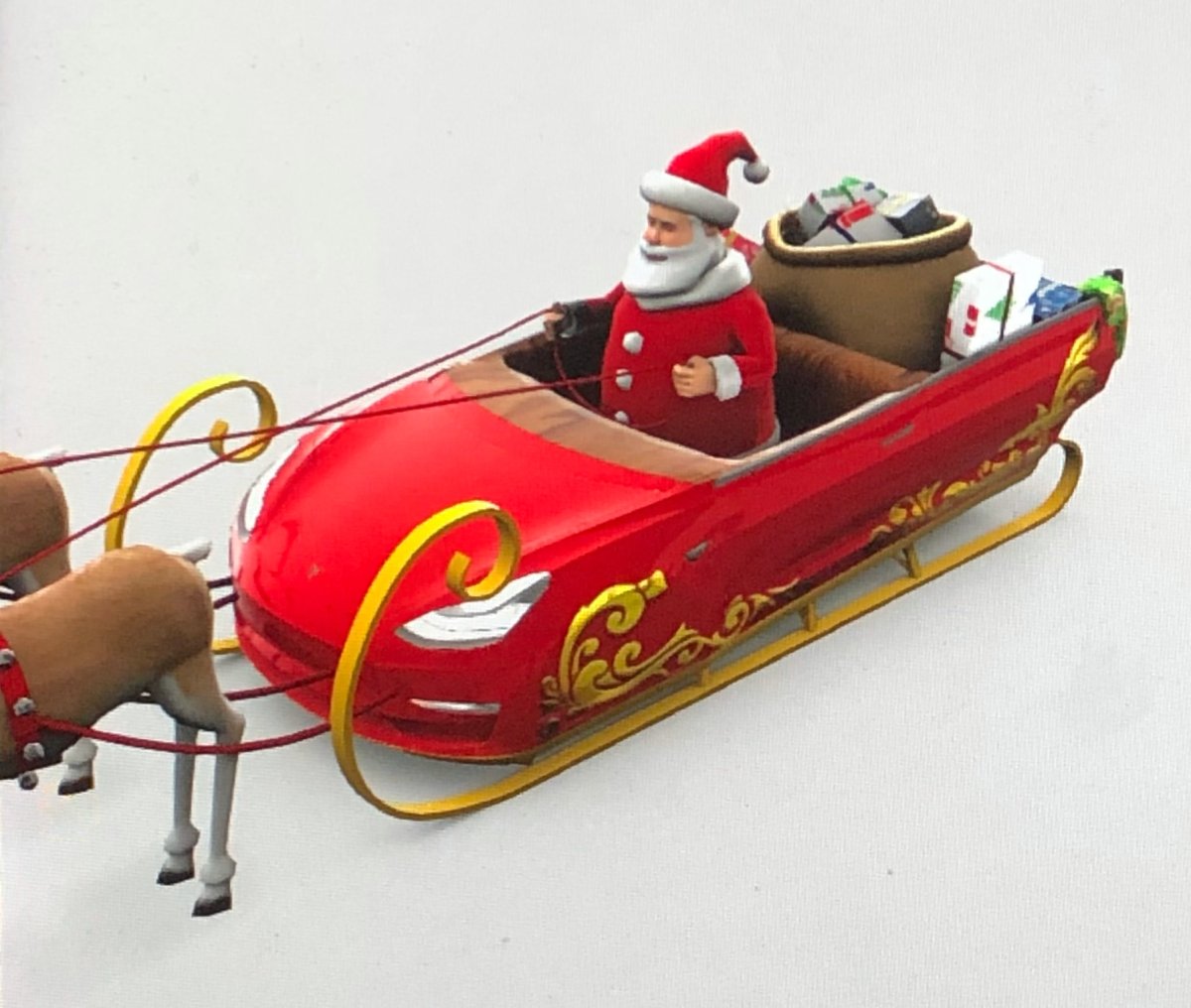
Owners of the newly refreshed 2026 Model S and Model X vehicles have noticed a curious omission from their Toybox: the beloved Santa Mode is missing. While the rest of Tesla’s fleet can activate the jolly visualization, refresh S and X owners are left out in the cold, waiting for their sleigh to arrive.
However, it seems the feature isn’t gone for good. If you try to activate Santa Mode through the Voice Command Easter Eggs – “Run Rudolph Run”, “Ho Ho Ho”, or “Enable Santa Mode”, your vehicle will say that Santa Mode is not available, but that it’s coming soon.
Following the Gingerbread Crumbs
This isn’t a bug, but rather a casualty of the new visualization upgrade that the refreshed Model S and Model X received. This new visualization engine likely relies on Unreal Engine, and Tesla has to port the assets and functionality from the older open-source Godot Engine over. That process takes time, and the refreshed flagship vehicles have only been out for a few months to date.
Tesla sometimes uses the Model S and Model X as test beds for software and hardware features that will trickle their way down to the rest of the fleet, and what better way to start than with upgrades to the visualization engine?
Improvements to Santa Mode
The new Tron Mode brought major improvements to the way visualizations look and perform. While the feature is controversial, it’s easily the best-looking visualization. Santa Mode, on the other hand, is fairly static and simplified, and the vehicle and reindeer don’t do much other than animate in place. Tron Mode, meanwhile, brings full-on animations, including physics-based vehicle movement.
It’s possible that Tron Mode also relies on the new rendering engine, as switching Tron Mode on or off requires a moment.
CyberSleigh
The Cybertruck’s Santa Mode is the middle ground, with a fully animated and rigged sleigh with reindeer. The Cybertruck’s mode also includes turn signals, an animated Optimus Santa that does arm signals, and levitates in place.
It runs on the older rendering engine and has been in place since the arrival of the Cybertruck.
Holiday Update
Tesla’s software teams are probably hard at work porting over and improving Santa Mode to better fit with other recent updates to Tesla’s Easter Eggs, like being able to adjust the volume in Tron Mode, which you cannot do for the intro songs in Santa Mode.
What better feature to include in the 2025 Holiday Update than a new version of Santa Mode? However, keep in mind that Tron Mode is limited to AMD-based vehicles, and it’s possible the new Santa Mode may be too.
Ordering a New Tesla?
Use our referral code and get 3 months free of FSD or $1,000 off your new Tesla.
November 14, 2025
By Karan Singh
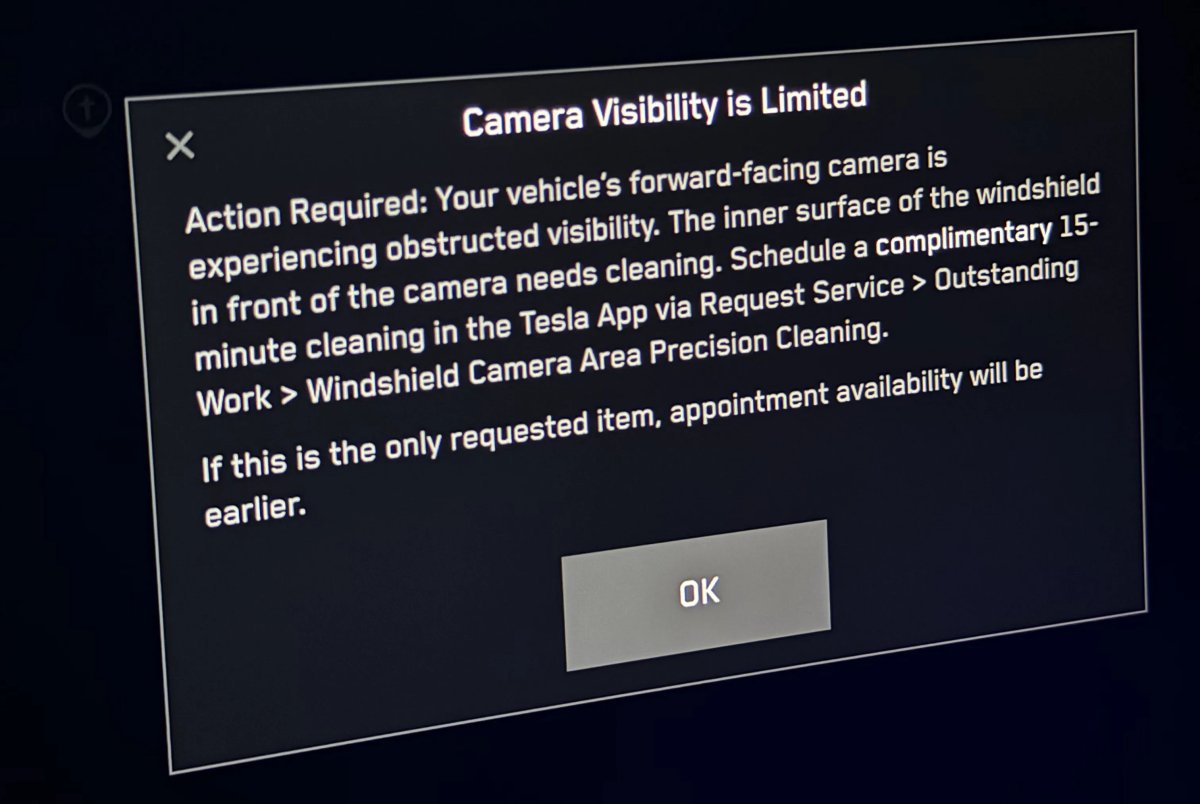
Tesla has begun proactively offering a free appointment to clean the interior windshield housing for its forward-facing cameras, addressing an issue that can limit the performance of Autopilot and FSD.
If your vehicle detects that forward camera visibility is limited, a Camera Visibility Limited prompt will appear on your screen with Tesla’s latest FSD v14.1.7 update. This update is 2025.38.8.7, which started going out earlier this week.
Windshield Haze Limiting Visibility
This obstruction is typically a hazy film caused by the slow off-gassing of plastics and other materials inside your vehicle’s cabin. Over time, this residue can build up on the inside of the windshield and within the camera enclosure, impairing the camera’s ability to see clearly through the windshield.
This can be problematic, especially when driving into direct sunlight, in heavy weather conditions, or when facing oncoming headlights at night. The haze prevents the camera from seeing effectively, just as if the rest of the windshield were hazy.
The haze can be hard to spot, but if you have a flashlight at an angle, you can often see a slight cloudiness if it’s there.
Cleaning Solution
Up until now, owners had to detect that the windshield needed to be cleaned themselves. With this latest update, the vehicle now detects the issue and prompts users to clean the area.
If the vehicle detects an issue, it offers a free precision camera cleaning directly through the Tesla app. The prompt directs users to go to Service > Outstanding Work > Windshield Camera Area Precision Cleaning. Once the alert is activated, this new service item is automatically added to your vehicle’s outstanding work section.
You can then schedule the appointment at your leisure at your local Tesla service center. For some customers, you may also be eligible for a Tesla Ranger appointment, where a technician will come to your home or workplace to clean the windshield.
Cleaning the camera housing is a normally paid service item that costs between $60-$85 USD, depending on your model.
Tesla is aware of the problematic windshield issue, and Musk has said that it’s a ‘major area of focus’ for Tesla. Tesla is likely working on a design change for newer vehicles to prevent this issue.
November 13, 2025
By Not a Tesla App Staff
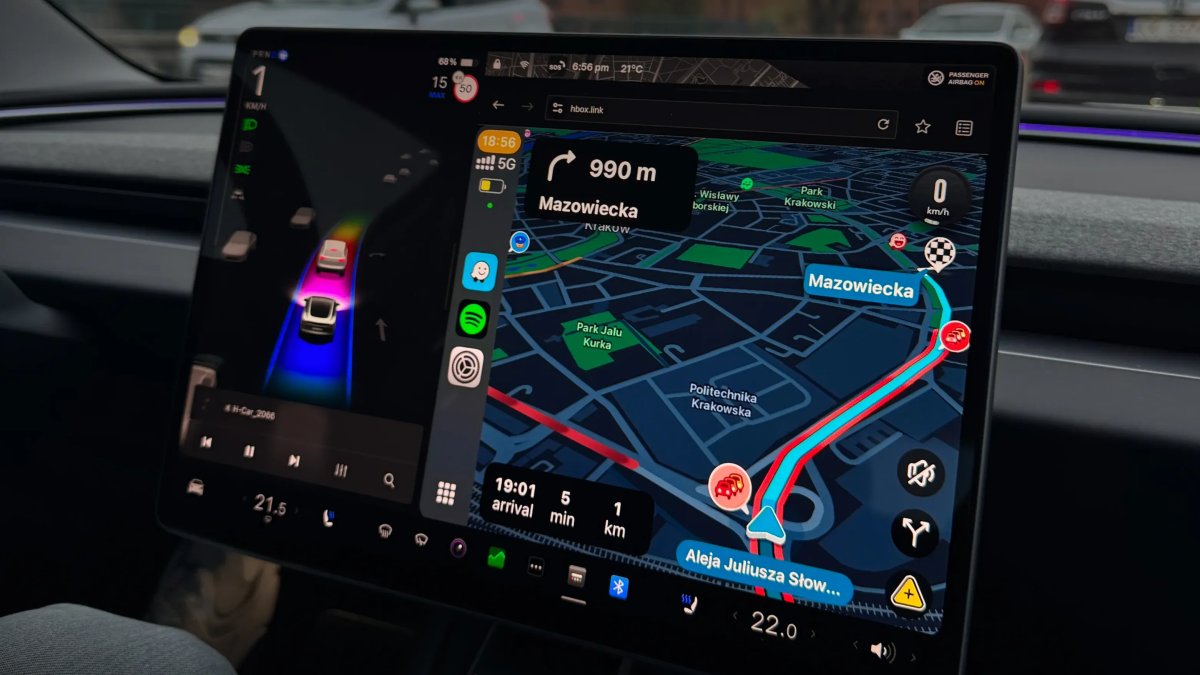
Tesla has long ignored one of the most requested features — Apple CarPlay. While there are many third-party solutions for integrating CarPlay into Tesla’s main display, owners would love a simple, free option.
There are valid reasons why Tesla hasn’t integrated CarPlay into their vehicles yet. However, it looks like that’s about to change, according to a new report from Bloomberg.
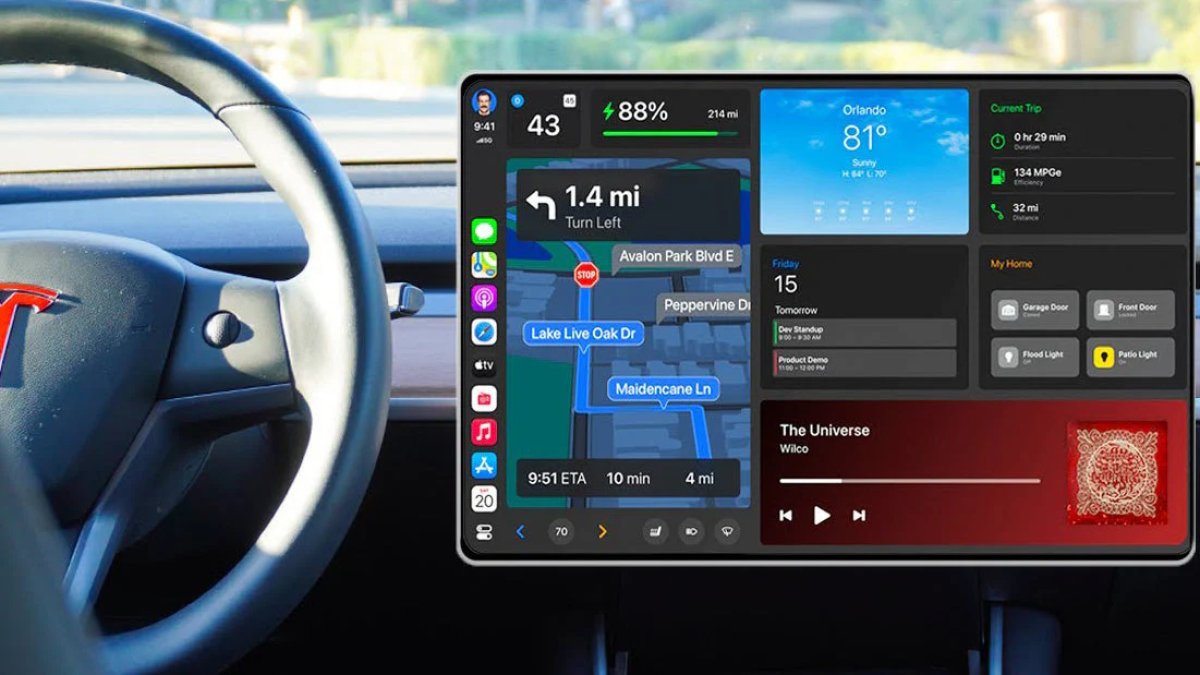
In their report, Bloomberg states that Tesla is actively developing and testing CarPlay. However, this isn’t Apple’s newer CarPlay Ultra, which takes over the entire dashboard. Instead, it’s the more popular, windowed CarPlay feature.
Advantages of CarPlay
While Tesla provides arguably the best UI in any vehicle, there are still several advantages to CarPlay. Ultimately, it comes down to the user, what they prefer, and what they’re willing to pay for.
For anyone not very familiar with the feature, CarPlay lets users extend their phone’s interface to the car, so they can use apps they already have on their phone in a vehicle-friendly way.
 No Premium Connectivity Needed
Tesla requires drivers to pay for Premium Connectivity to stream audio or video in their vehicle. It also requires the premium service to use other features such as Sentry Mode Live or Zoom.
Since CarPlay relies on the owner’s phone to send data to the infotainment screen, there’s no need to pay for additional services to stream content and display it on the vehicle’s screen. All content streams seamlessly from the phone to the vehicle’s screen.
Better Text Messaging Support
While Tesla supports text messaging in the vehicle, it’s fairly limited. The vehicle can read incoming messages and allow drivers to send messages in a limited fashion. Most notably, the biggest missing feature is the ability to send messages to a group. If a group message comes in and the driver replies, only the original sender will receive the message, not everyone in the group. Tesla’s text messaging also supports only a limited set of emojis, and there’s no support for photos or videos.
This is a limitation of the iPhone’s Bluetooth text messaging support, but it’s still something missing for Tesla users.
Notification / Seamless Phone Integration
Since CarPlay is developed by Apple and the apps are developed by the app developers themselves, there’s almost perfect integration with the user’s device. CarPlay is essentially an extension of the user’s phone, which is ultimately their most important device.
When using CarPlay, users will see notifications from their phone, including calls and messages — regardless of the app that sent them.
Any App
Tesla has done a great job of adding a wide variety of music streaming apps, including the recent additions of SiriusXM and Apple Podcasts. However, it’s impossible for Tesla to add every app.
If users rely on an app that Tesla doesn’t support, then they’re stuck not using the app in their vehicle. If it’s a music app, then they can stream audio over Bluetooth, but they have limited control over the content and need to use their phone to browse or change songs.
CarPlay integration, on the other hand, is built by the app developer, which means it includes most of the features the phone app offers.
Your Data is Already There
Since the CarPlay app is the same one on your phone, users will find that it already has all the same data that appears on their phone. This can include things like favorites and recommended content. On top of it, you’re already logged in.
That’s much easier than pulling TikTok or YouTube in your vehicle, only to find that it’s not recommending your favorite content or requires you to log in.
Faster Infotainment — Even on Intel
Another significant differentiation between the native infotainment unit and CarPlay is that CarPlay doesn’t really rely on the vehicle’s infotainment hardware.
With CarPlay, the user interface and apps are rendered entirely on the phone and streamed to the vehicle. It’s a lot like streaming games. You have a high-powered device rendering the content and streaming it to a lower-powered device that just needs to handle a video stream.
For Intel or MCU 1 vehicles, if Tesla added CarPlay, it could provide a faster user interace and additional features.
The Intel chip in Tesla’s infotainment unit will no longer be the bottleneck when running CarPlay. An example of this is how 3D buildings appear in Google or Apple Maps when using CarPlay, whereas they’re not available in Tesla’s maps.
Disadvantages of CarPlay
Just like there are advantages to CarPlay, there are also disadvantages.
Since Tesla currently controls their whole infotainment unit, the apps and features are tightly integrated. Tesla has a consistent UI across all of its music apps, so regardless of whether you’re listening to Spotify or TuneIn, you have a similar interface, rather than app-specific UIs like CarPlay.
If CarPlay is implemented on the main display, it also causes a disjointed experience. The dock at the bottom, which houses apps, would include things like Spotify, Apple Podcast, etc, but then you’d have a CarPlay icon as well.
Tapping CarPlay would then display its own dock, listing additional apps. It’s like an app within an app. Instead of CarPlay apps living beside other vehicle apps, they’re in CarPlay, leading to multiple taps just to bring up the app you want.
CarPlay also wouldn’t be closely tied to the rest of the vehicle, leaving out features like FSD if you’re using a mapping app in CarPlay.
So, Why Hasn’t Tesla Added CarPlay Support?
This is an interesting question. Why is there no CarPlay support in Teslas? Why there’s no definite answer, there are likely two main reasons.
Tesla wants you to use their navigation system and music services, and to pay for Premium Connectivity. With CarPlay, many users will likely forego paying for Premium Connectivity and likely just use CarPlay to stream audio instead.
Another reason is a disjointed experience. Tesla relies on map data for FSD, so it can’t just have a driver use Waze or Apple Maps in CarPlay and have FSD guide them to their destination. Telling the user they need to use Tesla’s maps to use FSD could become confusing.
It also results in duplicate apps, one in the Tesla dock and another in CarPlay.
Why Is Tesla Adding It Now?
If Tesla has been so hesitant to add CarPlay in the past, what has changed? It’s possible that they now feel they have enough cars on the road and enough data to be okay with some users switching to CarPlay.
Tesla now also offers a variety of features in Premium Connectivity, and the main selling features are not just music streaming. If you want Sentry Mode live streaming, to use the Dashcam Viewer in the app, or other features, you’ll still need Premium Connectivity.
As Bloomberg points out, a 2024 study found that one-third of non-Tesla owners would not consider a vehicle without CarPlay. From a Tesla owner’s perspective, this doesn’t make much sense, since Tesla’s infotainment system is great.
However, if we take the time to consider a non-Tesla owner’s perspective, it seems reasonable. These users can be stuck with an underpowered, app-less infotainment unit, and CarPlay suddenly made their in-car experience much better. After going through that experience and falling in love with CarPlay, it’s not surprising that these users wouldn’t consider a vehicle without it.
Not CarPlay Ultra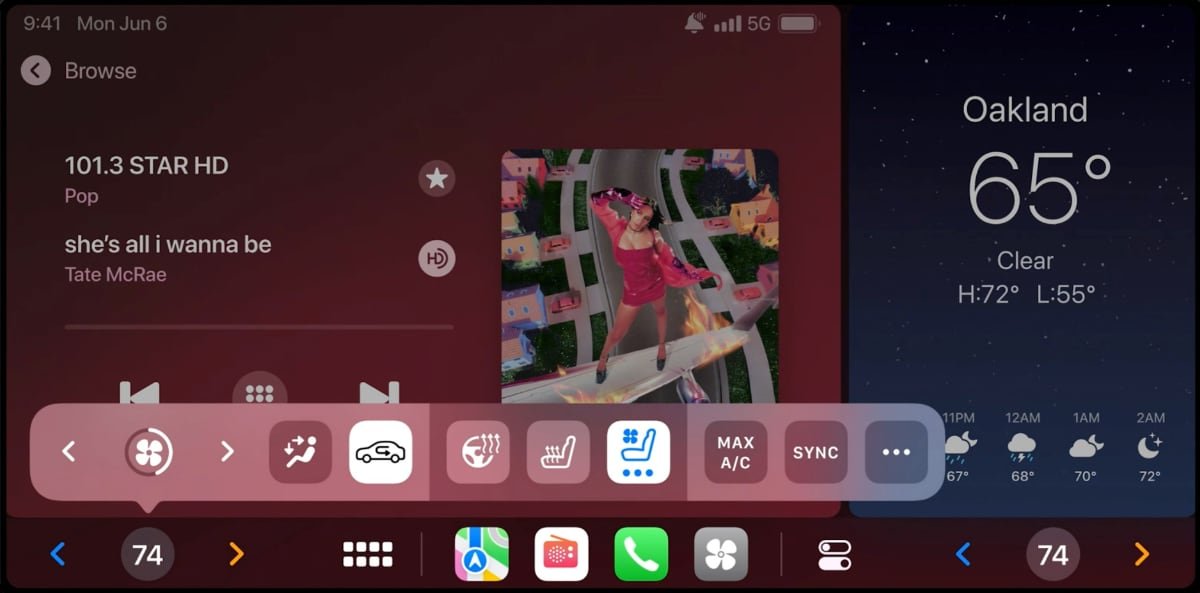
In 2022, Apple announced CarPlay Ultra, which lets manufacturers replace their entire vehicle interface with CarPlay. This includes everything seen on the screen, including the speedometer and climate controls. However, Apple hasn’t seen many manufacturers adopt the newer version of CarPlay.
The Bloomberg report states, as expected, that Tesla is not integrating CarPlay Ultra and instead will rely on the familiar windowed CarPlay version.
Android Auto
When manufacturers implement CarPlay, they almost always implement Android Auto as well. However, according to the report, it looks like Tesla is only developing CarPlay right now. This could change in the future, but right now there’s no evidence that Tesla will also incorporate Android Auto.
Limited to the Robotaxi?
If Tesla is integrating CarPlay, there are several ways they could implement it. This is pure speculation on our end, but saying that Tesla is integrating CarPlay doesn’t mean that Tesla owners will receive the familiar CarPlay feature.
One of the ideal scenarios for CarPlay is the Robotaxi. While the Robotaxi does a great job of integrating a user’s Tesla profile so they’re already logged in to Spotify and other apps when they enter the vehicle, this doesn’t work for non-Tesla users.
If Tesla wants the Robotaxi to compete and be available to a wider user base, CarPlay makes a lot of sense. Robotaxi users could simply sit in their taxi and launch CarPlay to play music or stream video in the vehicle, without having to log in to their personal accounts in a public vehicle.
Rear Screen Only?
CarPlay users will no doubt like to see CarPlay implemented as it is in most other cars, directly into the infotainment unit. However, there’s obviously a reason Tesla didn’t — or doesn’t — want to implement CarPlay. If some of those reasons remain, it’s certainly possible we may see a limited integration, like only in the rear display.
This would potentially give users some of what they want, but the driver would still be forced to use Tesla’s apps, and it would avoid the duplicate app issue.
If Tesla fully implements CarPlay in the traditional way, we’ll likely see it behave like just another app, like Spotify or Maps do today. You’ll tap the CarPlay icon, which will bring up CarPlay on the center display and give you access to the full range of CarPlay apps.
Holiday Update
If we’re going to see CarPlay implemented in user vehicles, then it’ll almost certainly be for the upcoming Holiday update. Tesla’s biggest update of the year typically starts rolling out in mid to late December, which is just about a month away.
Tesla is already testing CarPlay, meaning that it may not be too much longer before we see hints of it in production releases or a full reveal. However, keep in mind that this doesn’t mean we’ll see CarPlay integrated directly into the main display.