MY26 Ridgeline | How to Use the Honda Ridgeline Power-Locking and -Unlocking Tailgate
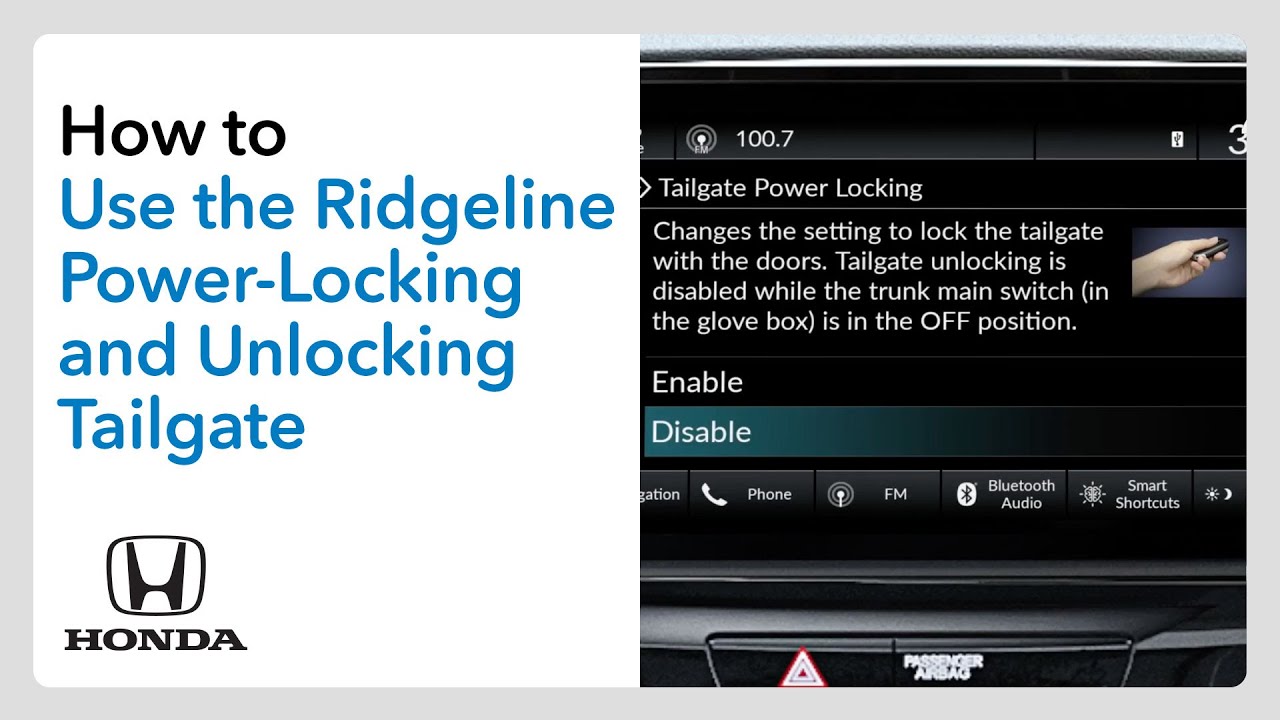
[Music] Every Honda Ridgeline comes with a power locking and unlocking tailgate to enhance convenience and security. When enabled, the tailgate will lock and unlock automatically along with the doors. From the factory, the Ridgeline’s power locking and unlocking tailgate feature is disabled. Here’s the procedure for enabling it as well as for disabling it later if desired. Start with the vehicle in park and the ignition on. Touch the home icon on the color touch screen. Select vehicle settings. Touch door window setup. Scroll to the bottom of the menu and select tailgate power locking. Choose the status you desire for the feature. When you touch enable, the tailgate will power lock and unlock along with the doors. When you select disable, the tailgate will remain unlocked at all times. Confirm your choice and touch the home icon to return to the home screen. In the event the power unlocking feature becomes inoperable when enabled, the tailgate can be manually unlocked. First, press the unlock button and then remove the built-in key from the key fob. Locate the access cover along the bottom edge of the tailgate. It’s about 11 in to the right of center when facing the rear of the truck. Insert and turn the key to remove the cover. Pull the yellow cable to unlock the tailgate. When the tailgate is unlocked in this manner, the vehicle’s alarm will sound. Press the lock or unlock button on the key fob to silence the alarm.
The Ridgeline enhances both security and convenience with its auto power-locking and -unlocking tailgate. Watch this video to learn how the feature is enabled via the customizable settings so the tailgate can lock and unlock automatically along with the doors.
Learn more at: https://automobiles.honda.com/ridgeline
For more Honda content, follow us on social at:
Instagram – https://www.instagram.com/honda/
TikTok – https://www.tiktok.com/@honda
X – https://x.com/honda
Snapchat – https://snapchat.com/add/officialhonda
Facebook – https://www.facebook.com/honda
Threads – https://www.threads.net/@honda
Pinterest – https://www.pinterest.com/honda/
LinkedIn – https://www.linkedin.com/company/american-honda-motor-company-inc-/
Giphy – https://giphy.com/honda