
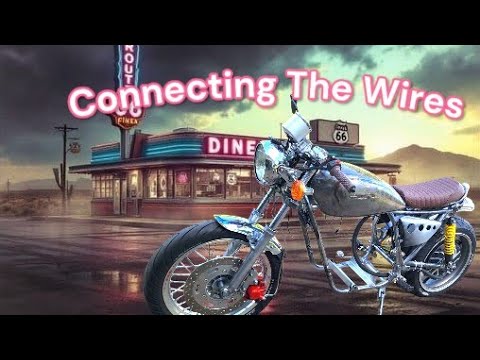
Simple Budget Electric Motorcycle eBike Wiring the OEM Harness to the Fardriver and QS273 12KW
The battery for this bike has not even shipped yet. Well, actually, I have the battery for this bike. That’s the battery. But the battery for this bike has not shipped yet. The upgrade battery for the fauxcotti. And then when I get that, I’m going to take that battery out and put in here. So, I figured while I wait for the battery, I’ll show you how I wired this Japanese donor bike with the far driver motor, the wiring harness, and the battery. Watch my video understanding Japanese bike wiring. This will all make sense. If you use a Japanese bike for your donor, lucky you. The bike is DC fired. It does not have an AC system pass the stator. It’s a really good deal. You don’t have to buy anything except this converter. It all works. Just a couple of simple changes you have to do. I like to test my bike, an old motorcycle battery. You can even use a 9volt battery if you’re running LED lights. And then I get a tester. You have to watch the video to understand where these wires are, but they’re pretty easy to get to. I hook the battery to the negative side of the harness and I hook it to that relay wire going into the key. And this simulates my 96 volts right now. But since I haven’t cut the fuse box where 12 volts go in and this goes to the converter, I’m going to be able to test everything I do with 12 volts. Later, we’re going to add this converter in between here. And we’re going to add it using one of these fuses that were never used that we disconnected on the original harness. So yeah, watch that video so you understand what I’m talking about because it’s so easy and so cheap to do. It just makes it a dream. There’s no electricity going to it. When I turn the key on, we get power going to it. And since it’s a Japanese wiring harness, it’s already hooked up. If I turn the key on, I’ve got headlights, high beam, low beam, and off. I’ve got blinkers, I’ve got horn, I’ve got everything already. I’ve got brake lights. If you didn’t modify the bike as much as I did, the wires are going to already fit. There’s really nothing to do. Tail light also comes on with the key. Rear brake light down here. And the handlebar brake light. It was all hooked up, all wired, all protected by fuses. All I had to do is lengthen these wires just because the way the harness was made for the GPS speedo. Be sure your handlebars are turned the way that makes the wire the shortest. I’m going to run it in here. And I just tapped into the old instrument panel where the instrument light was and a spare ground. Plug those in. Now, when I turn the key on, the speedo comes on. Purple looks good. I think I have to take all this back off. There’s a button inside there to change it to purple. The controller will set here. This looks way more confusing than it is. So, it’s not that bad. You’re going to have your hall wire that hooks to the hall wire on the motor. You’re going to have a throttle wire. It’s going to have three wires on it. And let’s look at my throttle wire. Oh my gosh, it’s way different. Whatever are we going to do? You’re going to have a three-speed switch. It’ll have the blue wire on it. See that cap right there? That’s if you decide not to use a 3-speed switch. You just want one speed like I’m going to do. Just high speed. I give it throttle. It goes. I don’t want to care about speeds. You leave this cap on. It essentially keeps it in third speed. And it doesn’t matter if it kept it in second speed or first speed. You can go on the far drive app and set whatever parameters you want in each speed. We’re going to leave this cap on for one speed. Simple. Nothing to even wire up here. This is the upgrade port. We’re not going to use it. Purple, that’s analog display. This is not the 1900s. We’re not going to use it. Blue, that’s your DKD display. Your one line connector. You might use that. I’m not going to. I’m going to have no display, just a speedo. Brown with white wire. See how it’s got the white stripe on it? That’s your reverse. You might want that. I’m not going to use it. These two with the red plugs, alarm power and alarm system or anti- theft. Not going to use them. They can go away. We’re getting down to nothing here. The gray one, single wire. If you’re going to hook your brake system to a 12vt, that’s to your brake switches here and here. That can be a 12vt signal. That’ll activate your brake on your motor. When you activate your brake on your bike, not going to use it. I’m going to program my brake without any wires. I’m going to program it right to the controller. The off throttle brake gives you like fake engine compression. Here’s your other brake system. If you’re going to use a button brake and use 5VT for your brake via some button, you’re going to use that one. I’m not going to use it. Park and cruise control. That’s this one. Not going to use it. But that brown wire, that’s a secret cheat code. That’s your boost. I’m going to use that brown wire. It’s going to hook to this button right there. And then we have this orange wire all by itself. That’s an important one. That’s your key on switch. Whatever your battery voltage is, 7296, you’re going to send that to this wire right here. that’s going to turn your controller on. If you touch this wire to that positive post, your controller would be on all the time. So, we don’t want to do that. So, we’re going to bring this wire in from the key. So, when I turn that key on, it sends 96 volts into this wire. And that’s why we’re running 96 volts through the key. So, the easiest way to do this throttle is realize that red is power, green is your signal, and black is negative. You’ve got this crazy looking connector here that doesn’t fit because you want a cool throttle like you get with a Siron, but it still has three wires and it still works. Get yourself one of these cheap ass AliExpress connectors. Just use one side of it for three wires. And now you’ve got yourself a whole different combination of colors. You got a blue, black, and a red. But it doesn’t really matter. You can repin those or you can just leave them in place. All that you’re trying to do is connect the black wire on here to the black wire on your far driver connector. The blue wire on your Siron throttle goes to the green wire on your far driver connector. And the red wire on your far driver connector goes to the brown wire on your Siron throttle. So do your own thing to make those connect right and your throttle will work. So how simple is that? All we’re down to is this hall connector, a throttle connector, key switch connector, and a boost. You probably won’t even use boost. You probably put that away, too. But I’m going to use boost. So, there’s really not that many you use. All this stuff is just extra. It just gets kind of tucked away back there. We’ll kind of get into this boost wire a little bit with the functions and the parameters on the Far Driver app. But for right now, we have to hook it up. The idea is if we ground this brown wire, it will start a timer and we can have fun power for a certain amount of time, just like a video game. And after that time expires, we have a penalty wait until we can use it again. For that to happen, this brown wire, which I think is pin six, but we’ll check that later, has to be valid. It has to be assigned to boost and it has to be grounded. So, what I did was I just repinned or I stole this black wire that was located with that low brake. And I put it on that same plug that the brown wire was on. So, I can use that as a boost. Those two wires are going to the button. It’ll touch that ground to that brown wire and it’ll start the boost. There’s other black wires you can use, but I just use that one. So, we’re using that wire. We’re using that wire, a throttle wire, and the hall wire. That’s it. So simple. Before I tuck this all away like a Sports Illustrated model in a Target swimsuit, let’s recap what I did here. Positive from the battery, the same one the battery is going to. It’s going out here. It’s going into that fuse box, that one we didn’t use, that blue one. The one that’s not part of this one. From there, it’s going to jump through the fuse to protect it, and it’s going to go to this red wire that was from the relay on the original Japanese bike and goes into the key switch up here. Turn the bike on. Power is going to come into the key switch. It’s going to exit from the key switch, this orange wire right here. It’s going to go into the converter at 96 volts. So, all this was 96 volts. It’s also going to go as 96 volts to the controller to turn the controller on. After going into the converter, it’s going to exit at 12 volts and it’s going to go back into all these fuses. So, I got three fuses protecting everything in there, all at 12 volt DC. The negative is going to go into the 12vt DC negative harness. The negative on the 96V side goes all the way back to the negative post on the controller. So that’ll be hooked to the negative on the the 96VT battery. And I realize they connect inside here. The negatives share negatives, but it just keeps it organized. The throttle comes down and turns into the throttle wire connecting to the controller. The boost button comes down and turns into the boost wire connecting to the controller. The hall sensor connects to the controller. That’s it. It’s that simple. This is all extra. The old question, can that key switch handle 96 volts, 100 volts, whatever you got. Yeah, of course it can. Look at that voltmeter. That goes to 150 volts. Look at those teeny little wires. They’re like angel hairs. This thing barely pulls any amps. So, 150 volts, no problem. It just looks way too modern. So, I think I’ll put it on this bike so I don’t have to have the phone app open. I can see what my volts are all the time. I found this old school 0 to 150 volt meter. It looks way better on this bike. AliExpress. Super cheap. Just a few bucks if I remember. I made a quick disconnect right there. So, I can take the tank off. I’m just going to run it straight to the controller. Positive for the battery stud and a negative for the battery stud. Go right to the controller. I could have ran that anywhere in this wiring harness between the key switch and this converter. A lot of these old lights on these Japanese bikes, they ran a metal washer-like thing around the blinkers and that was your ground. So the body itself was a ground and it only had one wire coming out of here, the positive wire. Then the bulb holder would bolt inside there and there’s your one positive wire coming out and the body is the ground. I never like this system. These things end up grounding to the frame when they wear and get loose or if you fall over and bend one. And you may be thinking, hey, wait, these old Japanese bikes, everything was insulated, even though it just had the one wire. And yes, they were. But the rubber gets so old and stuff that whenever the metal touches the frame. So, I just took the rubber grommets out, mounted it right to metal. I have the dual wire system coming out. Now, grounding the frame on your ebike is bad. Let’s say I put this ground on the frame like that. Now, I’ve got 12 volts going to here. And I take my 12vt wire and I’m holding it. Holding this and I touch the ground, it’s not even shocking me. It’s only 12 volts. When you get 96 volts going into this thing and you do this stunt here, it’ll shock you. When you accidentally touch a positive to the frame and you get that spark, it will blow stuff up. So that’s why it’s important not to ground your frame. And if you have one wire blinkers, those blinkers will do that if you don’t rewire them. You could actually fall over, short it out to frame, and catch on fire with the grounded 96VT frame. So these are a huge pain in the ass. See, I just basically glued those in there. Ran wires out. Now I’ve got dual wire blinkers, and they’re still old. So now I’ve got my blinkers installed. You see they don’t blink, but they look old school, and that’s cool. So I don’t know why they don’t blink. I tried changing the flasher relay. The bulbs are incandescent. If anyone knows, let me know in the comments. When I turn the blinkers on, I can hear the flasher relay making like a little noise, but not a clicking noise. It’s more of a buzzing noise. Remember, I’m not a wiring expert at all. I’m the guy who blows up and catches stuff on fire. Yeah, that’s me. Find a way to route your phase wires to your controller. This is probably not the final routing, but yellow, yellow, green to green, blue to blue. Pretty simple there. Your holes in your phase wires may be too small for the bolts in the controller. If you’re going to drill these out bigger, don’t just throw a drill in there and start drilling trying to hold this wire. You’ll tear it up. You want to take a set of vice grips and hold it like this. Then lay it on like a piece of wood, a nice flat surface you can hold these vice grips down on and drill it out. And they drill pretty easy. These things are actually brass. They’re just coated. But you don’t want to take a chance that thing spinning around and tearing this out. Your hall connector wire may have one of these braided wires on it. I probably don’t need it on this bike. I read on forums that’s to reduce the static noise if you have a lot of electronics. Looks like these wires were pinched. Yeah, I got this motor used, so it could have some issues, but those wires do not look in good shape right there. They look all right there. So, if I have issues, I’ll definitely check in there. You put an eyelet on the end of it, and it goes to your common ground. The battery is going to be the last thing you install. There’ll be wires coming out of the battery going to a connector and then wires from the connector going to the controller. That’s to separate the controller and the battery. You’re going to wire those connectors to your battery plus and your battery negative. And they’re going to be hanging here. You’ll slide the battery in. And once you get everything done, and I mean everything. You don’t want to be working on this stuff with a battery hooked up. It’s a good way to blow stuff up. Trust me. So once you get this all done, then you’ll simply just plug your connector in to your battery. It should be good to go. The battery is always on. The power is always going to the positive post and the negative post. That’s always happening. But the controller is not on till we tell it to turn on. I don’t know the magic happening inside this box, but the controller is essentially off until it’s turned on with the key. When this orange wire that you hook to your 96 volt to the key source turns the controller on, it allows electricity to flow and everything to happen. So, long as your keys off or this orange wire is disconnected, the controller won’t turn everything on. And that’s it. It doesn’t get much simpler than that. When I get the battery, I’ll put it in. I’ll do a video on setting the far driver up. No display with just a boost switch and a throttle. And I’ll explain why I’m using some of the settings I use. I will secretly look at the app and see what temperatures I’m running. But the user will not. He’s just going to ride the motorcycle just like when you buy them from the store. He’s going to ride around not knowing what’s going on inside. So, we want to make it safe for the user not to overheat this thing if he just holds it full throttle and to give him the fun of using the boost. So, I will have to set some stuff up in the app and I will have to test some stuff, but it won’t be that difficult.
Here is the how to on taking that OEM Japanese Donor Bike Wiring Harness and putting it all together with the controller, hub motor and battery.