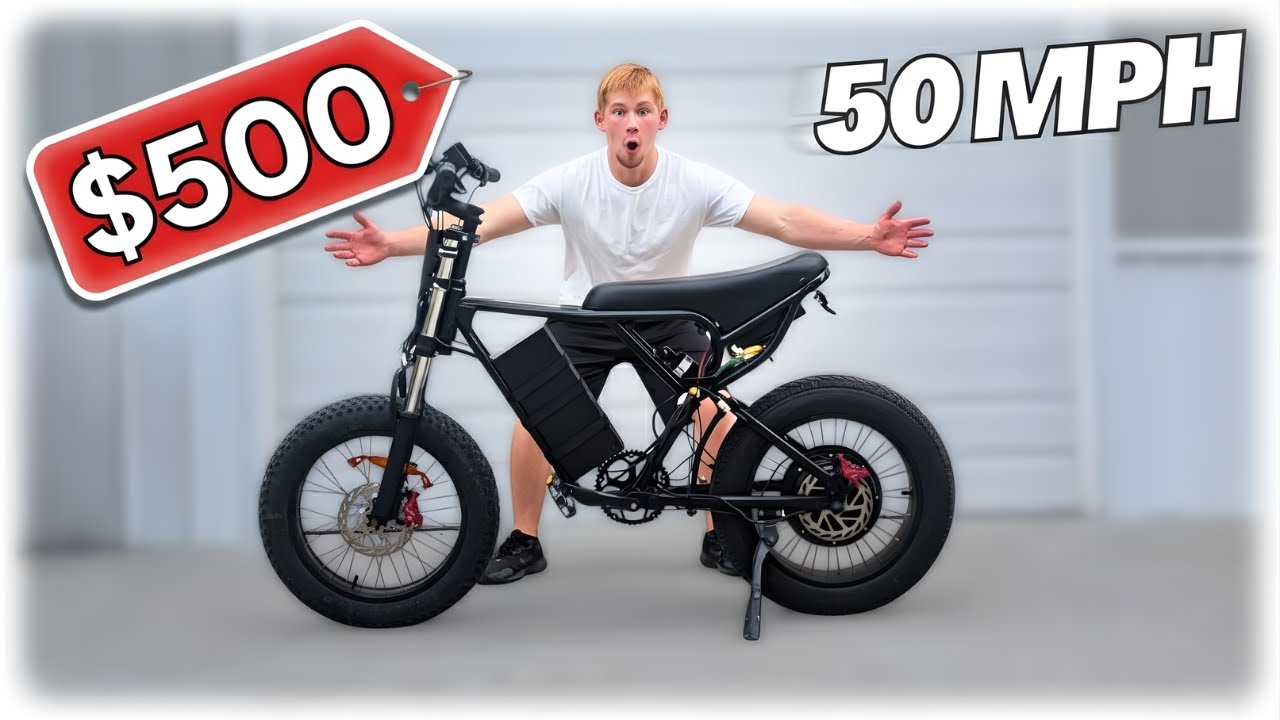
I Built the CHEAPEST Sleeper E-Bike (Ridstar Q20)
What is up, guys? Today, we’re going to be building a cheap but fast electric bike. This is a Ridear Q20, a full suspension electric bike that I paid $200 for off Facebook Marketplace. This has a broken controller, and I’m going to be doing a full 60 volt swap. The first step is to get the broken controller out of here. It should be pretty fast. Just have to unplug everything and throw this out. Now, what I’m doing is chasing all the wires down and we’re going to be stripping this frame completely and getting it ready for the 60V battery motor controller and everything else. Now, I’ve got to take off the controls, grips, the ignition, basically everything up here on the handlebars. There’s even a phone holder that I will be taking off at some point. Now, we’re moving on to the battery. This should come off pretty easily. There’s just three screws in here that I have to remove and everything is good there. All right, guys. Everything is taken apart that I’m going to do right now. Uh the wheel and motor is still on here. Um I’m going to be waiting till I get the new stuff to take that apart, which should be here in the next few days. So, I’ll see you guys very soon. I went ahead and just took this wheel off now cuz I felt like doing it. [Music] All right, guys. It’s been a few days. And here is the wheel. This is how the wheel controller and all that good stuff. The whole kit is right here. I don’t know if this is the top, but this is how I’m going to open. All right, that looks like it’s probably the way it’s meant to open. Nothing’s falling out on me. So, this is the first box at the very top. I would assume this is maybe the throttle grips, whatever accessories are coming with this thing. All right, as you guys can see, we got the grips. Um, I’m guessing this is maybe the display in there. We’re not going to worry about that just yet. Let’s get into this stuff first. No clue what’s in here. Oh, look at that. It comes with a little case for the controller. That should be pretty easy to set up since it comes inside of this case here. The last piece. Everything’s here. So, let’s get this thing out and then get to assembling. Check out the difference in size between the new wheel and the old wheel. The first step is, of course, getting the tire off of the old wheel hub motor and getting it onto the new one. As you can see, we’re getting this thing down on the brand new 60 volt motor. Take one more look at the difference in size of these things. This is a 60 volt right here. It takes up so much more space than this 48 volt. I’ll get a little closer so you guys can see. All right, guys. So, putting this tire All right, guys. So, while switching this tire over to the new wheel, went ahead and put a hole in the tire tube. So, I’m not going to be able to get that on right now. I did order a new tube off Amazon, but for now, we’re going to get to working on the controller and basically just setting everything up on the bike. I am going to be taking off this little plastic box that the old controller sat in. Our new one is going to be too big for this. It does have its own mounts, though. As you can see, we’re lining up the holes, and it should be able to bolt right on without having any kind of case. And I wasn’t able to quite get all four screws on just cuz it didn’t quite line up. But these two right here should be enough to hold this thing on just fine. So, we’ll go ahead and leave it like this. And as I said, this kit came with a new display for us. So, that is what we’re going to be throwing on next. And now we have our grips to throw on. The left one just presses on there. And the throttle actually tightens down with a little Allen screw. I am going to be throwing this little phone holder back on just because I think it’ll be a good thing to have on here. Something to hold a phone. All right, guys. Several hours later and Amazon’s got me with the same day delivery. We got a new tube in here and it’s all ready to basically throw the wheel on. And once that’s on, I’ll get everything wired up and it should basically be ready to go. So, this wheel is going to mount just the same way we took the other one off. There’s two bolts on either side and a couple washers on each side as well. And it takes about 30 seconds to get this wheel on here. So, that did go on pretty easy. I’m hoping I did it right. If you guys can see, I don’t know how much you can really see there, but uh I guess I’ll find out if it falls apart or not. But, uh yeah, obviously I do still need to tighten it down. And then I’m also going to get these things nice and tight. And then everything just needs wired up and I’ll throw our battery on there. So this thing comes with a wiring diagram, but you’re not really going to need it because every single plug is a different shape. So it’s pretty simple to just plug everything in and you’ll know it’s all right. Here’s our battery. So I don’t think I’ve shown this before. I got this off Facebook Marketplace for 200 bucks. So 60 volt 20 amp hour battery. I’m going to go ahead and put it right in here. I don’t really have much of a casing for it right now. I’m going to work on building that. But for now, just to kind of test this out and get it going, I’m going to set it on here and basically velcro it on. Right now, I just have this battery sitting on a screw and I’m going to put two or three Velcro straps around it. And that should be enough to hold it on for a little test drive and a top speed run for this thing. All right, guys. I lost a little bit of footage there. My camera quit recording. Basically, we just got this battery mounted and I’ve messed with the settings controls or whatever for just a little bit. I haven’t actually ridden it yet. So, right now, we’re just out in the yard basically. I’m going to take it, rip it up and down here. And uh after that, we’ll go ahead and take it on the road and do a little top speed run. Obviously, we’ll start out in mode five. And I’m about to find out how much range this mic has. Suspension definitely is a little rough on these Ride Stars. would not recommend for off-roading for sure. Definitely going to be better on the road. So, just coming up and down here, this thing read 20 m an hour. So, that’s not terrible for this terrain. I’m assuming it’s going to go quite a bit higher on the road, especially when we have a decent amount of uh space. So, I’ll go ahead and see you guys at the top speedun during this part of the video. My mic just decided to disconnect from my phone, so you’re not going to get to hear anything I was saying about the bike during the ride. Also, it doesn’t quite pick up the screen as well as I thought it would while I started this recording. Basically, I’m just going to go about 2 miles down this road, and you guys will see. I’ll go ahead and take a clip of the speed when it hits its peak speed so you guys can see what this thing is actually reaching. I don’t know how well you guys can tell the speed right now, but it is in the 40s. 44 45 46 is the top speed I was able to hit on this ebike. 190 lb rider. And that right there is the fastest I’m able to get this thing to go to. Once I take this turn here, I think I keep it mostly under 40. And I did mention it if my mic picked it up. This thing does handle so much better on pavement. This is definitely meant to be a road bike. When I was riding this thing up and down in the grass, it was just so bumpy. And the rear suspension is basically nothing. So on the road, it actually does feel really good even while I’m going 45 milesPH. All right, guys. It is the next day. I had to stop recording because it got too dark for me to shoot this last part. So, now we ask the question, how much did this thing cost? I’ll go ahead and tell you guys the price of every single thing I bought for this and how much money I have in this entire build. So, we’ll start with the RideStar Q20. I bought this, as I said, with a broken controller for $200. And later I went ahead and sold the wheel hub motor along with the battery and the broken controller. I just put it on Facebook Marketplace and I ended up getting $200 for that. So depending on exactly how you guys want to count that, we would say $0 is what I have into the frame because I got $200 out of the parts that I sold off of it. I also got this battery off of Facebook Marketplace for $60 less than it was on Amazon. And as of the time I am recording this, the battery price on Amazon has dropped. And now you can get this battery for $200 on Amazon. Now, for the wheel hub, motor, controller, the full kit, it came with the grips, throttle, the display, the controller as I said, and the motor. I paid $435 for this after tax. It was a little over $450, I think. So, I ended up paying, let’s just call that $450 plus $200 here. So, so far, we’re at $650 total in this bike. I did have to buy one tire tube um as I told you guys earlier when I tore up the one that was in that rear tire. And so far that is everything I have in this bike. So if you guys want to round up, I’ve got like 20 bucks in that tire tube. I bought a kit of two. So if you guys round up to $700 total in this build, this 45 mile hour electric bike. Let me know in the comments if you guys would spend $700 on a bike like this. Also, let me know what kind of videos you guys want to see in the future. More budget builds is probably what I’ll be going for. Um, ebikes, gas bikes for sure, all kinds of stuff. Make sure you guys drop a like on the video and subscribe to my brand new channel. With all that said, I’ll see you guys in the next one. [Music]
Hey Everyone Thanks for Watching My Very First Video On this New Channel I Have More Videos Coming soon let Me know What You Want To See Next In The Comments
Building a fast, but very affordable ebike today! I picked up a Ridstar Q20 for super cheap. The goal is to see the top speed I can get after installing a new battery and doing a diy electric bike conversion. Ready to see how this cheapest ebike performs?!