Pro Trailer Backup Assist Demo (How to Back Up a Trailer Easily) | Ford Towing Tech
Autumn, now we’re going to experience something called Protra backup assist. Okay, tell me about it.
Well, instead of backing up your trailer using the steering wheel, what we’re going to use is the same Protra knob we used when hitching the trailer. We’re going to have some cameras that are going to show us the trailer and depending upon the direction you want to turn, you’ll be twisting that knob either left or right. Okay?
We’ll put it into practice and it’ll make a lot more sense. So, for now, why don’t we go into drive and we’ll set up for a mock parking exercise.
Gotcha. Excellent. A little bit more to your right, Autumn. We’re going to aim straight for that cone that’s right in front of us.
Gotcha. This one right here in the middle.
Absolutely. So, as we get close, Autumn, I’m going to turn on your nose camera here so we can see how much room we have.
Got it.
We’re going to pull straight through these cones right here. Just a little bit further. Excellent. Now, let’s stop right here. All right. Okay. Now, to activate Protra backup assist, we press the same button we did before using Protra Hitch Assist.
Okay. And do I keep my foot on the brake
for now? Yep. Keep your foot on the brake. And throughout the entire maneuver, you’re going to be controlling the speed.
Gotcha. So, a little bit different from the first time that we ran through things.
Yep. Absolutely. Think of this like a steering assist and nothing else.
Got it.
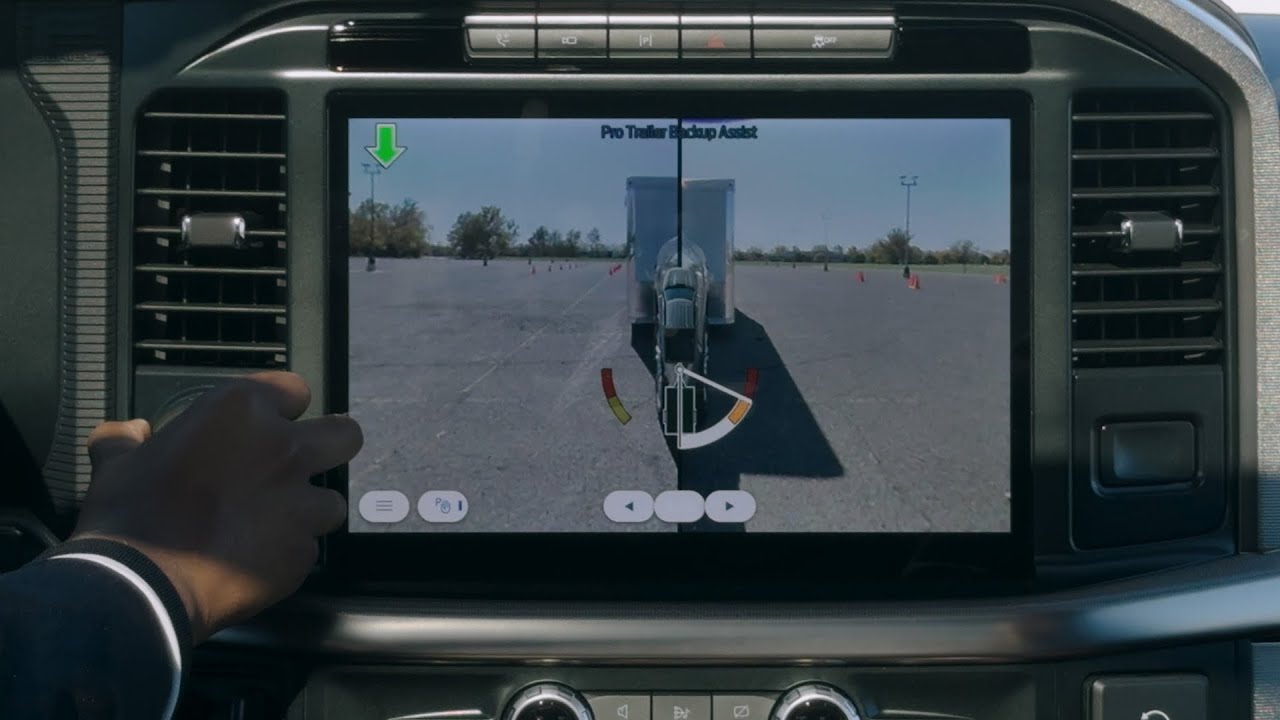
Okay. We’re going to shift to reverse to activate following the prompts on screen. Excellent. Now, I’m going to open up your view just a little bit so we can see what’s behind us. Perfect. We can see off to the right our parking spot. I’d like you to use the cameras and your mirrors to try and maneuver the trailer into that parking spot using the Protra backup assist knob.
Okay. All right. Let’s try it. So, backing up. I’m going to go to the right a little bit.
Autumn, you’ll notice a white line starting to appear. That’s showing us our goal. That’s where we’re trying to take the trailer. And a trailer logo right here. This is a real-time representation of where the trailer is behind the truck. Got it. at the cows. Now, as your trailer starts to spin to the right, you’ll notice that our frame on our camera is starting to extend.
I see. Yeah.
And the more you twist that knob, the more the trailer turns, the more visibility we’ll have.
Got it. Yeah. It’s really opening opening up the view there. This way, maybe a little bit. Yeah, you’re looking good. Follow your instincts here. We’re going to experiment with this. So, talk to me about what you’re seeing. Okay. So, I’m seeing that I’m getting very close to these cones on the right. Okay. So, let’s stop for a second. We’ll evaluate our options. So, anytime the trailer is not going the direction you want it to, we can always pull forward to bring it back to center. Got it.
So, let’s go ahead and press trailer assist one more time.
There we go. We’ve deactivated the system.
Now, we’ll go back into drive. Let’s just pull straight ahead. Okay. Yeah. Keep going till that trailer is nice and lined up behind you.
Yep. A little bit more.
Got plenty of room in front of us. There you go. That’s perfect.
Got it. Let’s stop right here and we’ll go through the same process again. You can go into park if you’d like.
Okay.
Let’s press protra back assist. Excellent. It’s detecting the trailer again. And when it’s ready, it’s going to prompt us to go in reverse. It’s asking us to shift into reverse to activate. Excellent. It’s ready for us. Hands off the wheel. You can just use the knob over here.
Okay. And we’re going to give this a shot. Again, remember, take your time. We’re going to come back a little bit. Use your mirrors to gauge how far away we are from that parking spot. Go to the Let’s go back to the left just a smidgen. and then take it to the right. Everything happens slowly when you’re trailering, so take your time, allow the trailer time to respond, and do your best. I’d say we’re right on to crank that to the right and see if we can maneuver it into the parking spot. Going a bit go left just a bit. Anytime you’d like the trailer to go back to center, you can release the knob back to center and it will straighten out the trailer.
Got it. Okay. Now, I think I’m getting a little bit closer. Yeah, it looks like really close. That’s great. Can you see your cones in your lefth hand mirror?
I can. Yes.
Awesome. Plenty of room over on my side, so feel free to swing that trailer to the right some more if you’d like.
Awesome. Got it. Excellent.
I’m going to straighten out just a little bit. Then I’ll go to the left just a bit. A little bit to the right. Back to the left. You’re a pro, Autumn. No problem.
There we go. Did I do it?
I don’t think I could have done that better myself. That was fantastic. Let’s go ahead and go into park.
Okay,
there we go. Nice job. Should I turn this off?
Yeah. To deactivate the system, go ahead and press Protra again.
Got it.
Awesome. We’ve got it shut off. How did that feel?
It felt a little bit different from using the steering wheel, but I liked how my cameras were really helping to assist me there, and using this to kind of steer it, I started to get the hang of it a lot more.
Absolutely. Pro trailer backup assist as an available feature on F-150 really does a great job of helping you maneuver into tight spaces, but it did come down to your skill as well, and I want to commend you for a job well done.
Well, thank you. Absolutely.
Learn about the available Pro Trailer Backup Assist on the Ford F-150® truck designed to make it easy.
For other helpful towing tools check out: Towing 101
https://www.ford.com/support/towing-demystified/