How to adjust seating position and steering wheel for a better drive | Tutorial | Spot On
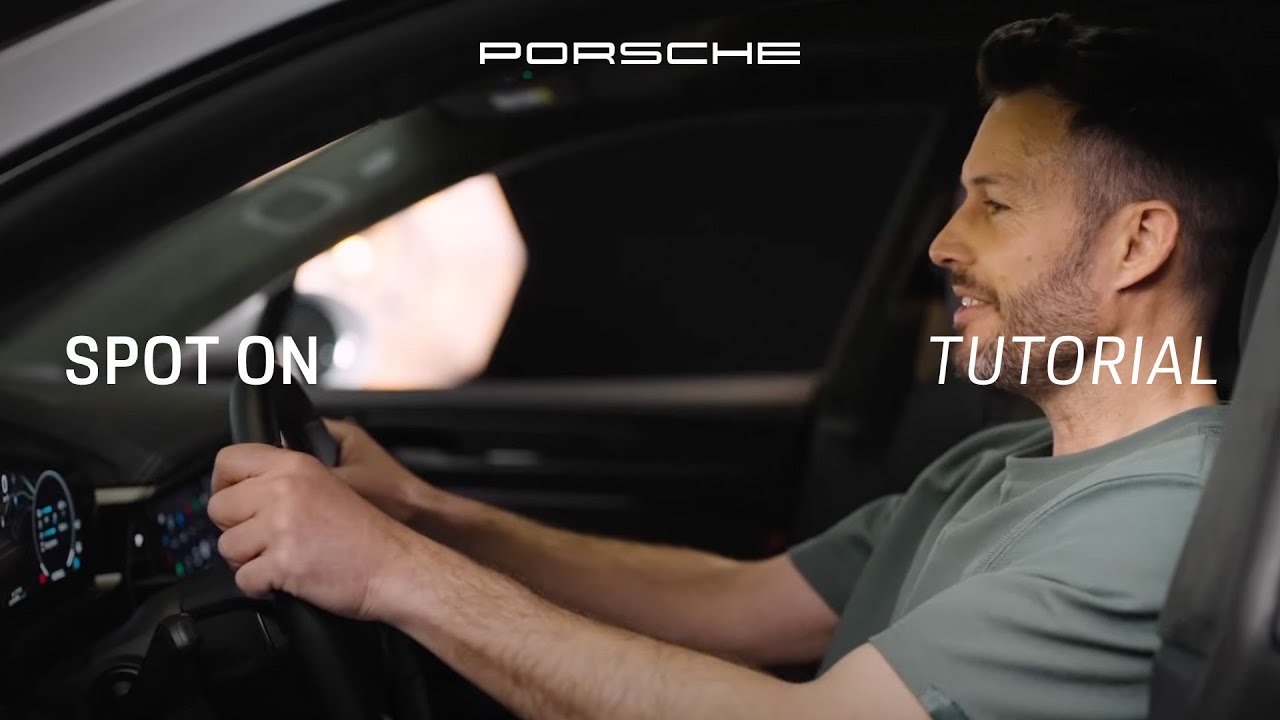
in this video I will show you how to optimize your seating position and adjust your steering wheel with the example of the Macan Electric check it out when adjusting your seat make sure that your vehicle is parked so that you can concentrate on the position that is right for you the wrong positioning in your seat is not only uncomfortable and tiring but could also be dangerous with less control over the movements of the car a good seating position gives you better visibility and more comfortable driving experience making long drives safer and less taxing you can prevent or reduce back pain and may even benefit from improved control during emergencies looking at the Macan electric Porsche offers different seat adjustment configurations with the comfort seats you can decide between either eight or 14 different ways to adjust your seat the 14-way comfort seat additionally offers comfort memory with which you can save the personalized setting also for the passenger seat this Macan is equipped with the adaptive sport seats which include 18 possible seat adjustments and comfort memory in this case we will have a look at all the different ways in which you can adjust your seat let’s start you can find the respective buttons implemented on the seat the buttons control different areas so let’s get into each one first off is seat height the goal is to give yourself enough headroom and a clear view around your car see this lever over here it controls the seat height as well as position to adjust seat height grab the back of the button and push it up to heighten the seat there we go try making your eyes align with the middle of the windshield okay I have a good view now up next is seat positioning move close to the back rest and adjust so that your knees are slightly bent now press the brake pedal to its full extent your knee should be almost but not fully straight now if you have to extend your knee fully to press the pedals you’re too far away mine are actually a little bit too stretched out right now which in a long term will not be comfortable either so I will move forward a little bit by pushing this button forward there we go to move your seat backwards push the button to the back instead also make sure that your foot can touch the entire pedal surface let’s check the seat tilt you want to adjust the tilt so that your legs rest comfortably and are just slightly bent when grabbing the left side of the button and pushing it either up or down you can adjust the angle of your seat pushing this button right here can move the front area to support more of your thigh be good to your spine and make sure that your back is resting properly in the seat first let’s check if the back rest angle is right slide your posterior all the way to the back so you feel the back rest lean back and sit upright allow for the back rest to support the spine a good thing to remember is that your shoulder blades should touch the back rest even when steering to adjust the back rest angle press this button either forward or backwards now let’s look at lumbar support which focuses on the natural forward curvature of the spine you control it with these buttons over here the goal is for the seat to fit the spine’s curve and therefore improve your posture if you experience back pain after a long drive it may be because your lumbar support is not properly adjusted let’s see additional comfort changes can be made via these two buttons with this one you can adjust the side bolster of your seat and with the other the back rest to best suit your posture now that the seating fits let’s adjust the steering wheel for the Macan Electric you can adjust it here position the steering wheel so that you maintain relaxed shoulder contact with the back rest remember what I said about the spine you want to keep the optimal seating you’ve just set test the distance by placing your wrists on top of the steering wheel rim like that next make sure that your hands have a 9 and 3:00 position for optimal control and airback safety your arms should not be outstretched completely the distance between your upper body and the airbag should be around 25 to 28 cm at the same time make sure that you have a clear instrument visibility curved display check pcm check are your arms comfortable and resting easily on the steering wheel good last but not least headrest the adaptive sport seats have a fixed headrest which is carefully designed to maximize both safety and comfort for other seat configurations in the Macan electric you’ll be able to adjust the headrest horizontally now that you’ve set your headrest and steering wheel you want your Porsche to remember them seat memory is a feature that allows drivers to save their preferred seating positions making it easy to switch back to these settings with a press of a button ensuring comfort and convenience in every drive look at the door here there is a set button and three buttons numbered 1 2 and three now I’m going to press the set button and select number one now this seat position is saved with button one and there we have it perfectly set for the road ahead remember the right setup not only boosts your driving pleasure but can also support a safer drive also it’s worth reassessing and adjusting the seating position from time to time since comfort levels and postures can change over time have a good seat in your Porsche and a lot of fun driving your car see you in the next video
Join Bijon as he shows you how to optimise your seating position and adjust the steering wheel in your all-electric Macan.
00:00 Introduction
00:13 Adjusting your seat
00:20 Why seating position matters
00:44 Seat adjustment configuration options
01:22 Using the buttons to adjust your seat position
04:12 Adjusting the steering wheel
05:07 Adjusting the headrest
05:21 How to save preferred seating positions
05:55 Outro
► Watch more Spot On videos: https://porsche.click/SpotOn_YT
► Learn more about the Macan Electric: https://porsche.click/SpotOn_Macan_YTMacan
__
Macan Turbo (WLTP): Electricity consumption combined: 20.7 – 18.9 kWh/100 km; CO₂ emissions combined: 0 g/km; CO₂ class: A; Status: 07/2025
Follow Porsche on Instagram: https://porsche.click/2R1FOPM
Like Porsche on Facebook: https://porsche.click/3dFSRQs
Follow Porsche on TikTok: https://porsche.click/3AHZ4aQ
Follow Porsche on Twitch: http://porsche.click/3deSdsi
Subscribe to Porsche on YouTube: https://porsche.click/2WWDxZZ
Visit the Porsche Website: https://porsche.click/2yprQAR