How To Control Auto Start/Stop in Your BMW (OS 9)
Maximize your BMW fuel efficiency with the auto start stop system. This feature is designed to reduce consumption by temporarily turning off the engine while the vehicle isn’t driving.
Here’s how it functions and how you can control it.
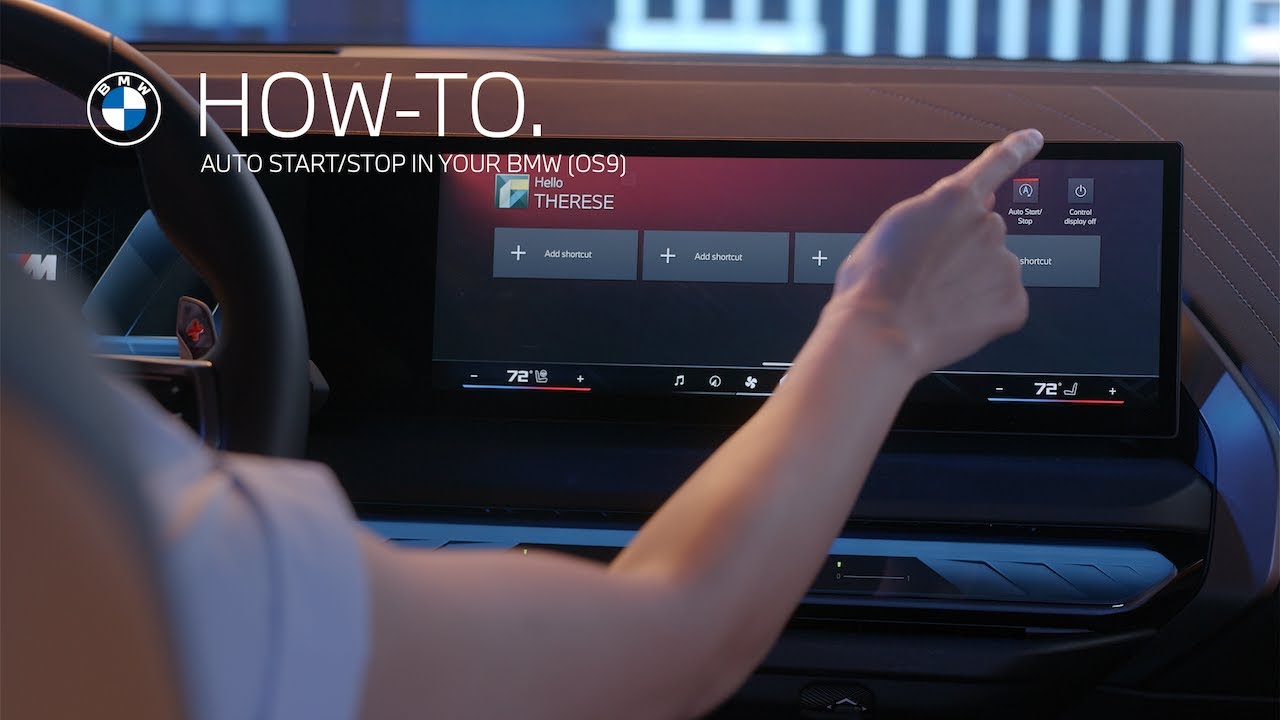
Auto start stop is on by default at the start of every drive. It automatically shuts off the engine when you’re at a standstill, like at a traffic light. Then it restarts instantly when you’re ready to go.
If you prefer to turn this feature off, you have two easy options. Simply swipe down on the center information display, then tap Auto Start Stop to toggle it off, or press the Drive Settings button on the center console.
Then select Auto Start Stop to disable it for your current drive.
Lastly, it’s important to note that auto start stop is automatically off when driving in sport mode. The feature is deactivated to maximize the spirited driving of your BMW.
After each drive cycle, the auto start stop system resets to its default on setting. Explore more of your BMW intelligent features by watching our How to Series.
Continue watching our How-To series to explore all the innovative features of your BMW!
Looking for a quick answer? Check out our FAQ page : https://faq.bmwusa.com/
Refer to your owner’s manual or visit: https://www.bmwusa.com/owners-manuals.html
Need further help? Contact us here: https://www.bmwusa.com/contact-us.html