
Searching For Chargers With My BMW App | BMW Did You Know?
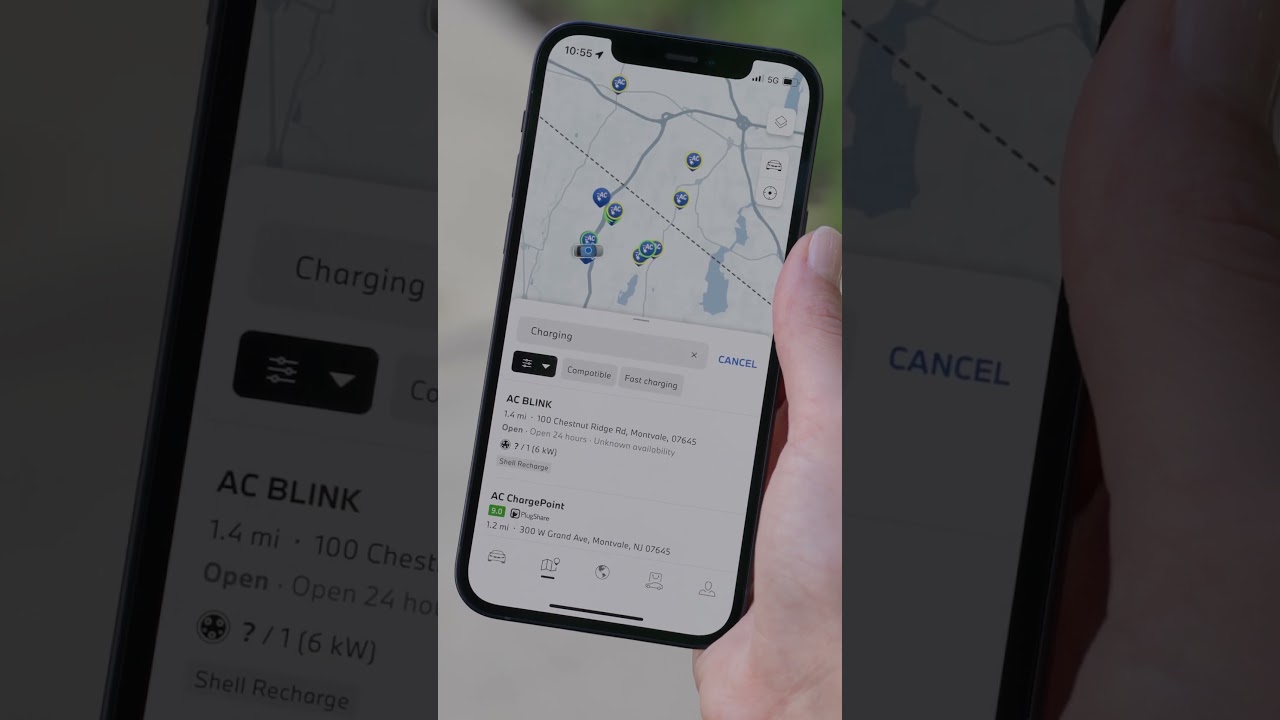
Did you know the My BMW app helps you quickly find charging stations? In the app’s map section, after selecting Charging you will see all the chargers around you. You can easily filter your results then pan through the map itself and select the charging station pins directly.
You can also scroll down the list of available stations and tap on any station to see the details. This includes the provider, station rating from PlugShare, charge speed, photos and what is nearby.
Once you select your charger just send the directions and you’re ready to go!
Continue watching our How-To series to get the most out of your BMW: https://www.youtube.com/playlist?list=PLzgoLd4TRmNrBVU2FSKDsn6LLsB4EUvh1
Learn more about charging your BMW on our website:
https://www.bmwusa.com/charging.html
Need further help?
Email our BMWi Hotline at BMWiConcierge@bmwusa.com
Available Monday through Thursday 9:00am-9:00pm (EST)
Friday 9:00am-6:00pm (EST), and Saturday 10:00am-7:00pm (EST)
Refer to your owner’s manual or visit: https://www.bmwusa.com/owners-manuals.html
Follow BMW USA for the latest in luxury cars and performance vehicles:
Facebook: https://www.facebook.com/BMWUSA
Instagram: https://www.instagram.com/BMWusa
Twitter: https://twitter.com/BMWusa
TikTok: https://www.tiktok.com/@BMWusa